Assessment AutoFill: Create Accurate Privacy Assessments in Minutes with Vera AI
Ask any privacy team about privacy assessments and you’ll likely hear the same things we do:
- “Assessments are an extremely manual process… it’s unsustainable for our team.”
- “We call it death by a thousand assessments.”
- “Unfortunately these things are mostly privacy theater. We have no idea if they’re fully accurate.”
Assessments like PIAs, DPIAs, AI risk assessments, and TIAs are legally required under GDPR, CCPA, and a growing list of U.S. state laws. And yet, most enterprise teams and even high-dollar consulting firms still run a process that looks like it belongs in 2005.
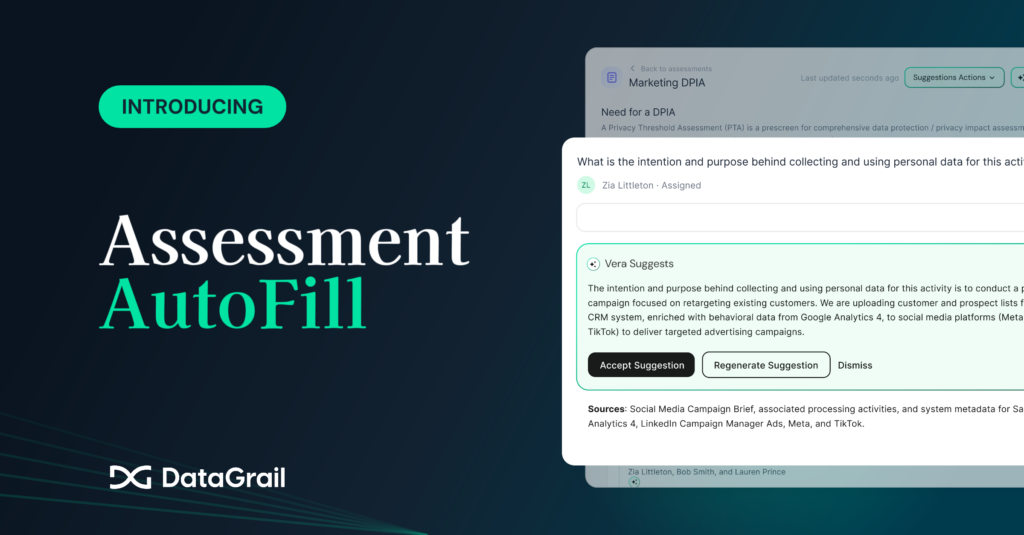
Assessment AutoFill is built to close the gap.
Why DataGrail can do this when other AI tools can’t
There’s no shortage of tools that promise to speed up assessments. The problem with the alternatives—including general-purpose AI tools like Claude or ChatGPT—is they lack the one thing that makes assessment automation actually work: complete, up-to-date context about your privacy program.
General-purpose AI doesn’t know what systems are live in your environment, what PII data flows through them, what privacy rules you’ve set up, or how previous assessments have been answered.
Without that critical context, “AI-assisted” answers are mostly generic guesswork.
Only Assessment AutoFill combines Vera, the first complete AI privacy agent, with the largest integration network of 2,500+ systems, automated processing activity and system mapping, and up-to-date insights for 12,000+ business applications.
So when Vera drafts a response, you know it’s grounded in real data about your actual program.
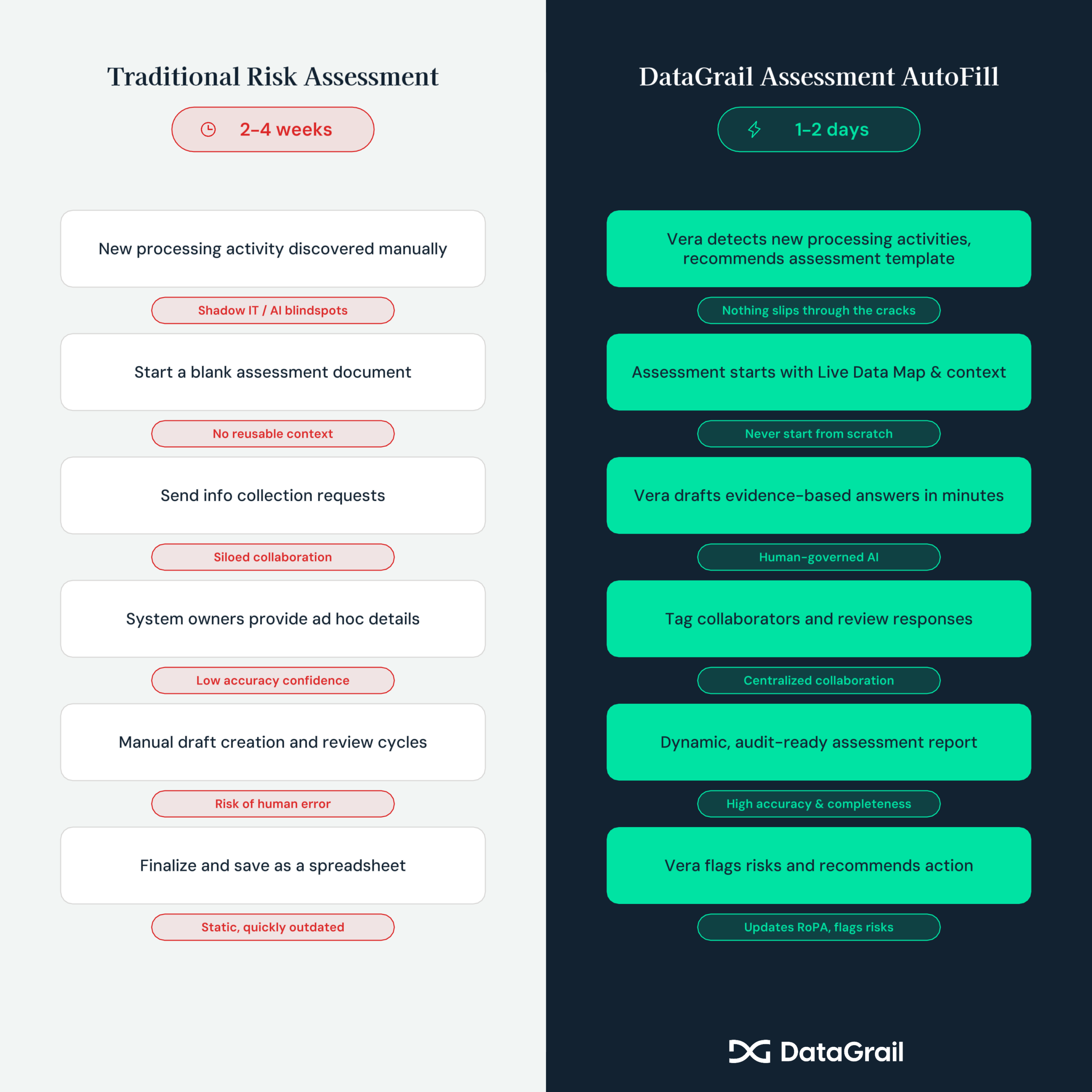
How it works
When you kick off an assessment in DataGrail, Vera already has full context into your processing activities, systems, privacy protocols, and previous assessment responses.
You can also fine-tune Vera’s AutoFill responses further by adding more context and uploading supporting documents like DPAs, business plans, or PRDs.
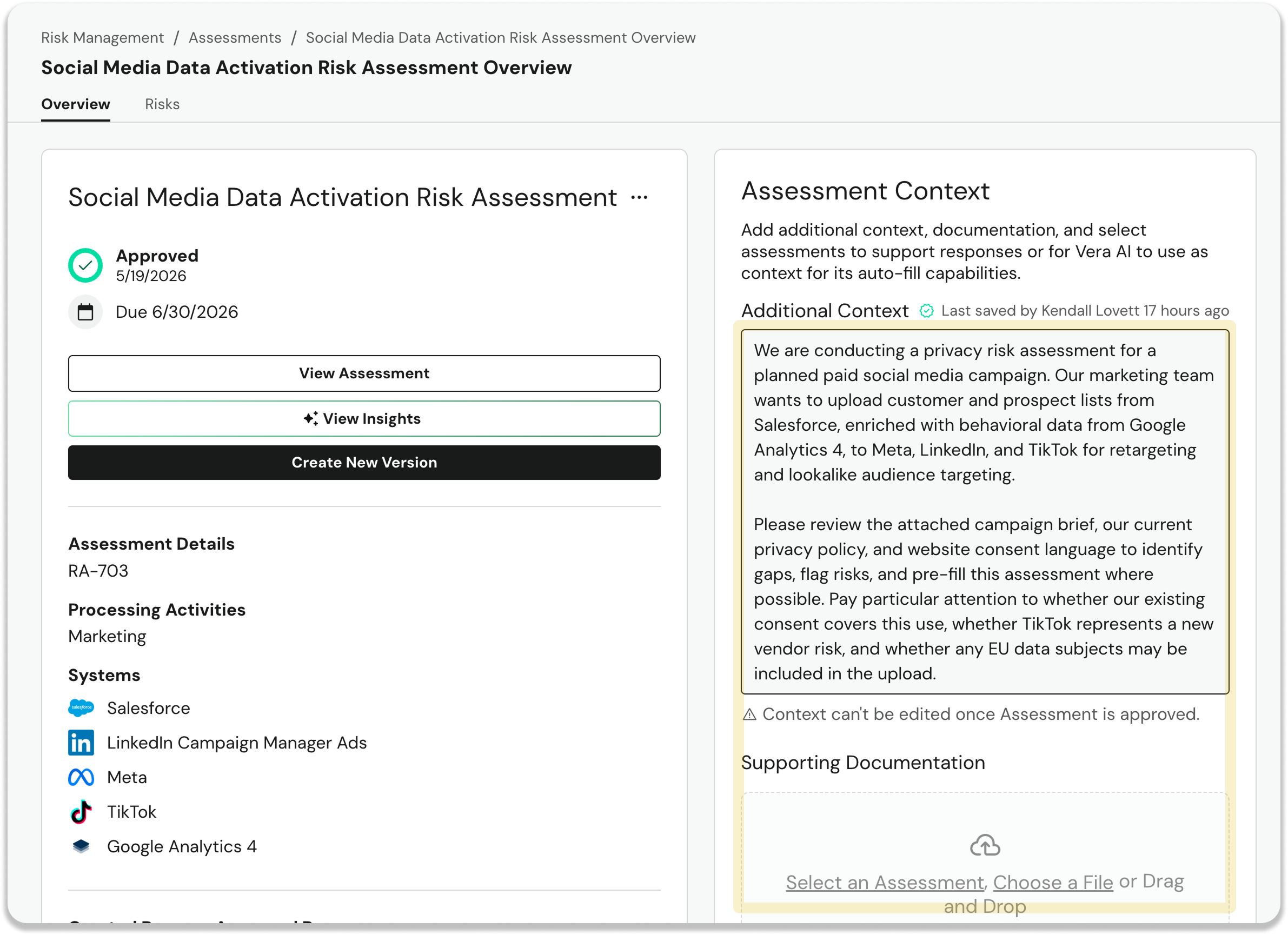
☝️ Tip: If you’re not sure which template to use for your assessment, just ask Vera in the chat to get tailored recommendations.
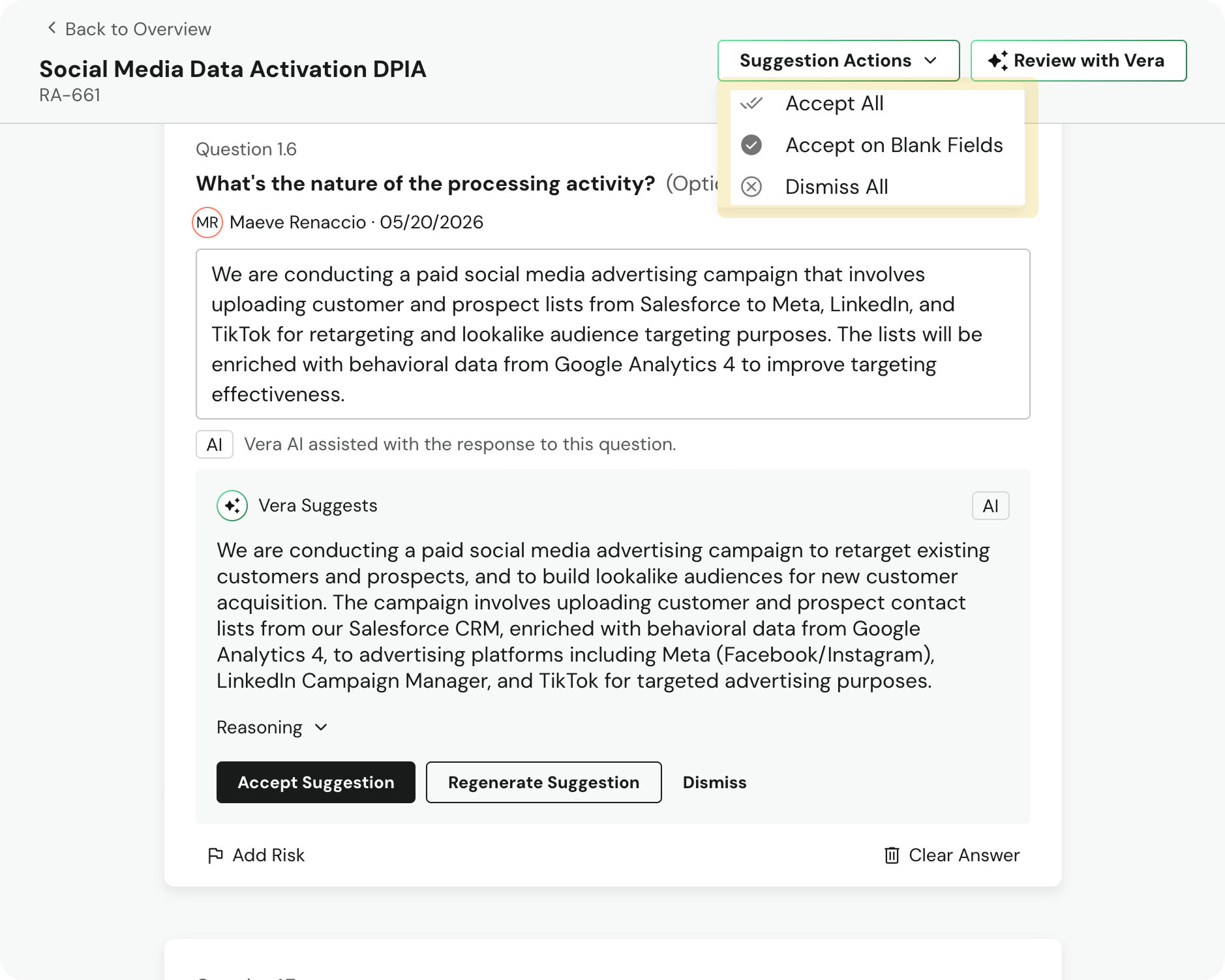
Once all the details are in place, a single click will put Vera to work using all that rich context to draft evidence-based responses. Every answer is flagged for your review. Nothing moves forward without your approval.
The result: up to 90% faster assessment completion.
See Assessment AutoFill in action. Watch the on-demand demo.
Built-in collaboration and oversight
Replace email review tag and 15 page pdf redlining with centralized, streamlined collaboration and review.
Invite collaborators to work with you directly in DataGrail, no platform license required. Review Vera answers and reasoning, flag risks, and share only the details you need a stakeholder’s eyes on.
Completed assessment review and enrichment
Assessments are more than legal documents. They provide a deep, evidence-backed snapshot of your privacy program that Vera uses to strengthen your overall privacy program.
When an assessment is complete, Vera will review it top to bottom to identify new risks, update system metadata in your Live Data Map, and provide recommendations for high-impact activities.
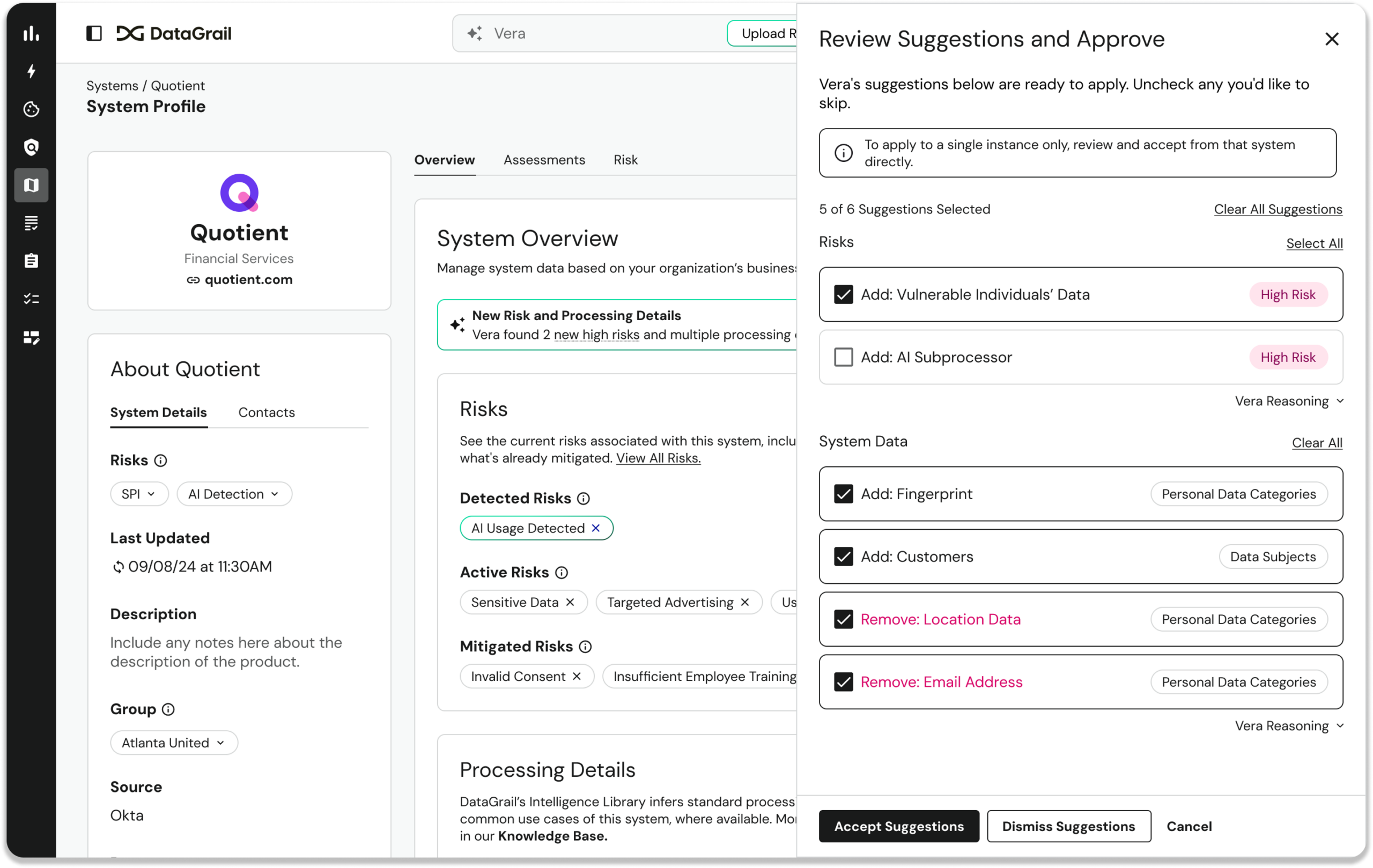
In addition, Vera generates a plain-language summary ready for executive review or audit documentation.
Create and manage assessments from Claude or other AI tools
The DataGrail MCP Server delivers a secure, no-code way to create, update, and evaluate assessments directly from Claude or your AI client of choice.
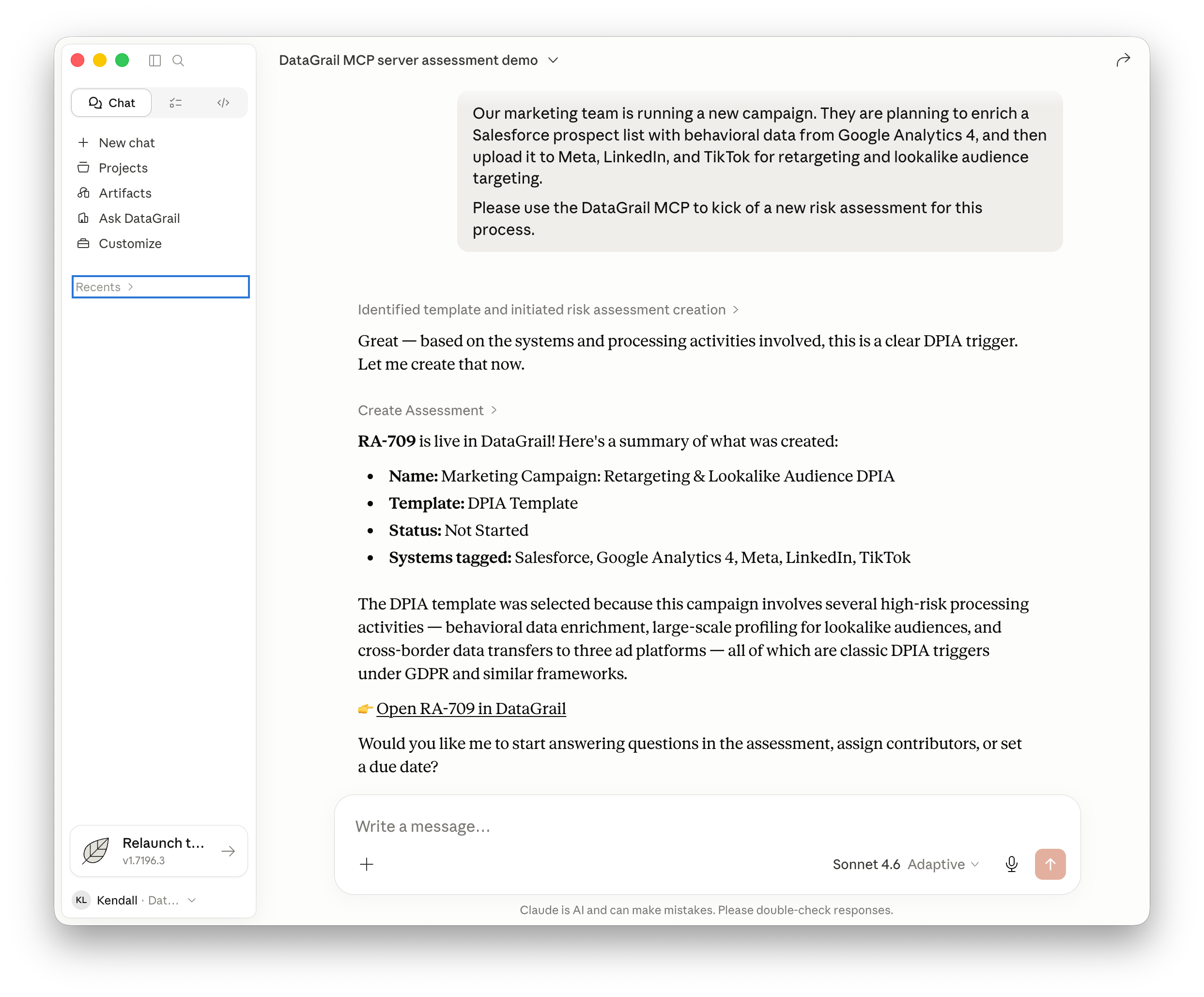
☝️Note: Admins have full governance over MCP read and write tools with granular user and system controls, and every action is logged, rate-limited, and tenant-isolated.
The new standard for evidence-based assessments
Assessment AutoFill isn’t just about speed, though up to 90% faster assessment completion speaks for itself. It’s about building a privacy program that holds up.
Faster assessments reduce the backlog. Better collaboration means more accurate answers. Vera’s post-completion review keeps your data map and risk register current as your program evolves. And all of it runs on DataGrail’s no-compromise security architecture: single-tenant isolation, multi-layer prompt protection, and zero external training on your data.
Assessment AutoFill is available now for all DataGrail Risk Assessments customers.
Not a DataGrail customer yet? See Assessment AutoFill in action.