In June, the team shipped 30+ new features and improvements across every part of the platform.
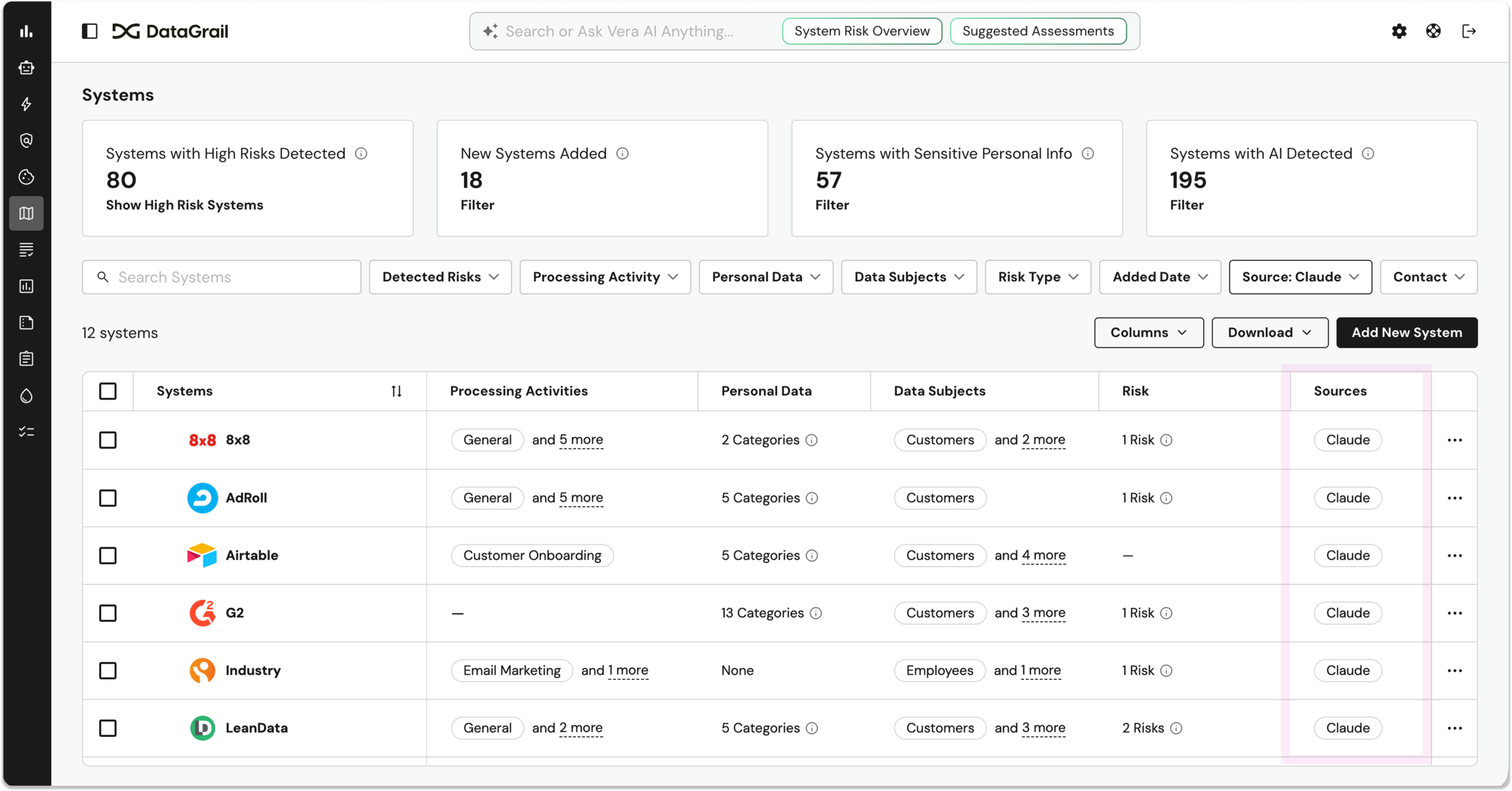
We expanded DataGrail’s patented system detection both upstream and downstream with new Ironclad and Claude Compliance integrations. The Ironclad integration lets you detect new systems as they move through procurement, while the Claude integration detects any systems connected to Claude via MCP—an industry first.
In addition, Risk Assessments now include a complete audit trail, and Vera becomes an expert on your RoPA.
Here’s a full look at what’s new
Detect systems procured via Ironclad
Our new Ironclad integration extends DataGrail patented system detection even further upstream, catching new tools as they move through procurement, before they ever have a chance to become shadow IT. 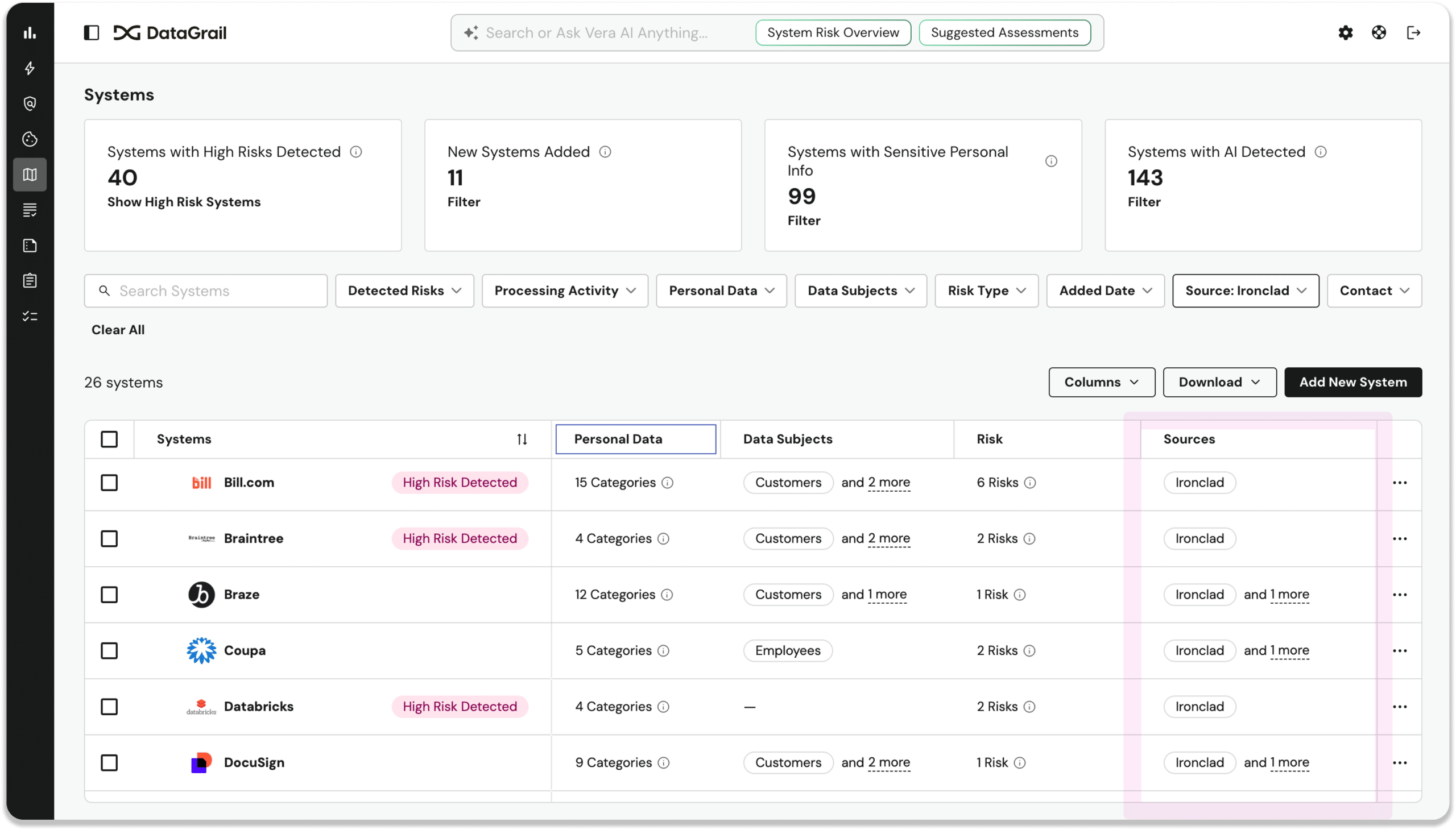
Now, the moment a new software agreement is signed in Ironclad, DataGrail automatically detects the associated system and adds it to your inventory. No manual entry, no waiting for the next audit cycle.
Detect systems connected via Claude
As AI governance becomes a compliance priority, privacy leaders need to gain visibility into Claude’s PI data access scope.
Our new Claude Compliance system detection integration surfaces which tools are connected to Claude in your system inventory, the types of data they have access to, and common privacy risks and considerations.
Assessment change history: Full audit trail
Risk Assessments now maintain a complete, automatic change history that logs every edit, contributor action, document upload, AI suggestion, and status change—all exportable as a CSV.
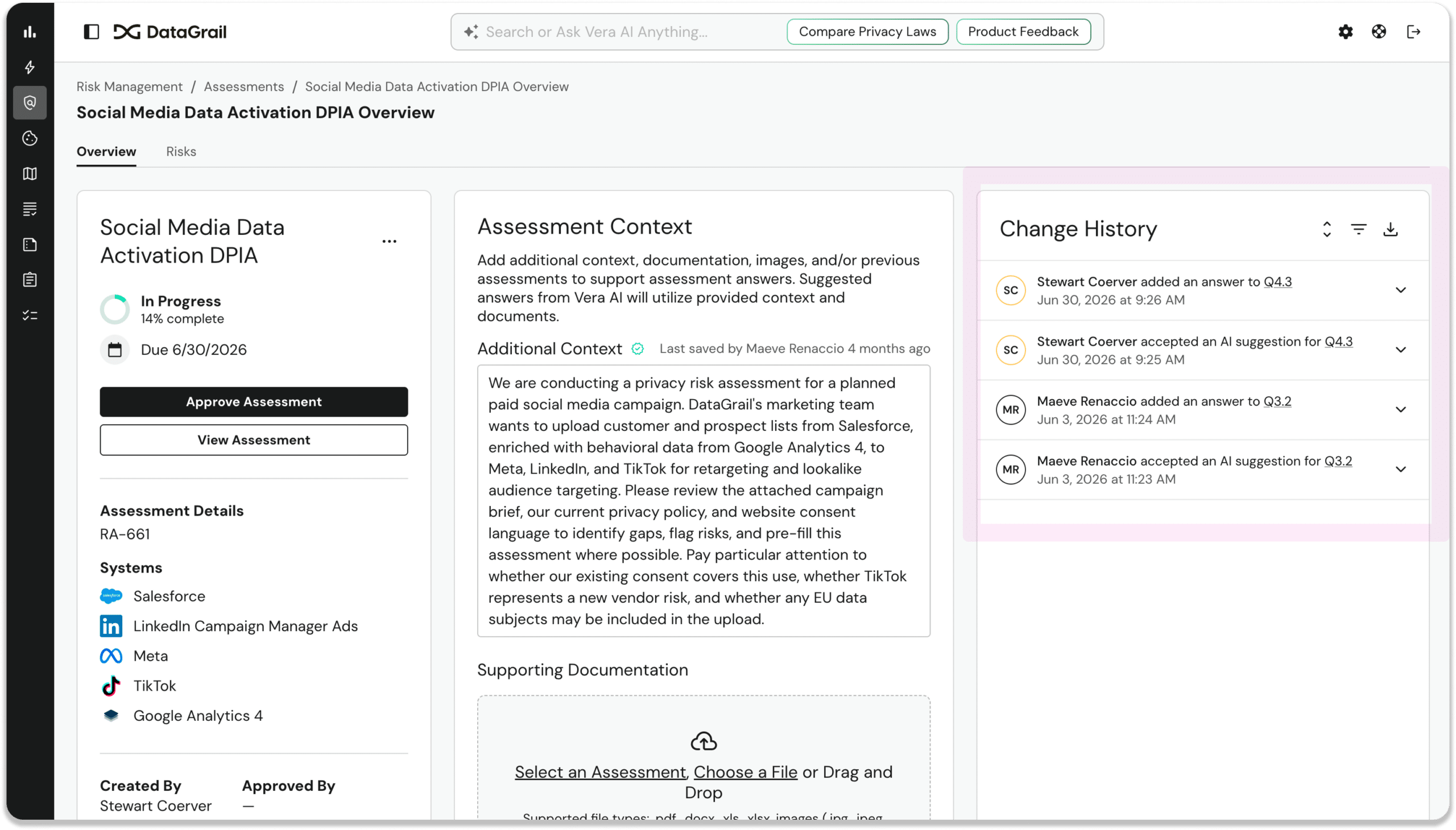
Compliance and audit teams conducting DPIAs and PIAs now get a complete, up-to-date paper trail, ready to export when auditors ask.
Assessments Public API
The DataGrail API now includes full support for Assessments, allowing you to create, update, and manage Assessments programmatically, in addition to via the DataGrail UI.
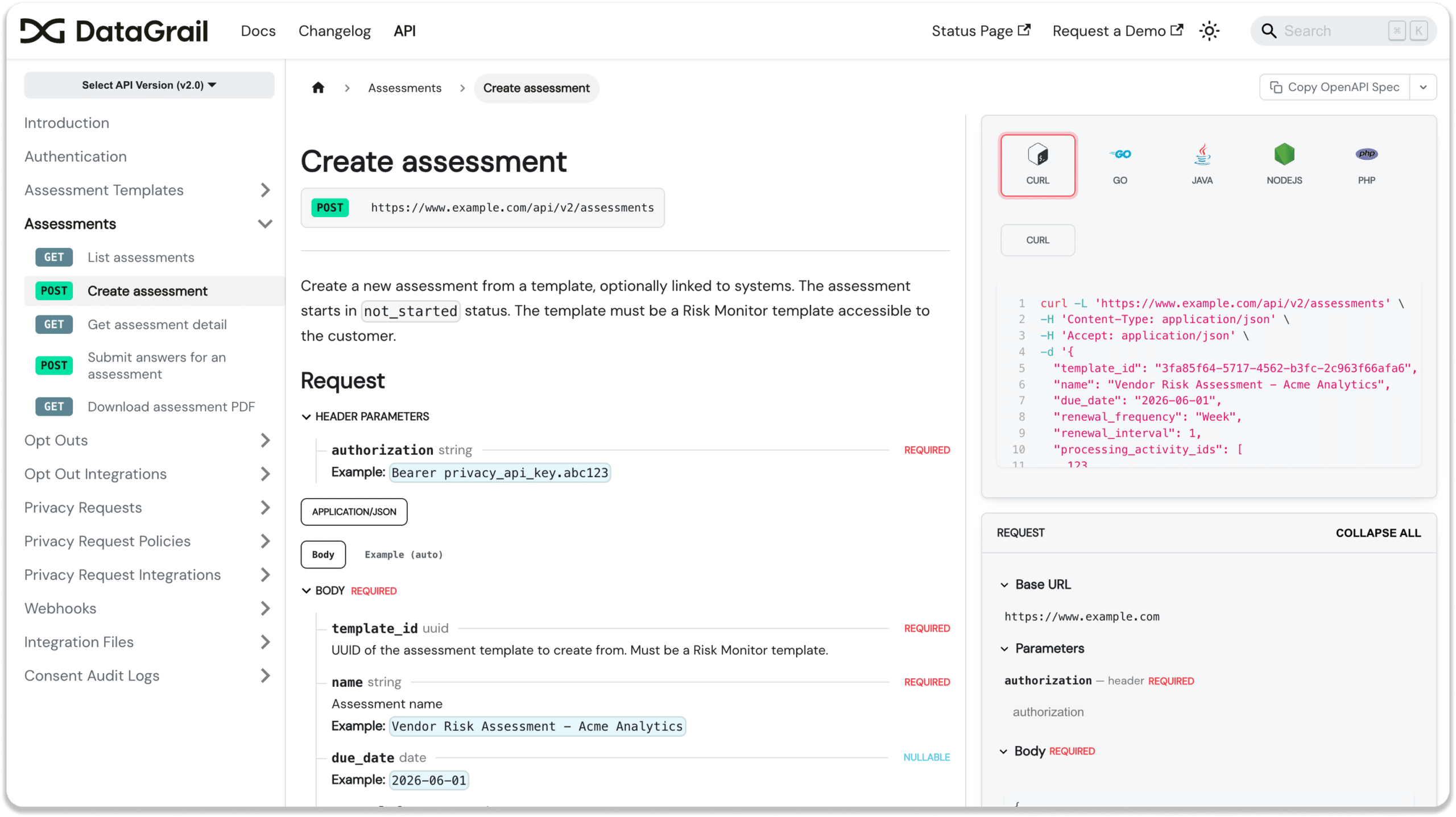
Customers can now extend assessment workflows to trusted third-party tools and manage assessments via custom workflows and systems, including Claude and other AI clients.
Vera has full context into your RoPAs
Vera now has full visibility into your RoPA and associated processing activities. In addition, Vera can now filter processing activities by legal basis, country, system, and data owner, and surface complete ROPA records on demand.
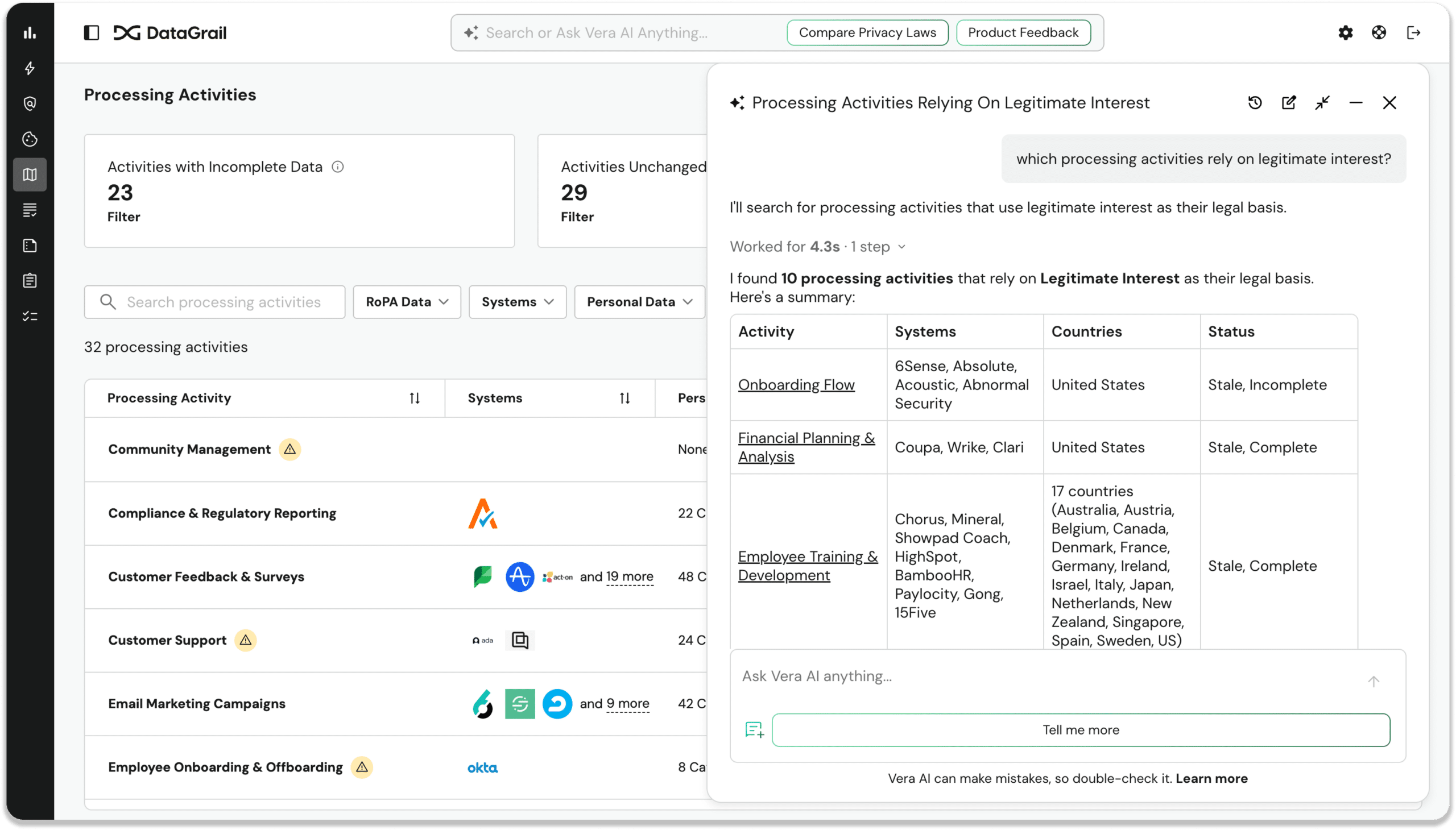
Just ask Vera questions like, “which activities rely on legitimate interest?” or what activities involve data transfers from Germany?” to get instant, full-context answers.
Other noteworthy updates
Assessments
- @Mentions and question references in comments: Users can now type @ in an assessment comment to get an autocomplete list of all participants, and type # to insert a deep link to any question or section. Assessment reviewers can explicitly call out collaborators and point directly to the content being discussed.
- Image file attachments: The assessment attachment uploader now accepts JPEG, PNG, GIF, and WebP image files in addition to documents. Users providing visual evidence such as screenshots, compliance charts, and scanned forms can now attach them directly.
- View comments on approved assessments: All comments left during the review process are now visible in read-only mode on approved assessments. Auditors and reviewers can understand the reasoning behind approved answers without reopening the workflow.
Request Manager
- Archive per-policy intake form customizations: Admins can now archive per-policy Privacy Request Center form customizations directly from the UI, immediately reverting the live form to default content in a single click.
- Multi-brand sender alias configuration: Multi-brand customers can now configure distinct sender names and email addresses for each brand or group within a single transactional mailer integration. Consumers receive privacy request communications from the correct brand identity without separate integrations.
- Language selector for privacy requests: Agents can now set and change the language on any privacy request from the request wizard, new request modal, or the request details page. The correct translated email template is sent automatically.
- Workflows index redesigned as a sortable table: The Workflows list is now a sortable, filterable, searchable table showing name, phase, status, and error count. Customers managing many automated workflows can quickly scan and identify issues — error counts visible at a glance, no need to open each workflow individually.
DataGrail Consent
- Microsoft Ad Platform consent integration guide: Documentation is now published explaining how to configure Microsoft Ad Platform (UET) with DataGrail Consent. Customers who rely on Microsoft advertising can now confidently configure consent controls without contacting support.
- Accessibility labels localized in 25+ languages: All hidden accessibility labels in the consent banner (e.g., “Close,” “Open language selector,” “Search vendors”) are now localized across 25+ languages with English as a fallback. Non-English screen reader users on customer sites now hear consent UI labels in their own language.
Platform / Admin
- Self-service SAML domain management: Admins can now add and remove email domains for SAML/SSO login directly from Settings → Additional Domains with bulk editing, real-time validation, and immediate effect — no support ticket required. Especially valuable for customers handling M&A integrations or onboarding new teams.
- Copy or download any docs page as Markdown: Every page in the DataGrail knowledge base now has a Copy/Download button that exports the full rendered content as clean Markdown; API documentation pages serve the raw OpenAPI spec (YAML). Enables AI tools, LLM workflows, and developers to access structured documentation instantly.
Data Discovery
- Data Classification tab on System Profile: A Data Classification tab was added directly to the System Profile page, surfacing scoped classification data, metric cards, and filters for the active system — with inline detail drawers instead of navigation to a separate page.
- System Detection jobs triggered instantly on new auth: System Detection jobs now kick off automatically when a customer configures a new System-Detection-Capable authentication, reducing wait time from 24–48 hours to under 1 hour. New customers see their System Inventory populate within the hour rather than waiting up to two days.
New and updated integrations
- Ironclad: System detection. Connection Instructions | API Documentation
- Claude Compliance: System detection. Connection Instructions | API Documentation
- Brevo (formerly SendinBlue): Updated to Brevo’s rebranded API. Connection Instructions
- Cisco Duo SAML SSO: SAML 2.0 SSO login support and automatic user provisioning. Connection Instructions
That’s all for June. For full details, including additional improvements and updates, see the change log.
Until next time. 👋
The DataGrail team