
Privacy work isn’t slowing down, and at most companies, the team responsible for it isn’t getting bigger. Enter Vera, DataGrail’s integrated AI agent built specifically for privacy operations. Vera is context-aware, integrated across DataGrail, governed by your own user permissions, and only takes action when you say so.
Think of Vera as the newest addition to your privacy team, ready to handle the work that used to mean digging through tabs, writing tickets, or waiting on someone else.
Here’s where to start putting Vera to work.
Clear your cookie backlog
Without AI, categorizing cookies isn’t just tedious, it’s also excessively risky. As a privacy professional, you’re stuck either begging for accurate and timely cookie definitions from your marketing and product teams, or resorting to Google and hoping for the best.
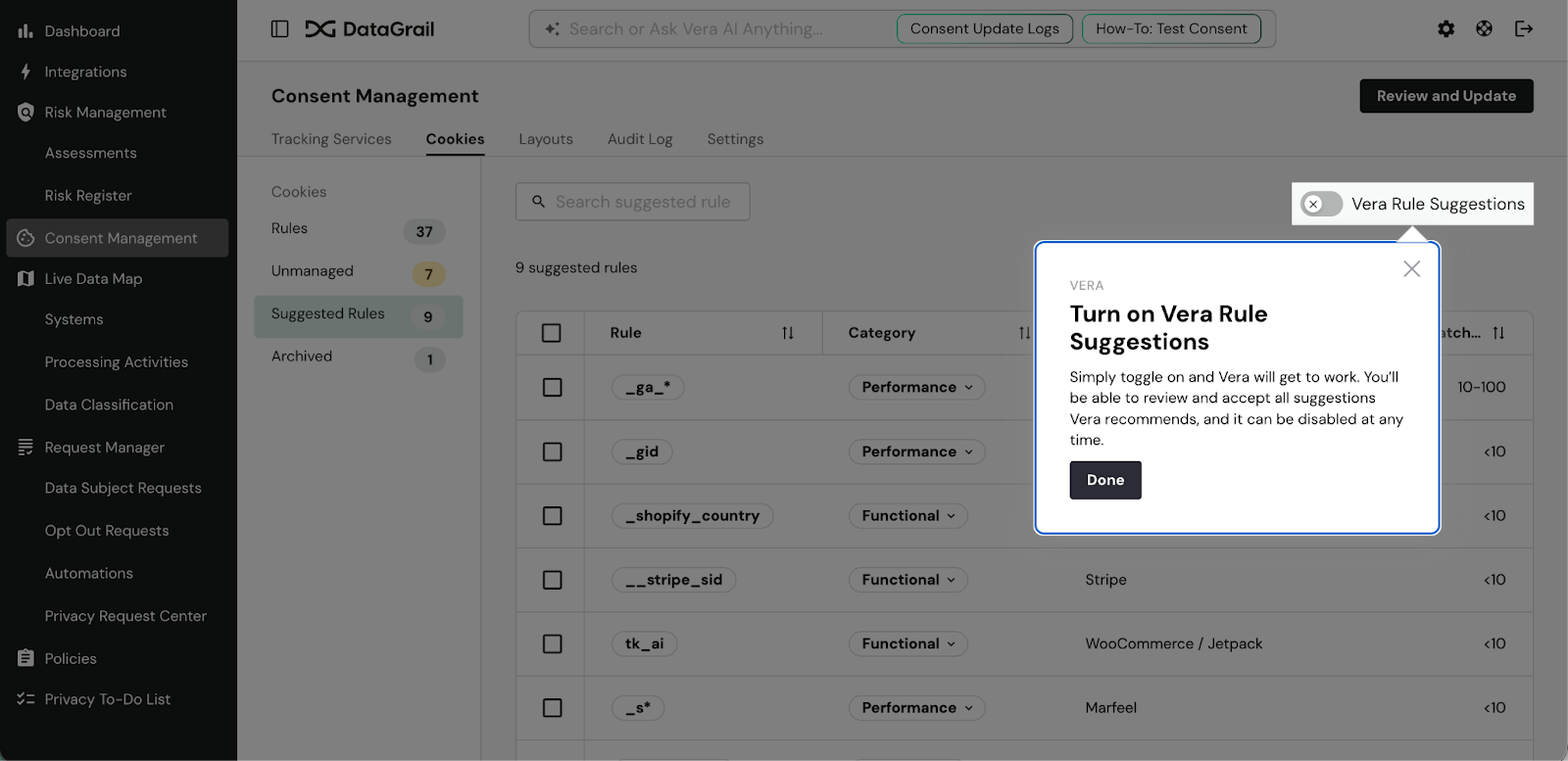
Vera detects unmanaged cookies on your site, researches them, and suggests rules and categories for each one. You review and accept them, individually or in bulk. What used to take real manual effort becomes a quick review.
“Vera’s AI rule suggestions significantly accelerated our rule creation process,” said Michele Sheets, Senior Manager of Digital Experience and Marketing Growth at NETGEAR. “What previously required manual iteration and refinement became faster and more intuitive.”
Start your day with focus
Digging into your privacy management to do list can be overwhelming. The bigger your privacy program, the more demands on your attention. An AI agent can help you cut through the clutter and focus on where you’ll make the biggest impact.
Vera’s prompt bar includes global search: type a few words and you can just jump to the relevant part of DataGrail, but keep going and Vera will step up to provide more hands-on help. You can also jump directly to recommended prompts that help you understand what’s most important and focus fast. You can also ask Vera questions like:
- Are there any tickets past due or that need my attention?
- What privacy assessments need follow-up today?
- Are there any errors when processing data subject requests over the past week? If so, can you enumerate the specific integrations and what errors we have received?
- Do I have any new uncategorized cookies?
Vera pulls from your live operational data across DataGrail products and gives you a real answer, not a dashboard you have to interpret yourself.
Compile executive reporting
It’s a tale as old as time. Your chief privacy officer wants one set of numbers, your chief financial officer wants another, and the people doing the work need something completely different from either. Putting together a report that pleases everyone while proving the ROI of your privacy program is difficult to execute alone, and even harder to scale.
Vera can generate tables and reports to help you tell the story of your work. The best part is, you don’t have to know exactly what you’re looking for to start.
Begin a conversation with Vera using a prompt like “Give me a breakdown of access vs. deletion requests over the past month including their count and average time to close.”
When Vera returns the answer, ask follow up questions. For instance, you might ask, “What trends do you see in DSRs that take longer to close?”
Iterating on your reporting with Vera helps you figure out where the real story is and move from reporting a table of abstract numbers to reporting a real plan addressing your privacy program’s actual areas of opportunity.
For teams using AI clients like Claude, you can take it a step farther. Just connect your AI tool with the DataGrail MCP Server and use simple text-based prompts to pull privacy operation metadata straight from DataGrail into a tableau report, google doc, or excel spreadsheet for additional analysis. It’s fast, secure, and 100% code free.
Troubleshoot technical errors
The engineer or specialist who hooked up your integrations is long out of the picture. If you don’t have technical knowledge of your own and an integration throws an error, you’re stuck waiting for them to come back. Or, you used to be.
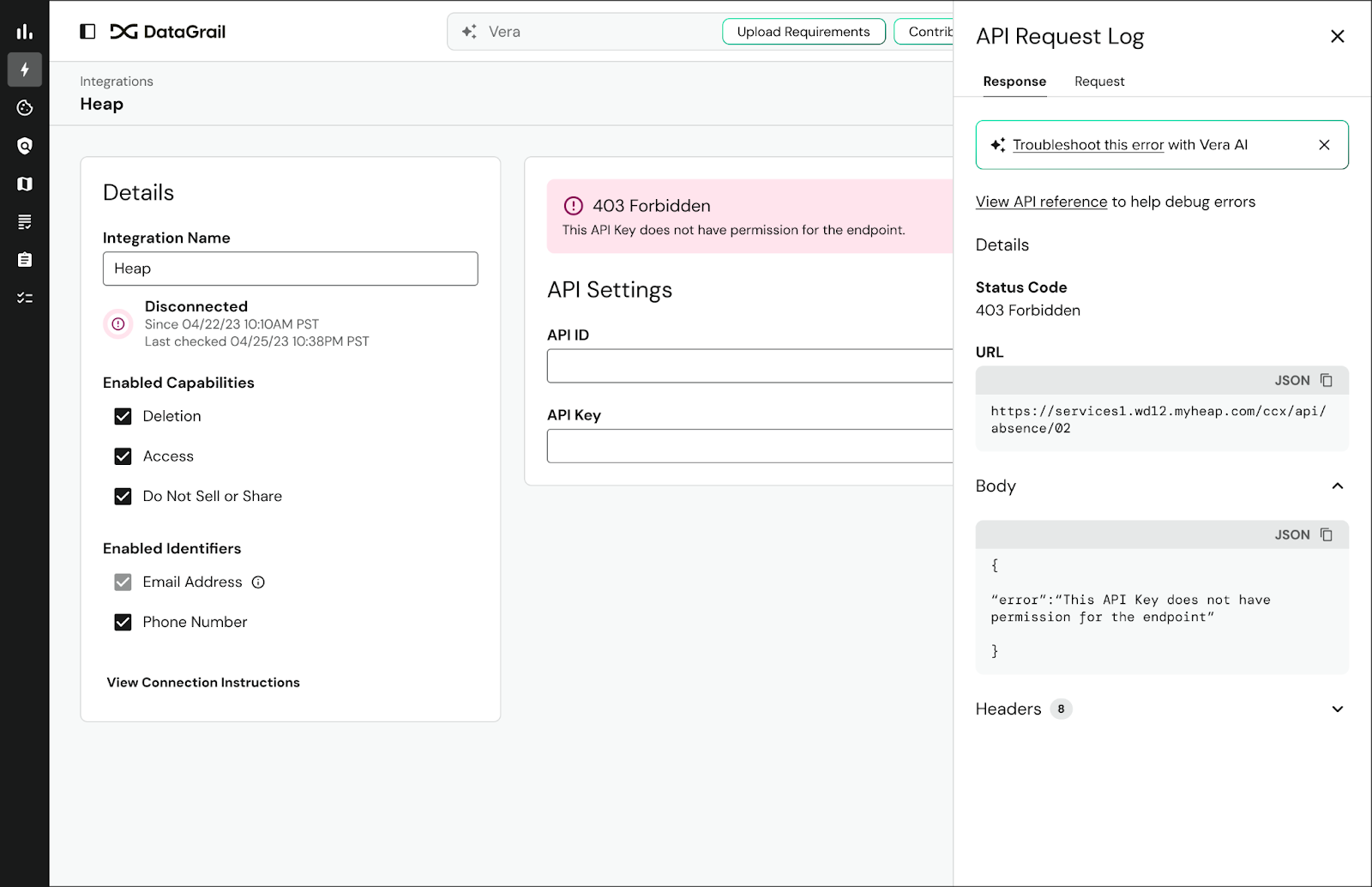
If you have a disconnected integration showing a 403 error or a failed API request, don’t open a new tab or submit a ticket right away. Open Vera instead. It can diagnose integration errors against DataGrail’s documentation and knowledge of thousands of systems, walk you through the fix, and get you back to running privacy operations. That’s it. No IT support queue. Just results.
Vera doesn’t replace the DataGrail customer success rep you know and love, they’re still here for you too. But sometimes you want an answer immediately, or you need some help shaping language into something your partners can understand. That’s where Vera shines, 24/7/365.
Get tailored guidance and instruction
“Grey work” refers to the time you spend bridging between technology systems that don’t work together and repeating yourself and intentions as you go. Vera addresses grey work for you by keeping everything you need to run your privacy operations at your fingertips.
Vera consolidates context from every DataGrail product in your privacy management platform, references major privacy laws, and keeps up-to-date with the entire DataGrail knowledgebase.
In practice, that means that without leaving DataGrail, you can:
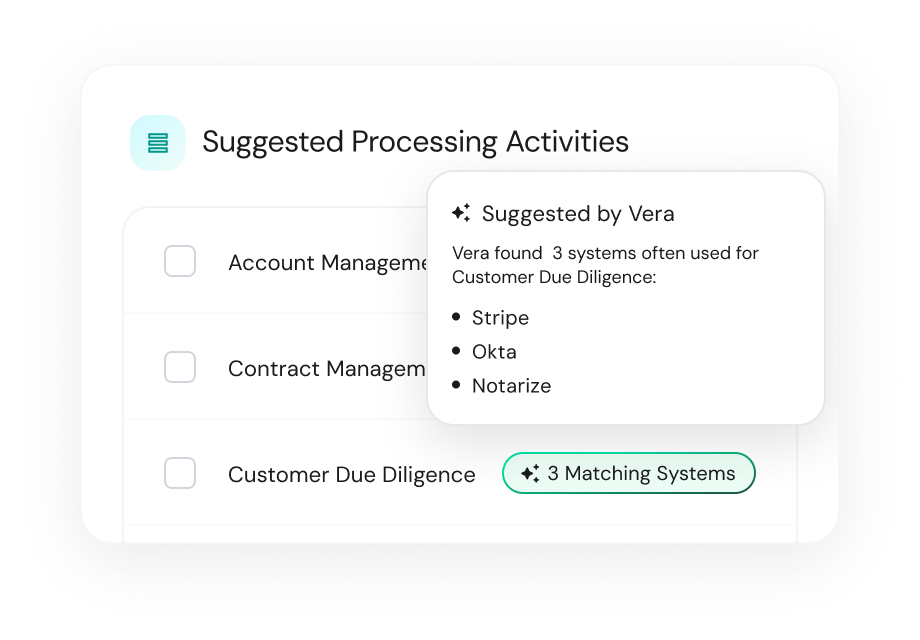
- Identify the most important integrations to hook up in Request Manager based on how high risk they are flagged in Live Data Map, then walk through the setup process
- Explain relevant legal requirements to a direct contact integration endangering a DSR from meeting its SLA
- Quickly understand a new DataGrail feature, evaluate if it makes sense for you based on how you use DataGrail, and send the team a feature request if not
- Pick the best assessment template for a certain system, improve the template with best practice recommendations, and generate some sample instructions to share with a new assessment contributor
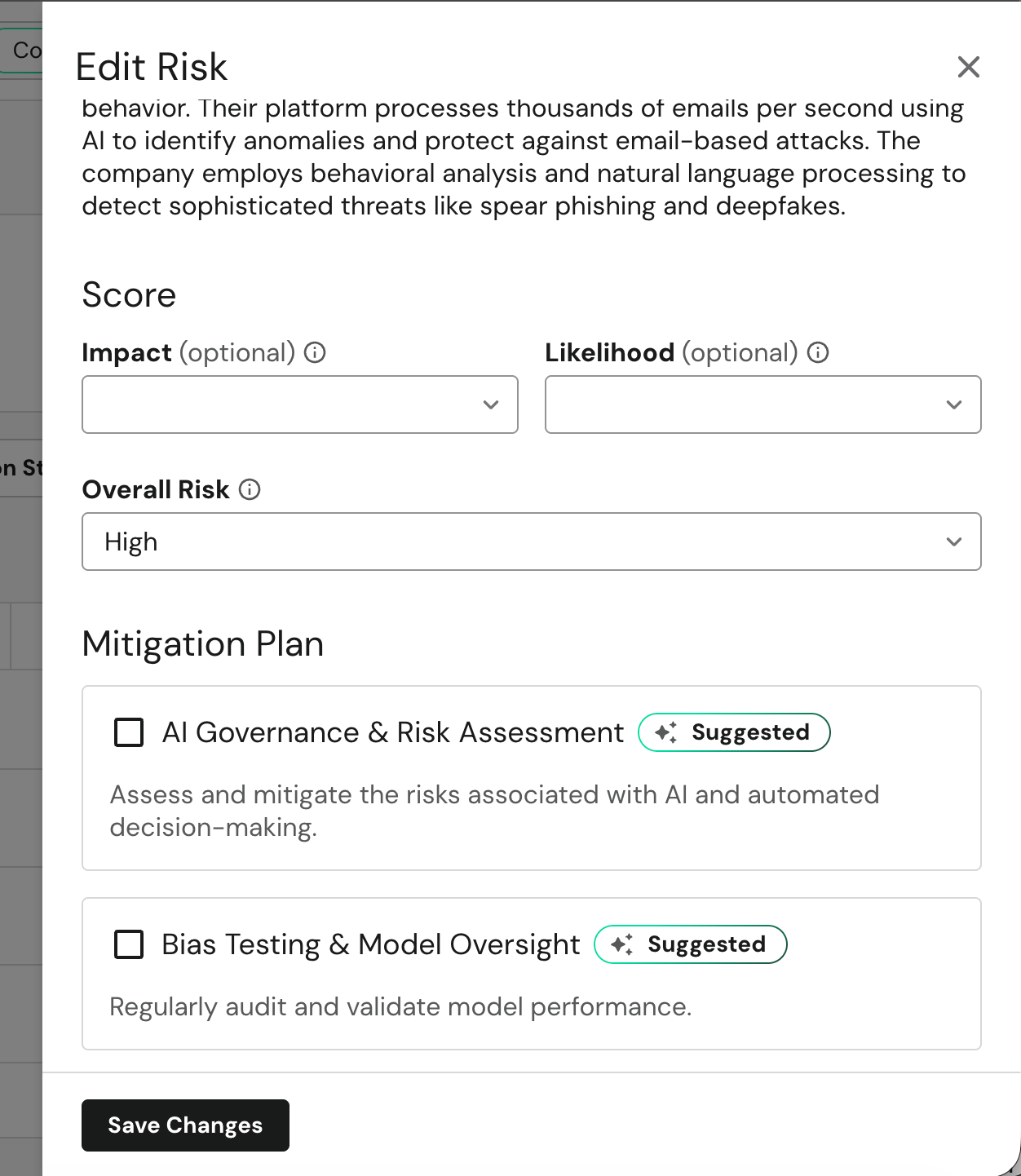
- Highlight risks emerging across your tech stack in Live Data Map and recommend relevant risk mitigation strategies in Risk Register.
Put Vera to Work
Now that you have some idea of the first five ways to try out Vera, it’s time to get to work. If you’re a DataGrail customer, all you need to do is open your platform and start typing in the chat bar at the top or look for the sparkle ✨throughout the product. That’s Vera!
Keep in mind that Vera learns something new every week. If Vera doesn’t deliver exactly what you’re looking for once, be sure to submit your feedback in the chat and keep a lookout for new releases.
Vera is Just Warming Up
Vera’s next big project? Take a first draft at PIAs and DPIAs using your real system metadata and program context. Early results show assessments that used to take days can be completed in a fraction of the time. DataGrail customers can join the beta now, just ask your Customer Success Manager for more information. If you’re spending significant hours on manual assessments today, this is worth getting into early.
If you’re new to DataGrail, request a demo to see how Vera fits into the big picture of DataGrail’s agentic data privacy platform.