
In September, DataGrail was certified as a gold-tier Google CMP partner. We also shipped 20+ updates across Vera, Smart Assessments, Consent, Request Manager, and more.
Let’s get into it.
DataGrail is Now a Google CMP Gold Partner with IAB/TCF Certification
DataGrail Consent joins the elite list of Google CMP Partners with gold status and IAB/TCF certification recognition. Google certifies CMP Partners who can reliably pass consent choices to Google Ads, Analytics, and its other ad and measurement products through Google Consent Mode.
Gold status is only awarded to consent platforms that can demonstrate high signal accuracy, ease of integration, and top-quality customer support.
A New Home for Vera Chat and Vera Skills [Beta]
Vera Chat has a new home on the navigation side bar.
Start a new full-screen chat, get recommendations, and search your chat history in one convenient location.
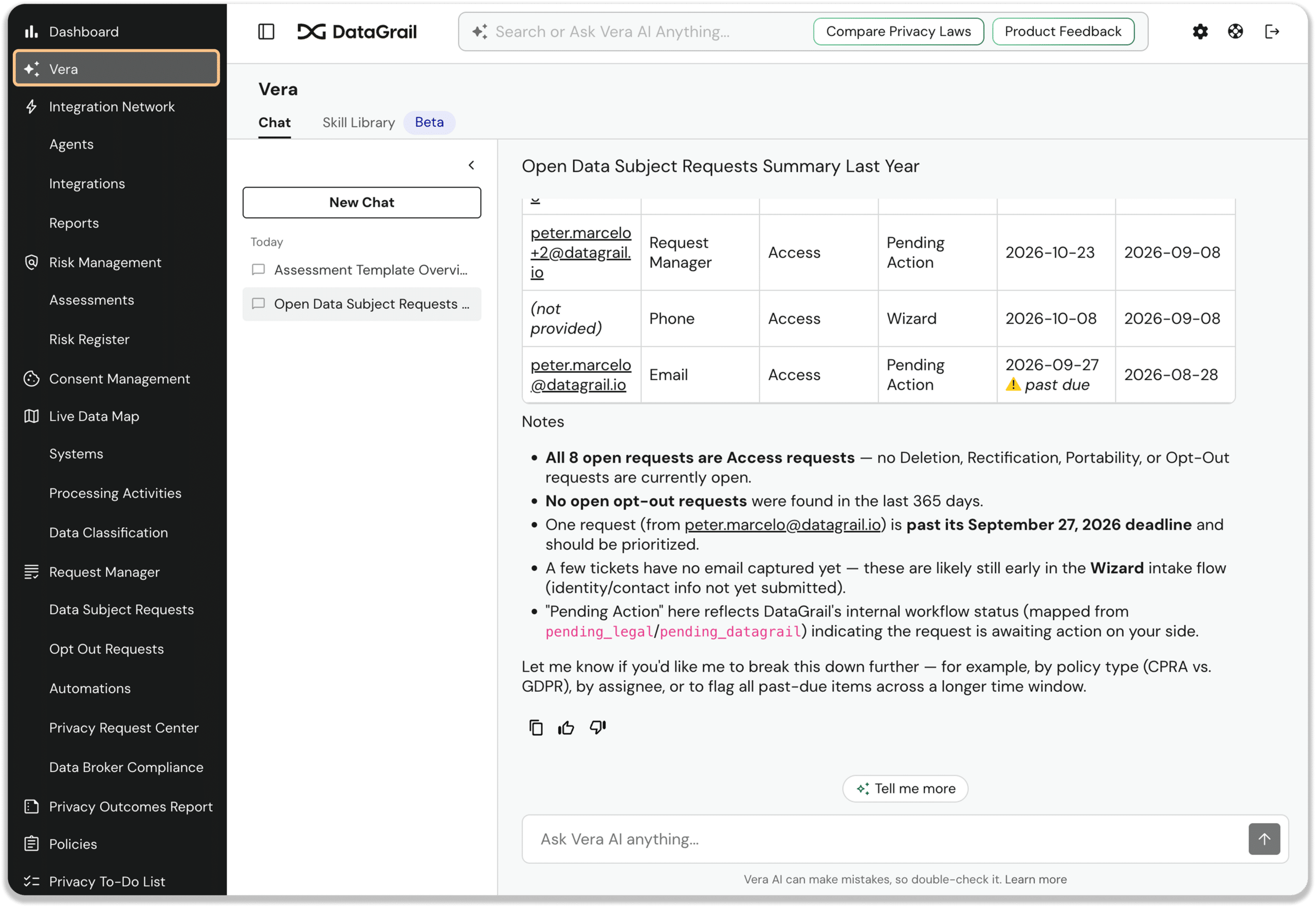
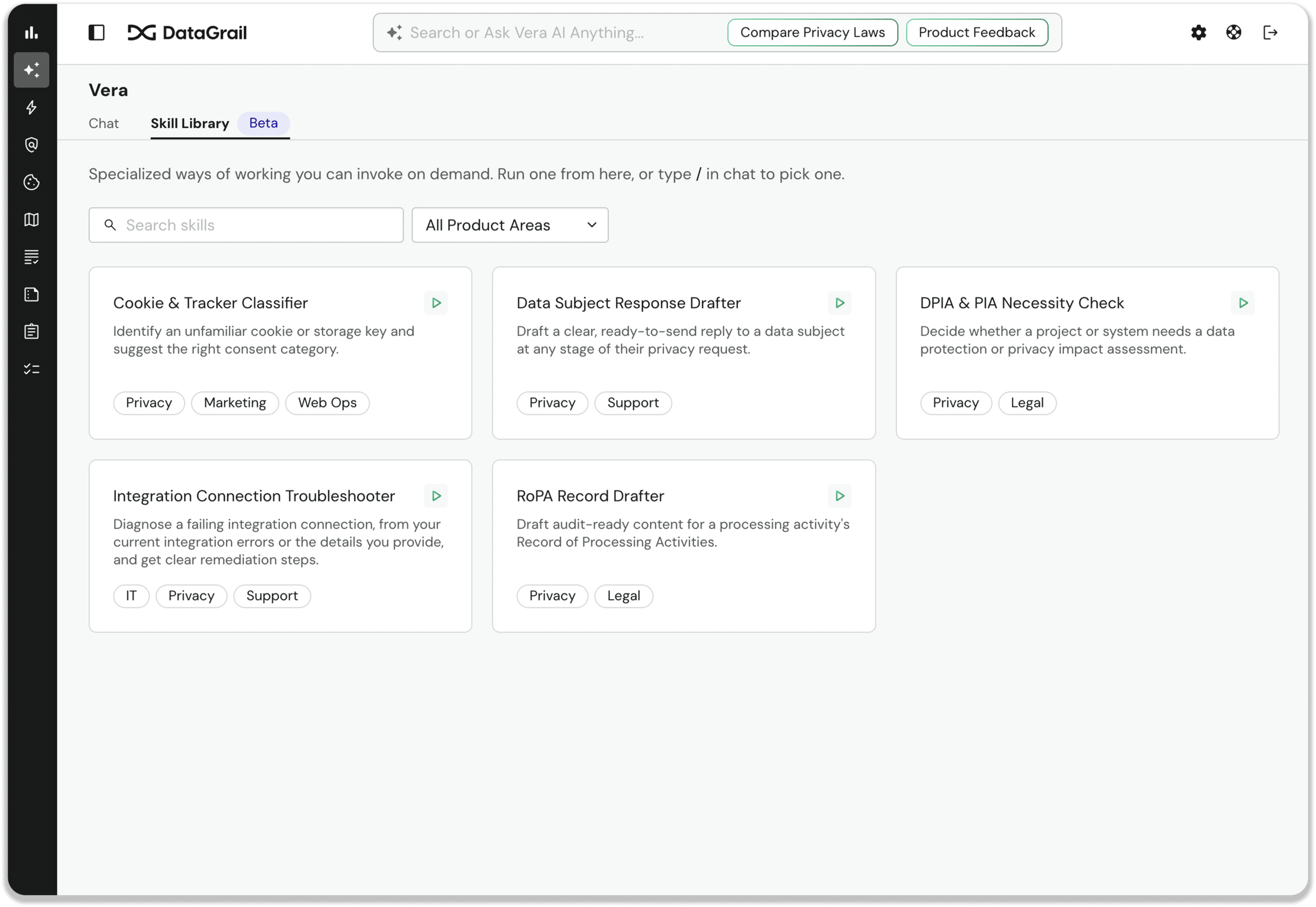
Plus, browse the Vera Skills Library beta and take a pre-built Vera Skill for a test drive.
Vera Reads Images in Your Assessments
Vera can now read the images you attach to assessments, including privacy notice screenshots and data-flow diagrams.
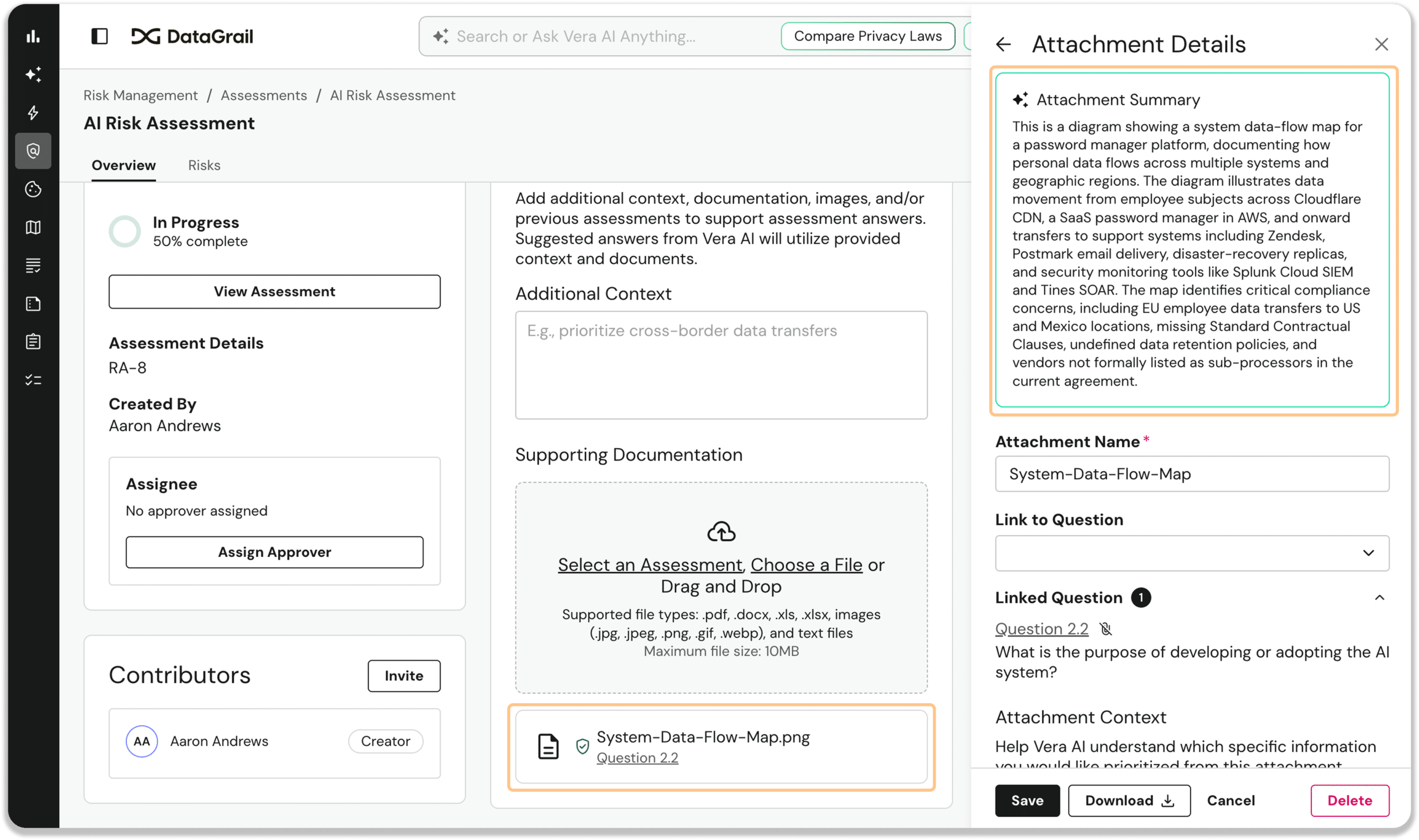
Vera factors uploaded images into suggested answers and completed assessment reviews, and cites each image by filename.
Control Exactly What Data is Returned For an Access Request
You can now tailor Access results to meet your data needs, giving you all the information you need, and nothing you don’t. 
Admins can update Access request field controls from the settings page on popular integrations like Salesforce, Stripe, Greenhouse, Datadog, HubSpot, Marketo, Shopify, Braze, Zoom, Jira, Twilio, and more.
Automatic High-Risk DPIA Detection for RoPA
Vera now automatically detects and tracks High Risk DPIA fields in your RoPA processing activities, and will pre-fill them when you create a DPIA.
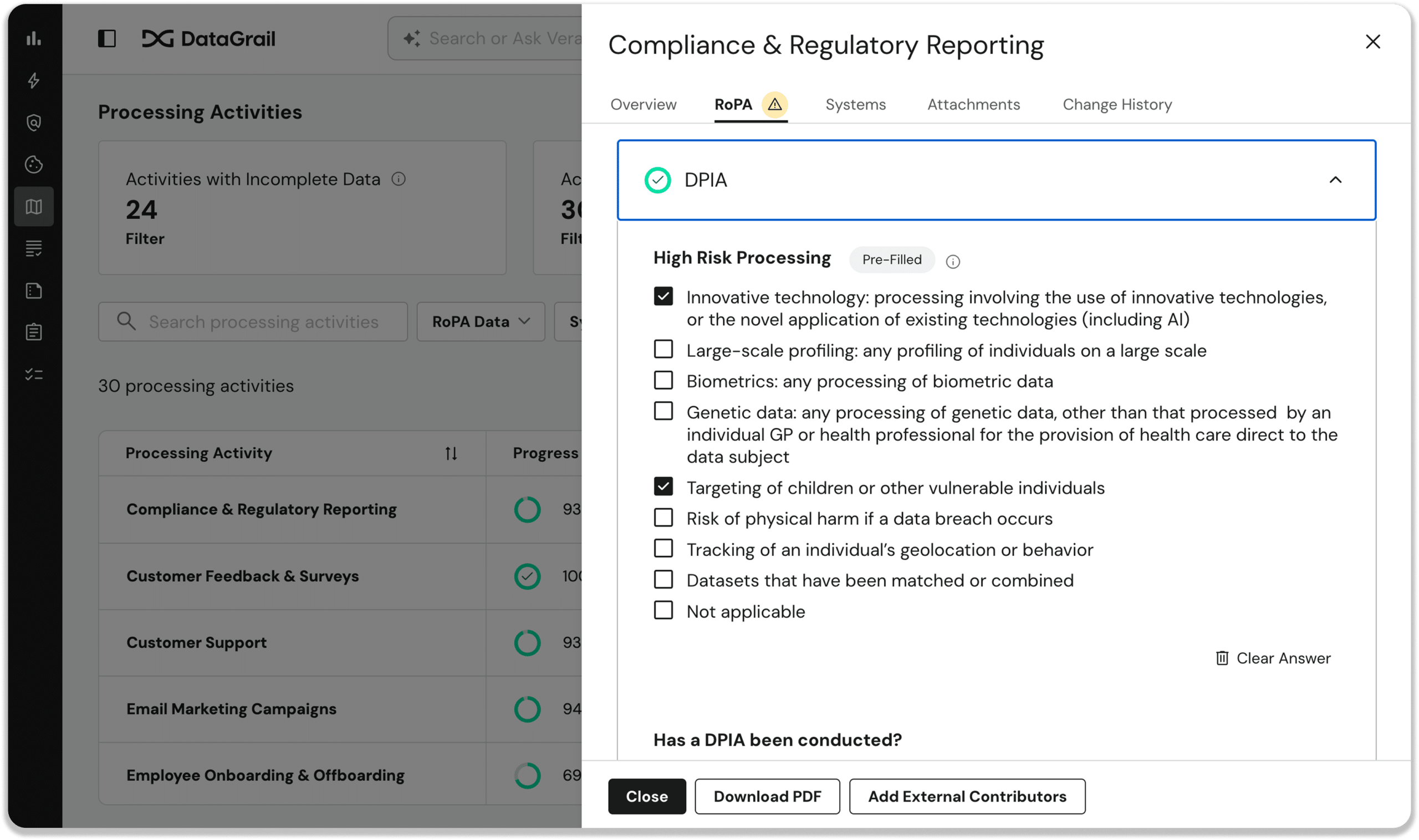
Vera uses metadata from connected systems and activities—including AI use, biometric or genetic data, and processing of children’s data—to identify DPIA risk factors for you and keep them current as your systems change.
No DPIA trigger goes undetected and your RoPA records stay updated and accurate with less effort.
IP Allowlisting for Sign-In, API, Agents, and MCP
You can now restrict access to your environment to the IP ranges you approve.
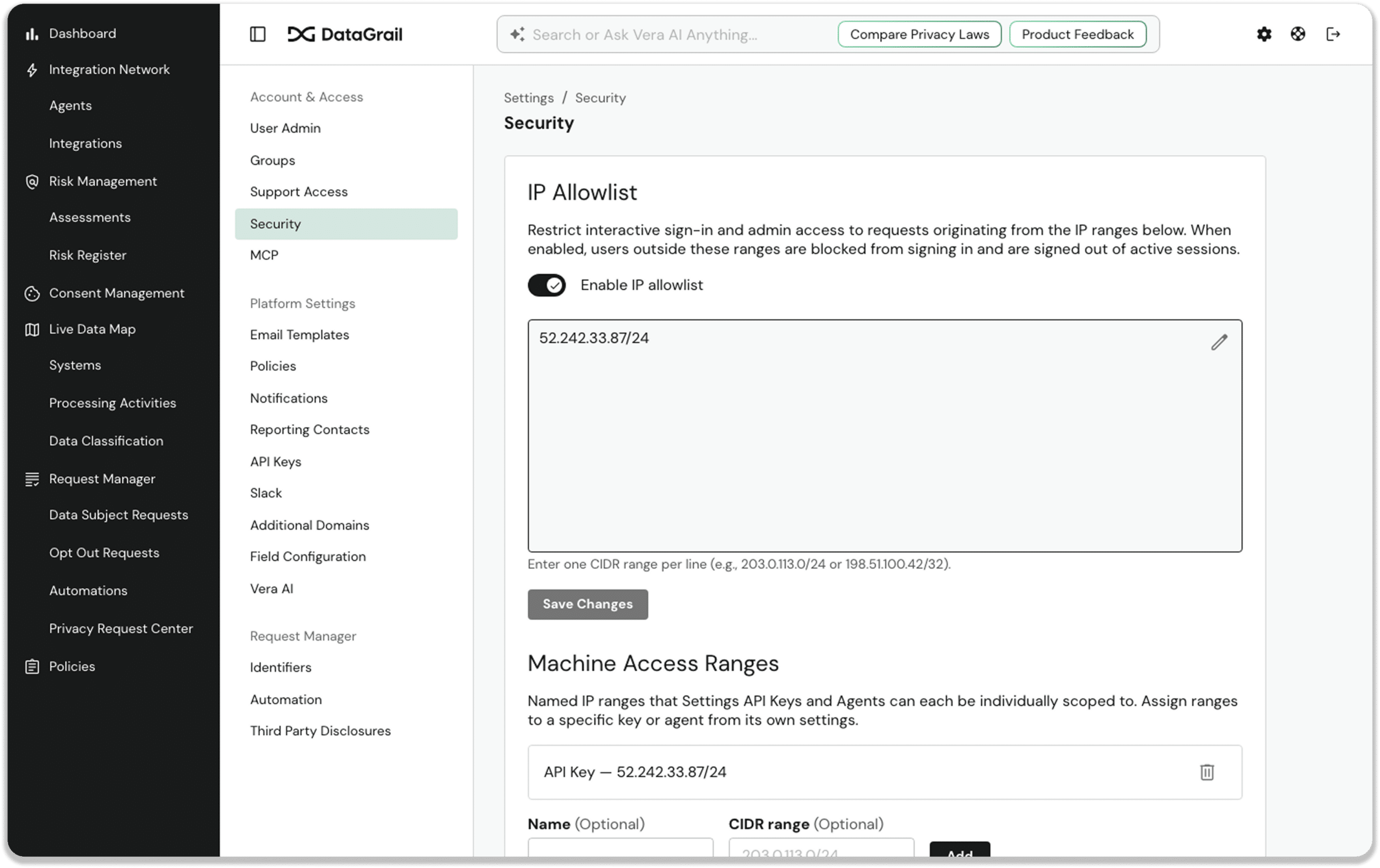
Allowlisting covers four surfaces (interactive sign-in, Settings API Keys, Agents, and external MCP clients) with enforcement on every request. It’s fully self-service and off by default, so you can roll it out on your own schedule.
That adds a strong layer of defense in depth, keeping every session, key, and credential tied to the networks you trust.
Other noteworthy product enhancements
Smart Assessments
- Weekly Assessment Summary and Outstanding Work Emails: two new opt-in Monday-morning emails give admins an account-wide view of every active assessment’s status and due date, and give each contributor a personalized list of just the sections, questions, or approvals still on their plate, so everyone starts the week knowing exactly where things stand.
- Show Only My Assignments for Risk Assessments: an opt-in toggle filters long risk assessments down to just the sections and questions assigned to you, so contributors and reviewers can jump straight to their piece.
- Customizable Assessment Email Templates: you can now customize contributor invitations, assignment notifications, reminders, and completion and approval notices with our draft-to-publish email template editor, so every assessment email matches your voice and branding.
- Assessment Templates Auto-Assign Approvers and Owners: a new Settings panel on assessment templates lets you set a default approver and owners that are assigned automatically whenever a Smart Assessment is created from that template, keeping recurring reviews on a consistent approval path.
- New Assessment Requester Role: a new role lets people create, edit, and work on assessments and manage collaborators, while approvals stay with the people who hold that authority, giving you clean separation of duties for your governance and compliance requirements.
Live Data Map
- Custom Display Names for Inventory Systems: anyone with edit permissions can give inventory items a display name that matches your internal naming conventions, with the original catalog name preserved and both names searchable, which makes it easy to tell multiple instances of the same system apart.
- Job Titles Added to Contacts Picker: the system contacts picker now shows each person’s email, job title, and whether they’re a DataGrail user or an external contact, alongside a roomier drawer for creating and editing contacts, so you can assign the right point of contact at a glance.
Vera / MCP
- Explain Automated Workflows with Vera: a new “Explain with Vera” button opens a Vera chat that walks through a workflow’s branches, conditions, splits, and paths in plain language, with room for follow-up questions, so reviewing, auditing, and troubleshooting go faster.
Risk Register
- Risk Register Shows Source Assessment: a new Assessment column shows the ID and name of the assessment that flagged each risk, linked from both the table and the risk detail panel, and the Risk Register loads faster too.
Platform / Admin
- Contacts Tab in User Admin Settings: a dedicated Contacts tab under Settings > User Admin lets you search, sort, create, edit, and delete system contacts who don’t have full logins, all in one place, with clear visibility into who owns what and whether each contact is directory-synced or added manually.
DataGrail Consent
- Consent Log Exports 105x Faster: nightly consent log exports now complete in under a minute at the median, so your consent records are always current and complete for audits and compliance evidence.
DROP Compliance
- DROP Scales to ~50 Billion Records: DROP processed roughly 49.7 billion records from 4,357 source objects in about five hours end to end, at about 2.76 million records per second, so you can build a complete data corpus at enterprise scale in hours.
New and Updated Integrations
New:
- Talon.One Integration for Request Manager: Talon.One is now available in Request Manager for automated Access and Deletion requests, right inside your standard privacy request workflow.
- Forethought Integration for Request Manager: Forethought is now available in Request Manager with Direct Contact Access and API-based deletion, complete with status tracking, retries, and audit logging
Updated:
- Ada Integration Moves to the v2 API: our Ada integration now runs on Ada’s Bulk End-User Deletion API, with simpler connection setup and clearer visibility into async deletion progress.
- Box API-Based Deletion: Box connections can now process deletion requests directly through Box’s API, locating and deleting files, folders, and web links tied to a data subject, with settings to control trash-purge timing and how non-empty folders are handled.
That’s it for September. For full details, including additional improvements and updates, see the change log.
Until next time. 👋
The DataGrail team