May was one of our biggest product months on record: 47 updates shipped across Vera, DataGrail Consent, Assessments, Request Manager, and platform infrastructure.
DataGrail Consent adds TCF support, new dashboard insights, and expanded cookie protection. Assessments get Vera post-assessment review to flag new risks and system information. Plus a ton of powerful new agentic AI features across the platform.
Here’s a look at what’s new 🚀
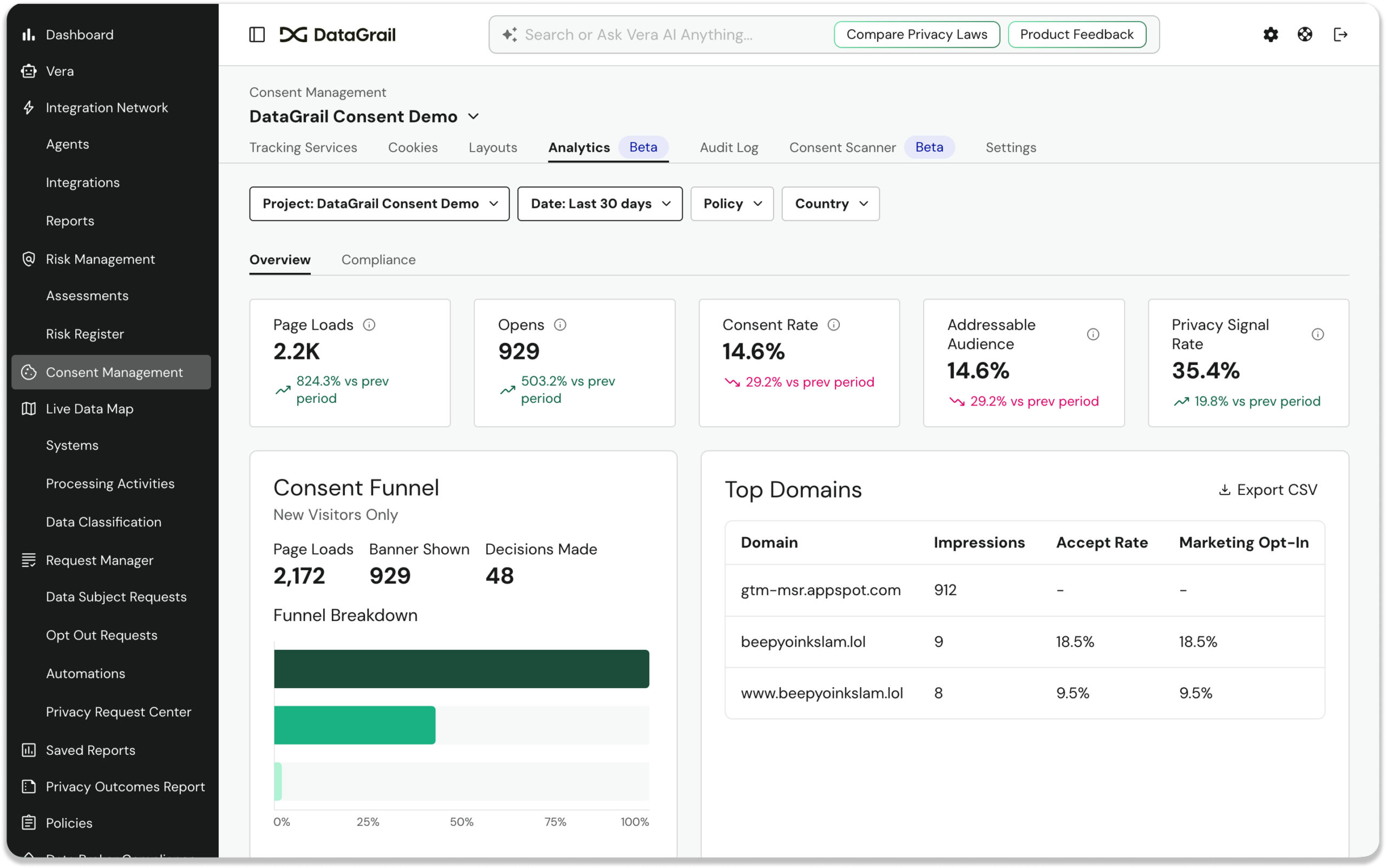
Consent Analytics Dashboard [Beta]
Consent customers now have a dedicated Analytics tab with a real-time dashboard showing opt-in/opt-out rates, geographic breakdowns, consent trends over time, and per-category performance. Data is scoped per Consent Project for multi-brand customers.
IAB TCF Support
DataGrail Consent now natively supports the IAB Europe Transparency & Consent Framework (TCF), including standardized purposes, vendor disclosures, and consent signals.
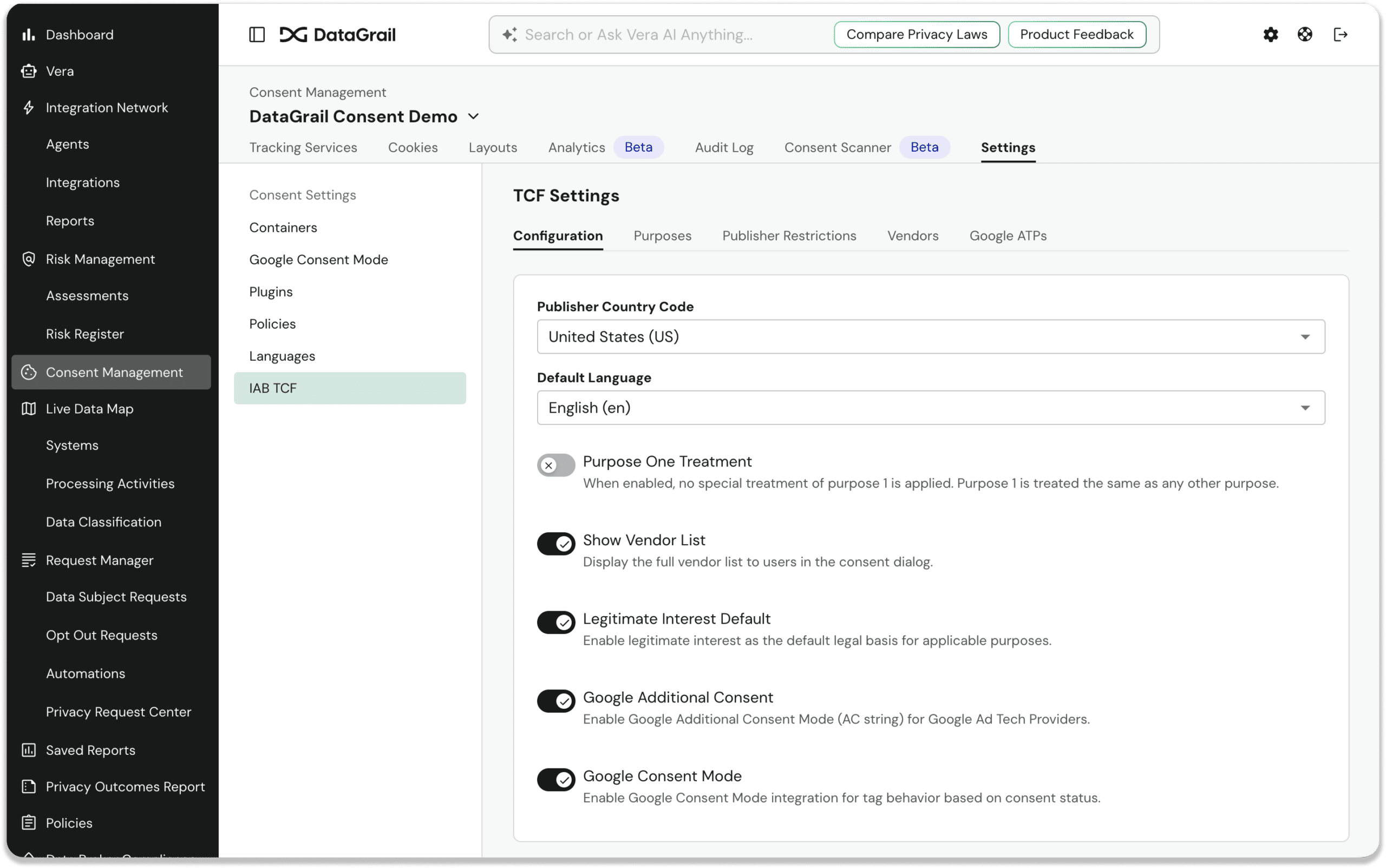
For EU-based and ad-tech customers, this creates a standard to support TCF and streamlines the migration process for teams coming from other platforms.
Vera Auto-Categorization for Consent Tags
When DataGrail’s scanner detects scripts on your site (Google Analytics, Meta Pixel, HubSpot, and more), Vera now automatically categorizes them by consent category, identifies the vendor, writes a description, and links to the vendor’s privacy policy.
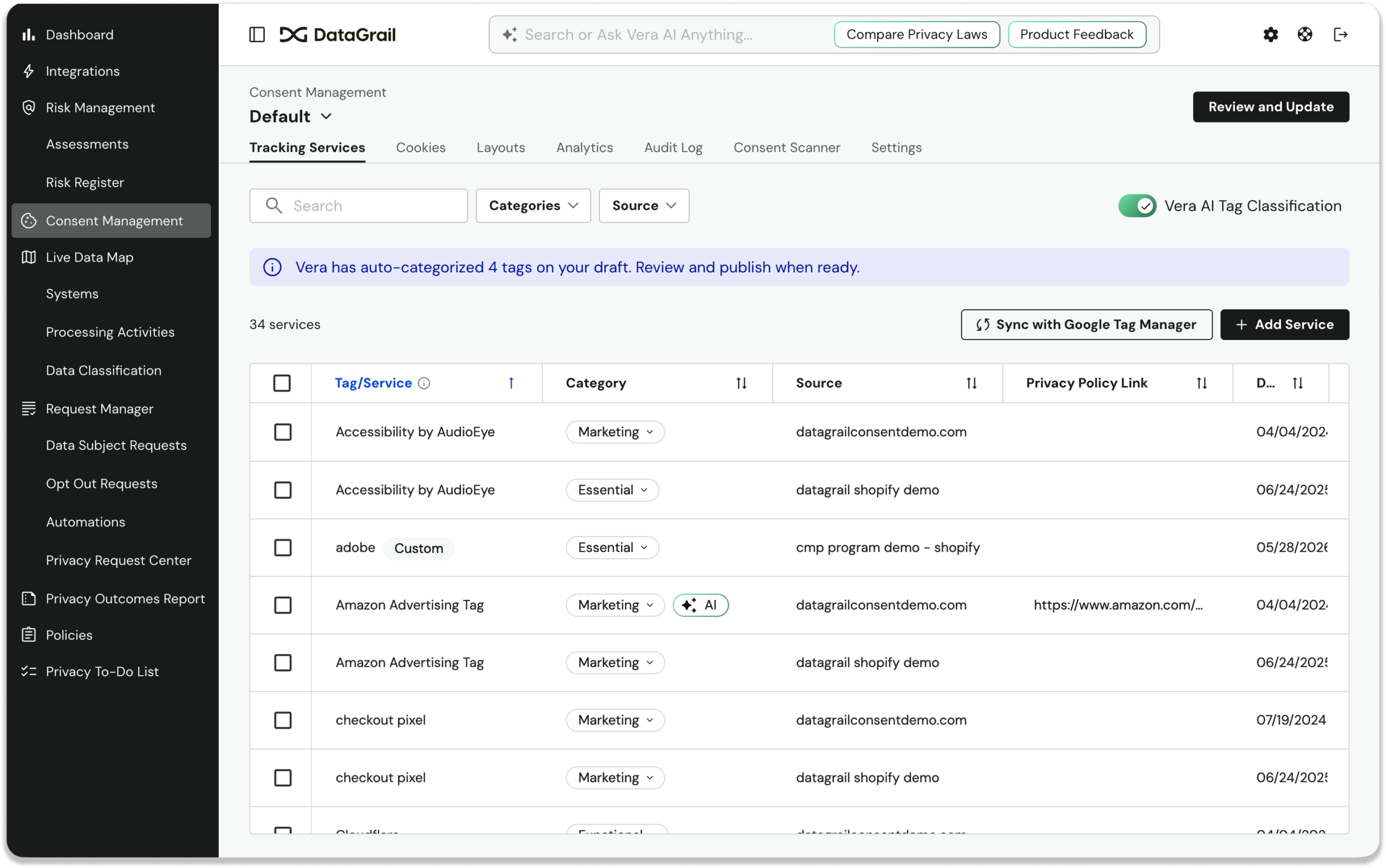
Auto-classified tags are marked with an AI badge; you can accept, override, or dismiss each one.
Cookie Store API Interception for Consent Enforcement
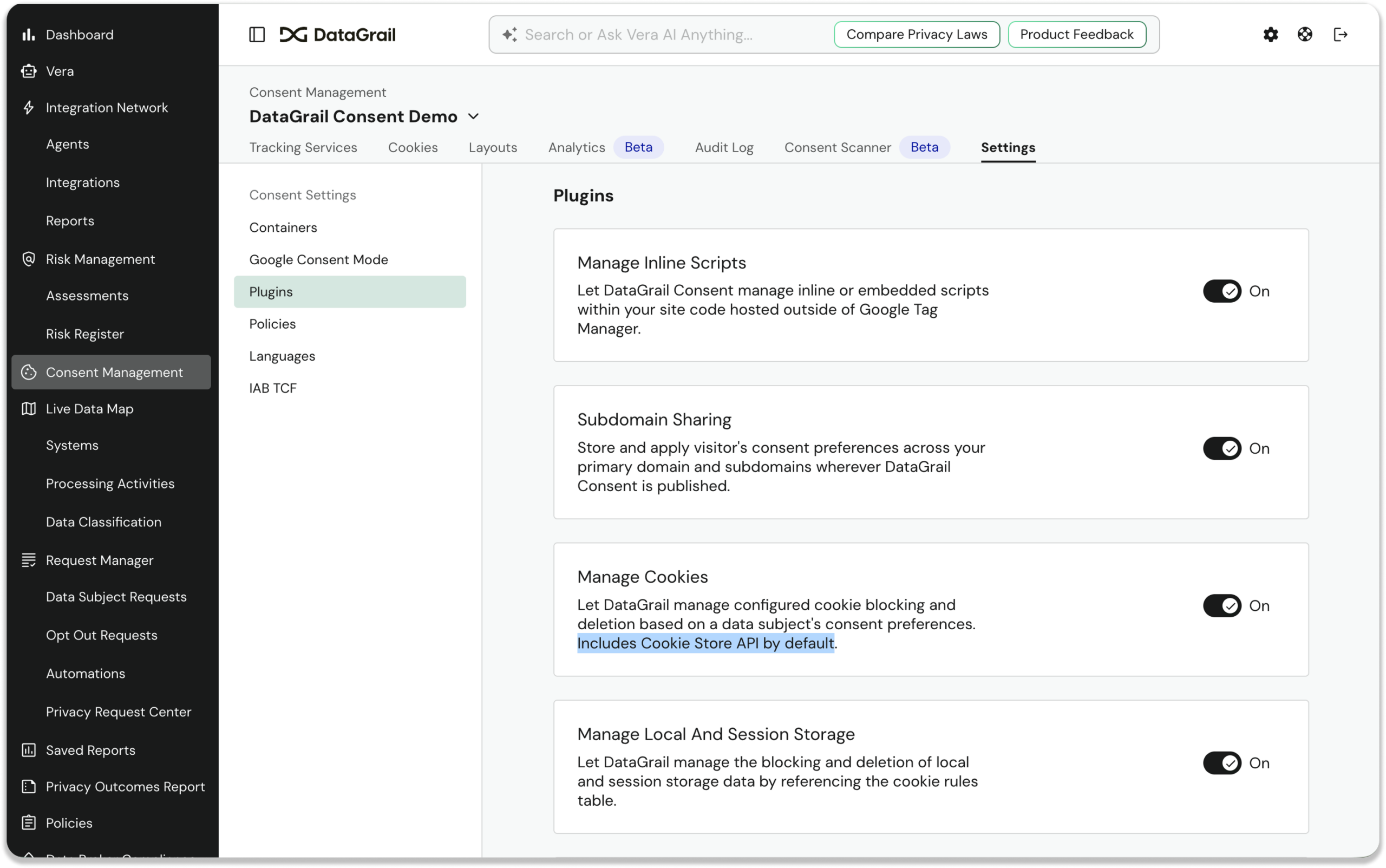
Parts of Google’s ad infrastructure have been migrating to the Cookie Store API, bypassing traditional consent enforcement. DataGrail is the first CMP to close this gap. No configuration changes required.
DataGrail Consent now intercepts the modern Cookie Store API (in addition to the classic document.cookie approach) on both the main page and inside Service Workers, blocking cookie writes, reads, and listings when a visitor hasn’t consented.
Vera Natural Language Cookie Rule Management
Since we launched Vera in March, it has been able to find and recommend rules for new cookies. Now you can ask Vera to create, update, delete, and recategorize cookie rules at scale with a simple prompt, no UI navigation required.
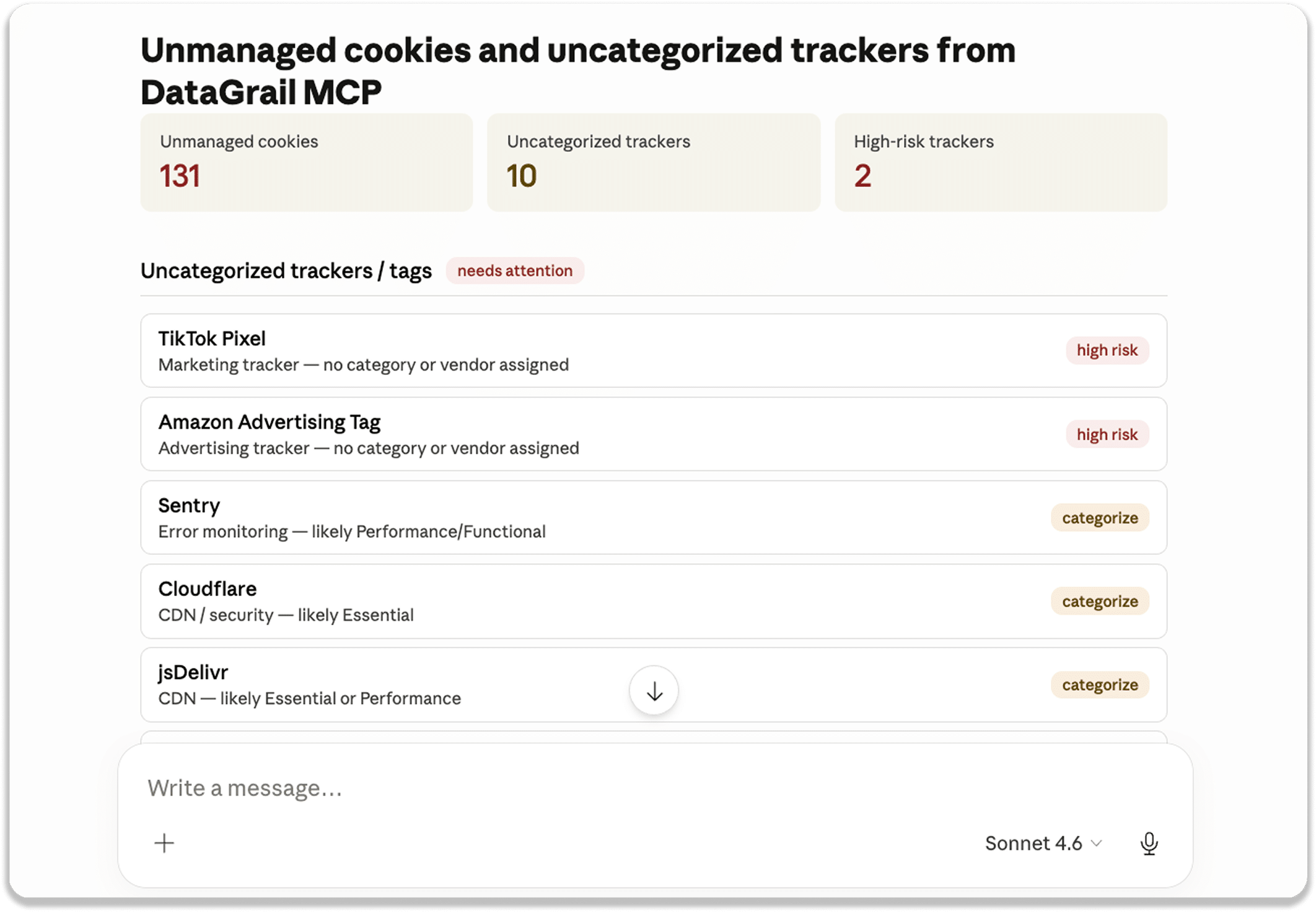
Vera cookie management can also be triggered directly from Claude or your preferred AI client via the DataGrail MCP Server.
Streamlined Multi-Domain Consent Management
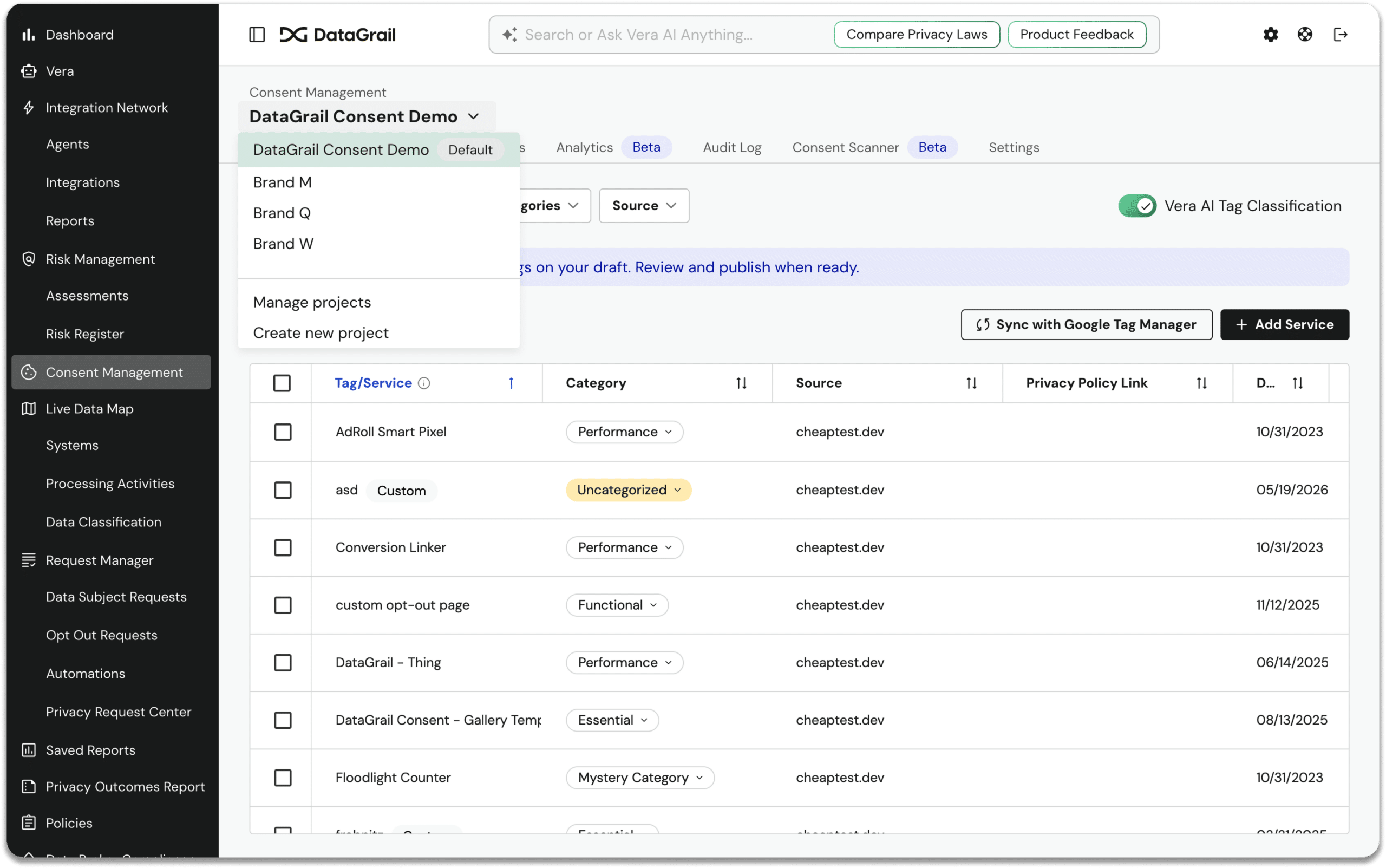
Multi-brand or multi-domain privacy teams can now create and manage multiple fully isolated consent configurations within a single DataGrail account, each with its own banner, cookie rules, privacy policies, categories, and locales. Use the project switcher in the Consent header keeps everything organized.
Assessments Commenting
Teams can now leave comments directly on assessment questions and sections, with markdown support, author and timestamp display, and comment count indicators per card.
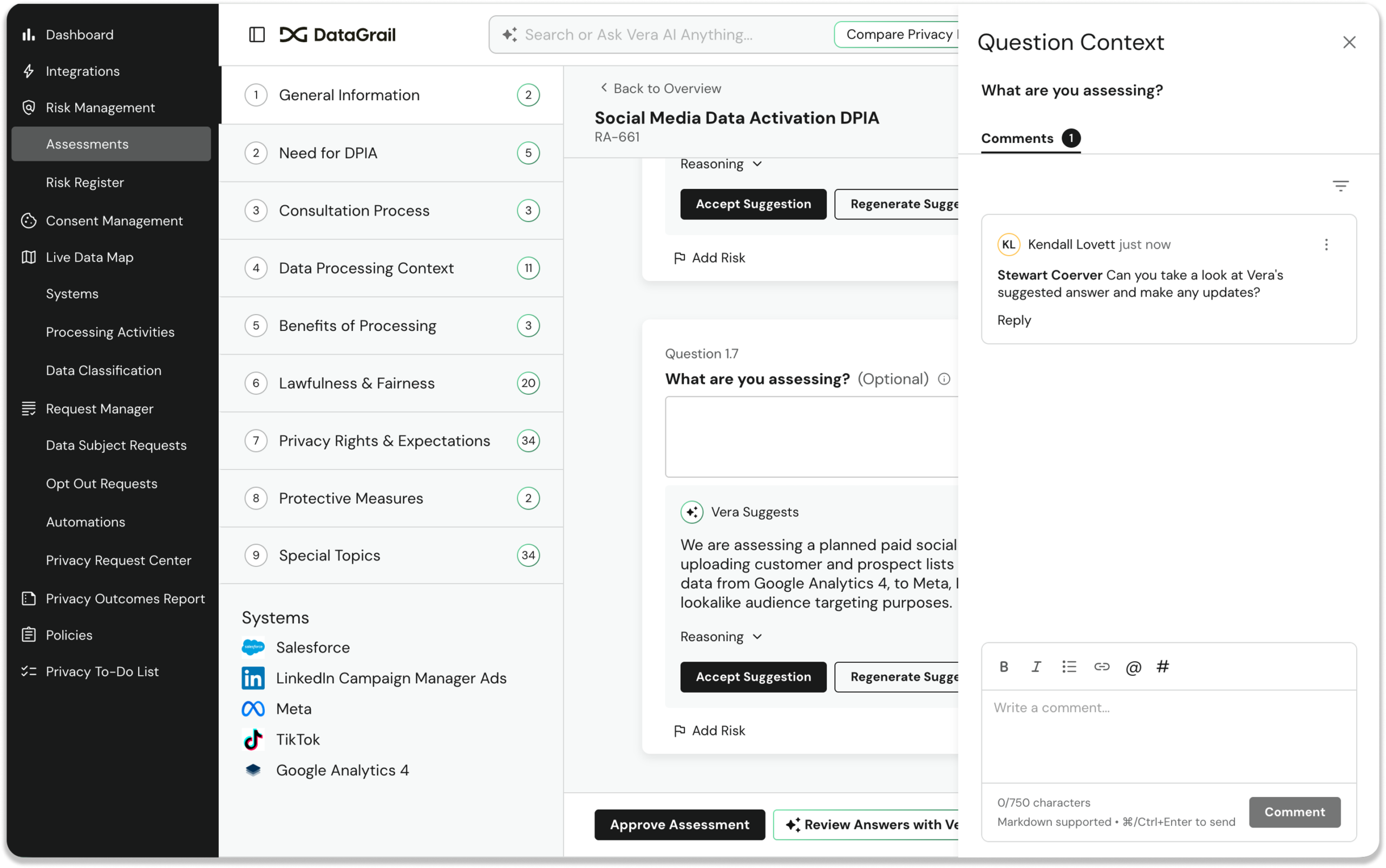
Reviewers, contributors, and approvers can now collaborate in context directly on the assessment.
Vera Post-Assessment Review and Recommendations
On any approved assessment, you can now trigger an Assessment Analysis where Vera reviews all responses, flags detected risks, and suggests system metadata updates.
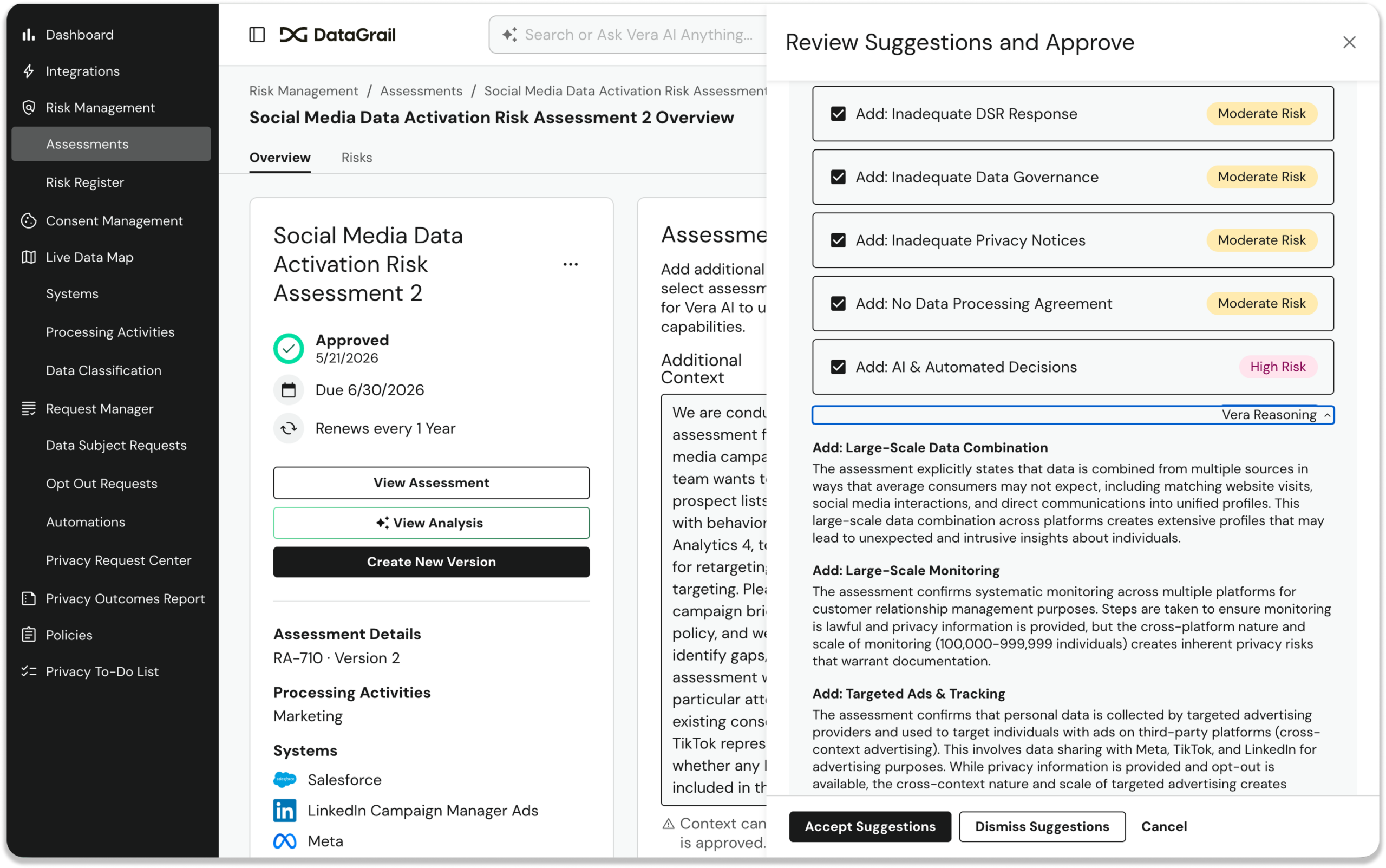
Vera’s reasoning is reviewable with accept/dismiss options for each recommendation.
Readiness Checks for Webhook Integrations
Customers can now use the Readiness Check capability in a Webhook integration to programmatically collect and track responses from internal teams to determine how a request should proceed. send custom questions to internal teams (e.g., “Has this user made a purchase in the last 90 days?”), define structured response options, and use the response to drive conditional workflow logic automatically.
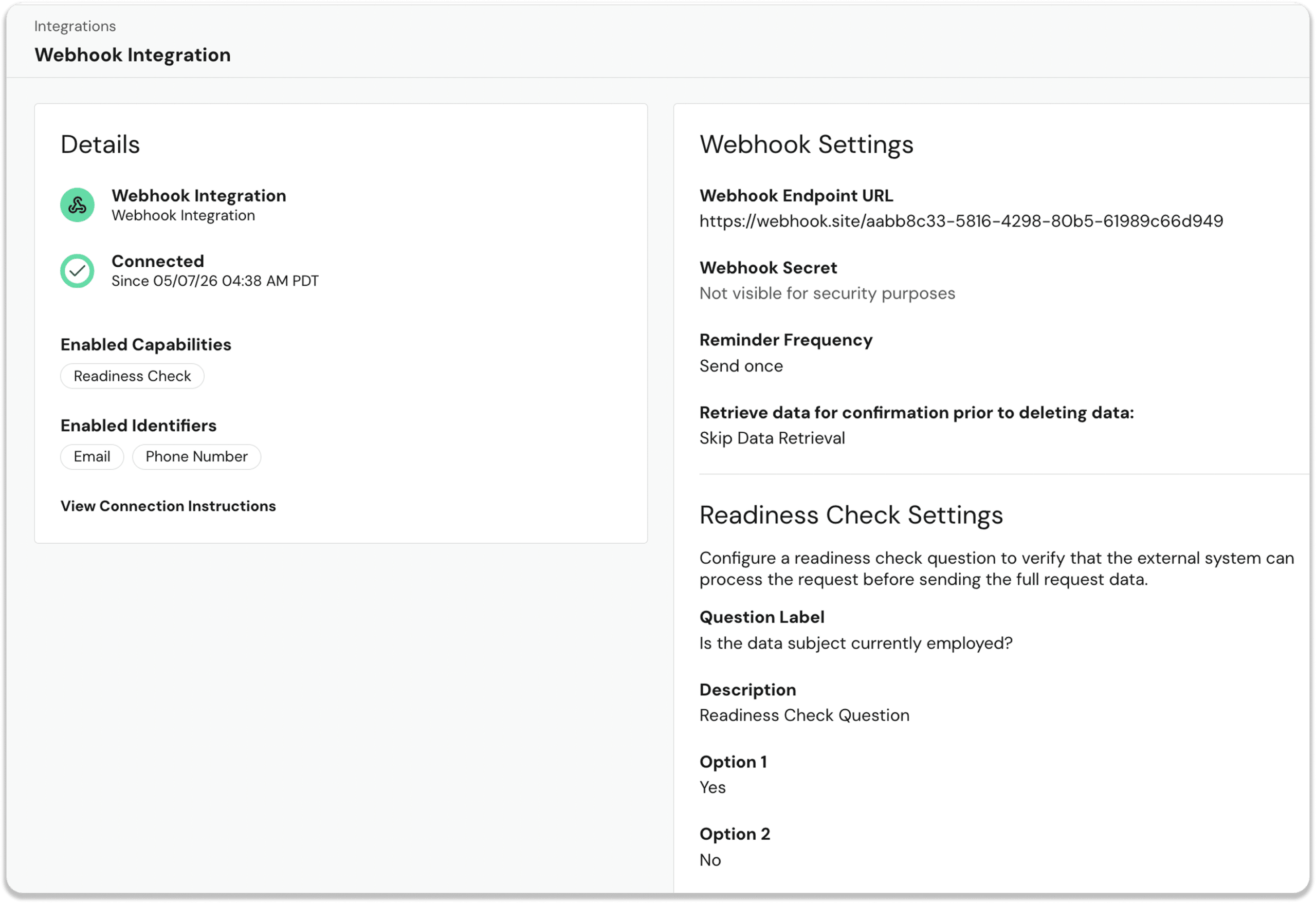
The entire coordination is now automated, trackable, and built directly into the Automations workflow.
Other New Helpful Vera Skills ✨
Vera’s capabilities continue to grow. Vera can now:
- File support tickets for you: Vera can create tickets, check status, and reply to ongoing conversations through DataGrail’s Pylon ticketing system, with automatic account association and routing.
- Show its sources: Every Vera response that draws on the knowledge base or privacy laws now includes a structured “Sources” section with citations linking directly to docs.datagrail.io or showing law name, jurisdiction, and year.
- Answer integration health questions: Vera now has access to historical DSR integration outcomes, enabling real answers to audit and triage questions like “Has Salesforce failed this month?” or “Why did Mixpanel error on 3 deletions?”
Additional Noteworthy Product Enhancements
Did I mention we’ve been busy? Here’s just a sample of the other noteworthy improvements shipped in May.
Live Data Map
- Sub-Processor Legal Role: Customers can now designate systems as “Sub-Processor” (a legally distinct role from “Processor”) in their Live Data Map, as required by GDPR.
Assessments
- Unique sequential IDs (e.g., RA-1, RA-42) are now automatically assigned to every assessment, visible in the table, overview, and URL, and searchable in global search and Vera.
- Version numbers are now clearly displayed in the assessments table, overview, and question view.
- Every question now shows a structured Section.Question number (e.g., “4.1”), and hovering reveals a copyable deep link to that question.
- Admins can now add names when inviting contributors to an assessment, so contributor lists feel like people rather than a list of email addresses.
- System Data Reports and RoPA reports now include a Change History tab for faster access to versioned exports during audits.
Request Manager
- Bulk Process Requests: Operators can now select multiple pending requests and process them all at once. No more one-by-one transitions at scale.
- Search the request queue by phone number, with automatic number normalization.
- Sender alias and mailer configuration (sender name, from address) can now be set directly in integration settings without filing a support ticket.
- The Review & Publish modal for email templates now shows a full inline diff of changes before you publish.
Consent
- Rich text formatting (bold, italic, underline, hyperlinks, lists) is now supported in consent banner text fields and category descriptions.
- A “Preview” button lets admins enter any URL and see exactly how an unpublished banner draft will look before going live.
- Each cookie rule now has an “In Metadata” toggle to control whether it appears in the public-facing Tracking Details page.
- Automated WCAG 2.1 AA accessibility checks now run on every PR, covering keyboard navigation, focus management, color contrast, and screen reader labels.
Platform
- Global search, brand logo, Settings, and Support now render for all tenants, not just those with Vera enabled. Non-Vera customers get the full search experience including Cmd+K shortcut.
- The global search bar now surfaces recent queries on focus; in the Vera popover, recent chats and searches are merged into a single History tab.
- Automation Workflow “Deny Request” node: Customers can now choose between “Unverified” and “Closed by Customer” as the denial close state, ensuring the right email goes to the right subjects.
- DataGrail now manages S3 storage and SES for transactional emails on behalf of customers. New customers no longer need to provision their own AWS infrastructure before going live.
New Integrations
- Stream: Access and deletion via REST API v2. Connection Instructions | API Documentation
- Monetate: Access and deletion via the Data Privacy API. Connection Instructions | API Documentation
- Phaedon Tally: Access and deletion via the Tally Platform API. Connection Instructions | API Documentation
And that’s just the highlights! For full details, including additional improvements and updates, see the change log.
Until next time. 👋
The DataGrail team