August was all about helping privacy teams work smarter, not harder.
We shipped 25 new features, including Smart Assessment Templates with multi-condition logic, a smoother approval process for assessments with multiple contributors, and a detailed RoPA change history for even more visibility.
Let’s dig in!
Smart Assessment Templates With Multi-Condition Logic
Smart Assessment Templates now support multi-condition logic, making it easier than ever to give respondents a streamlined assessment experience that mirrors your real compliance review process.
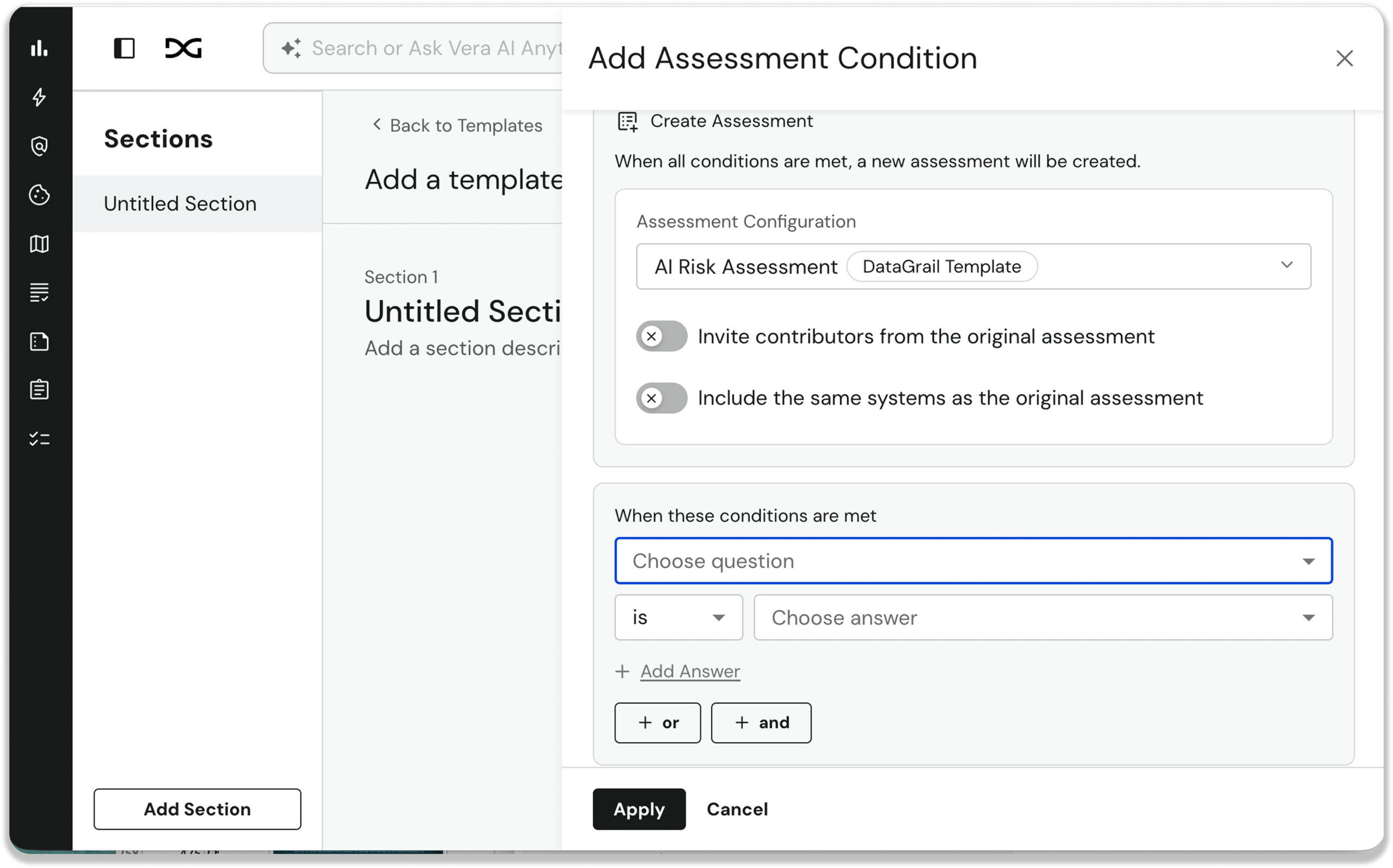 Start with a limited set of qualifying questions and use multiple AND/OR conditions to automatically show or hide questions or sections—or even trigger an entirely new assessment—based on question responses.
New assessments created from a decision workflow link back to the parent for context, and new contributors and systems can be added automatically.
Improved Processing Activity Overview
We redesigned the Processing Activity overview to give you all the information you need in one, actionable view.
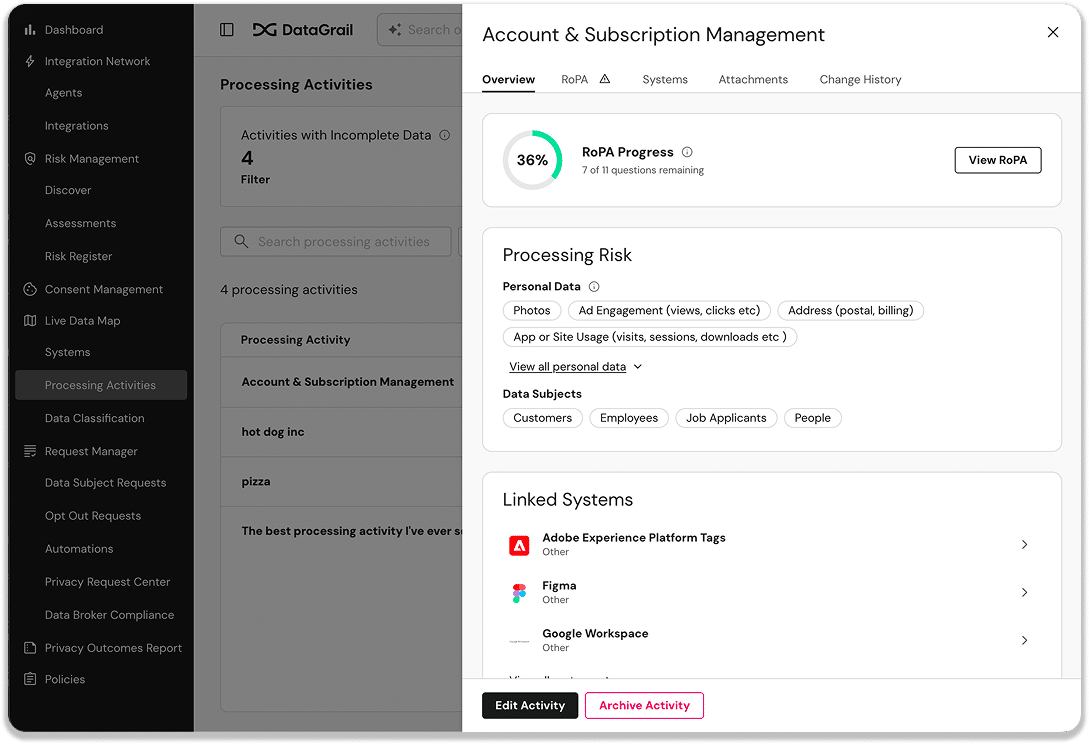
- RoPA completion progress and open questions
- Processing risk details
- Linked systems and contacts
- Change history and recent attachments
Change History for Processing Activities and System Data Reports
Track updates to your RoPA with a full, audit-ready change history for Processing Activities and System Data Reports.
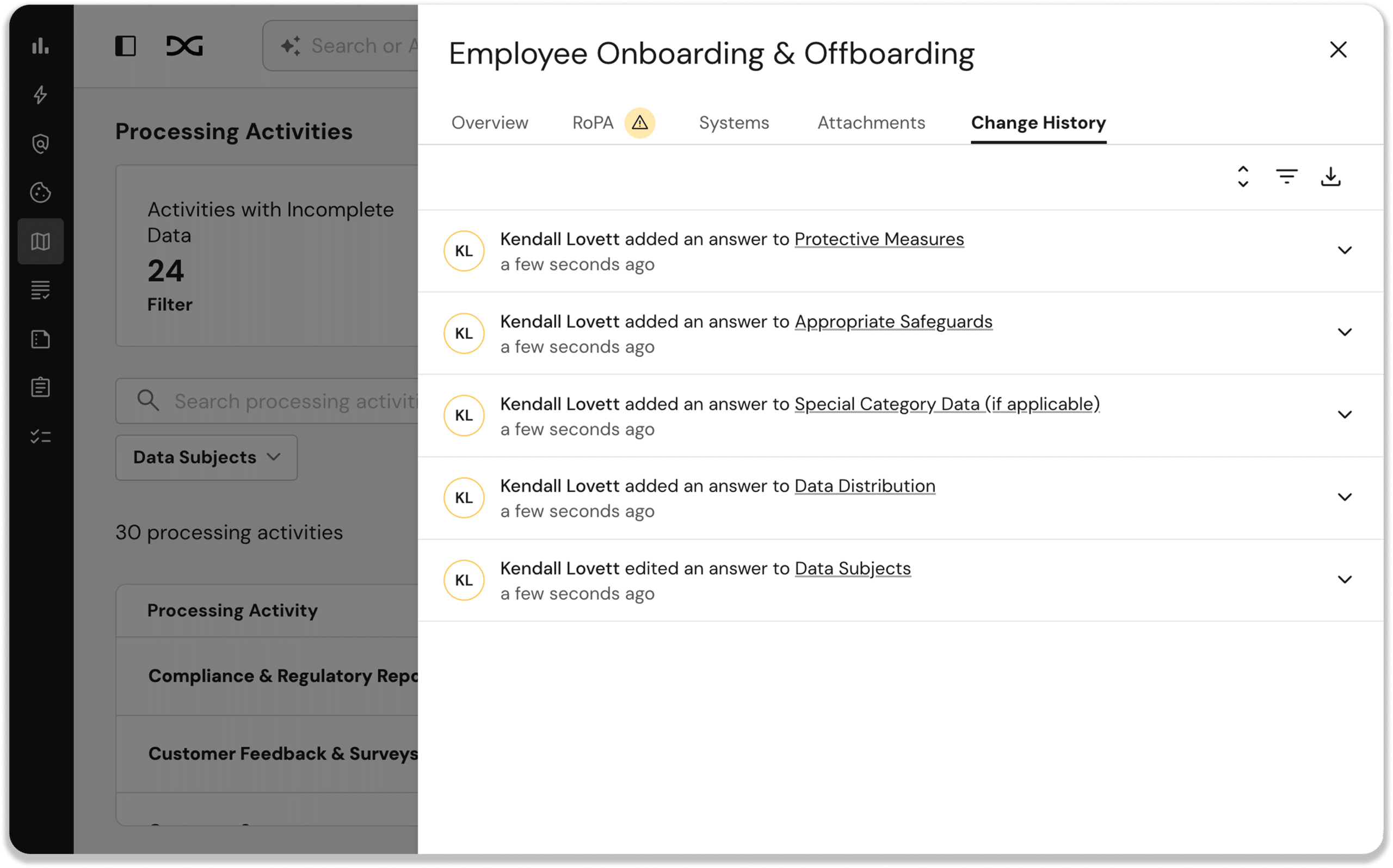
Every answer update, status transition, contributor change, document upload, and system or contact link is tracked with before/after values, who made the change, and when. It’s filterable by event category and exportable to CSV, across your entire system inventory.
New “My Assignments” Section for Assessment Contributors
Find all the assessment tasks assigned to you in the new My Assignments section.
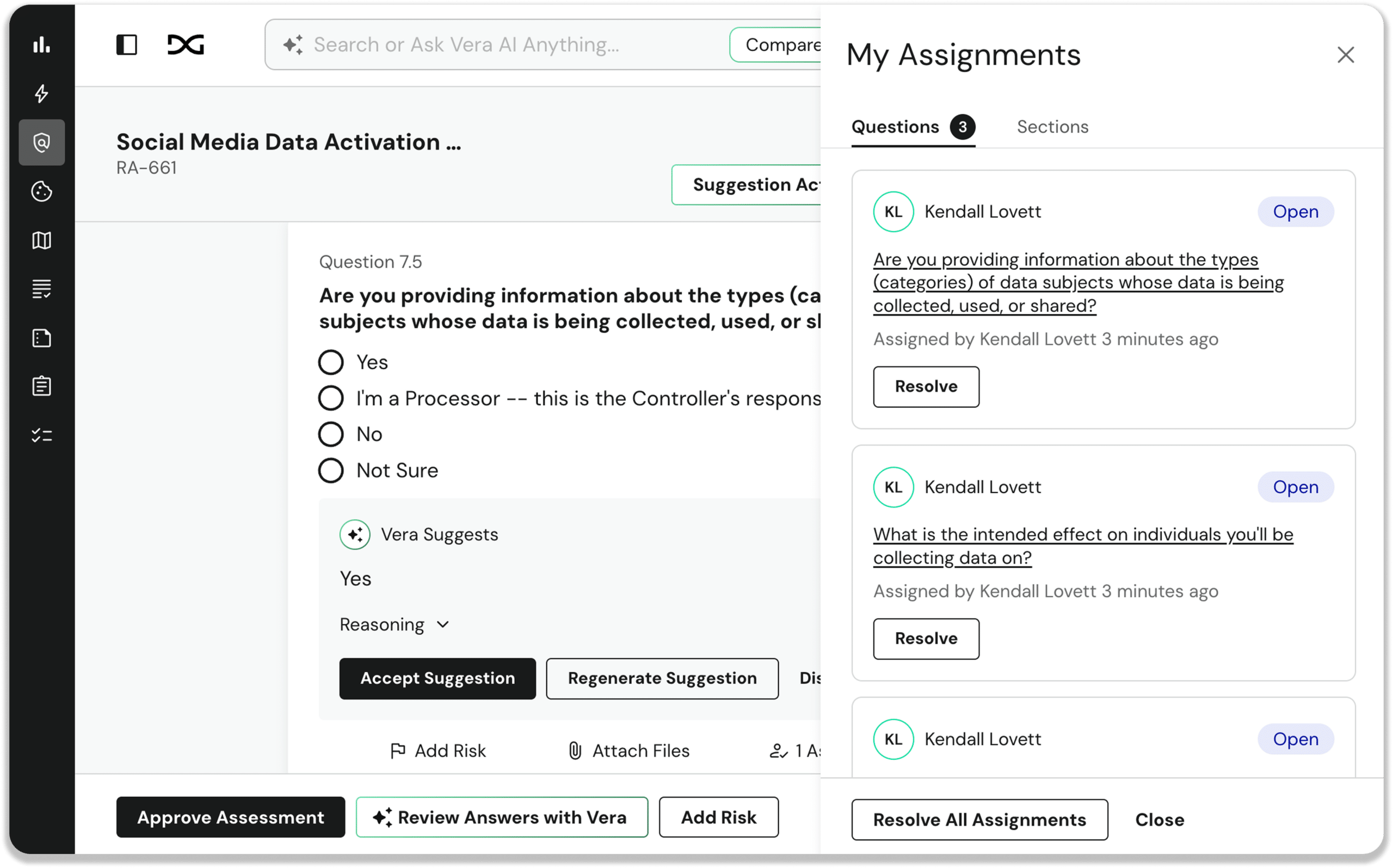
See every section and question assigned to you, grouped by type, with direct navigation, resolve action, and change-history logging built in.
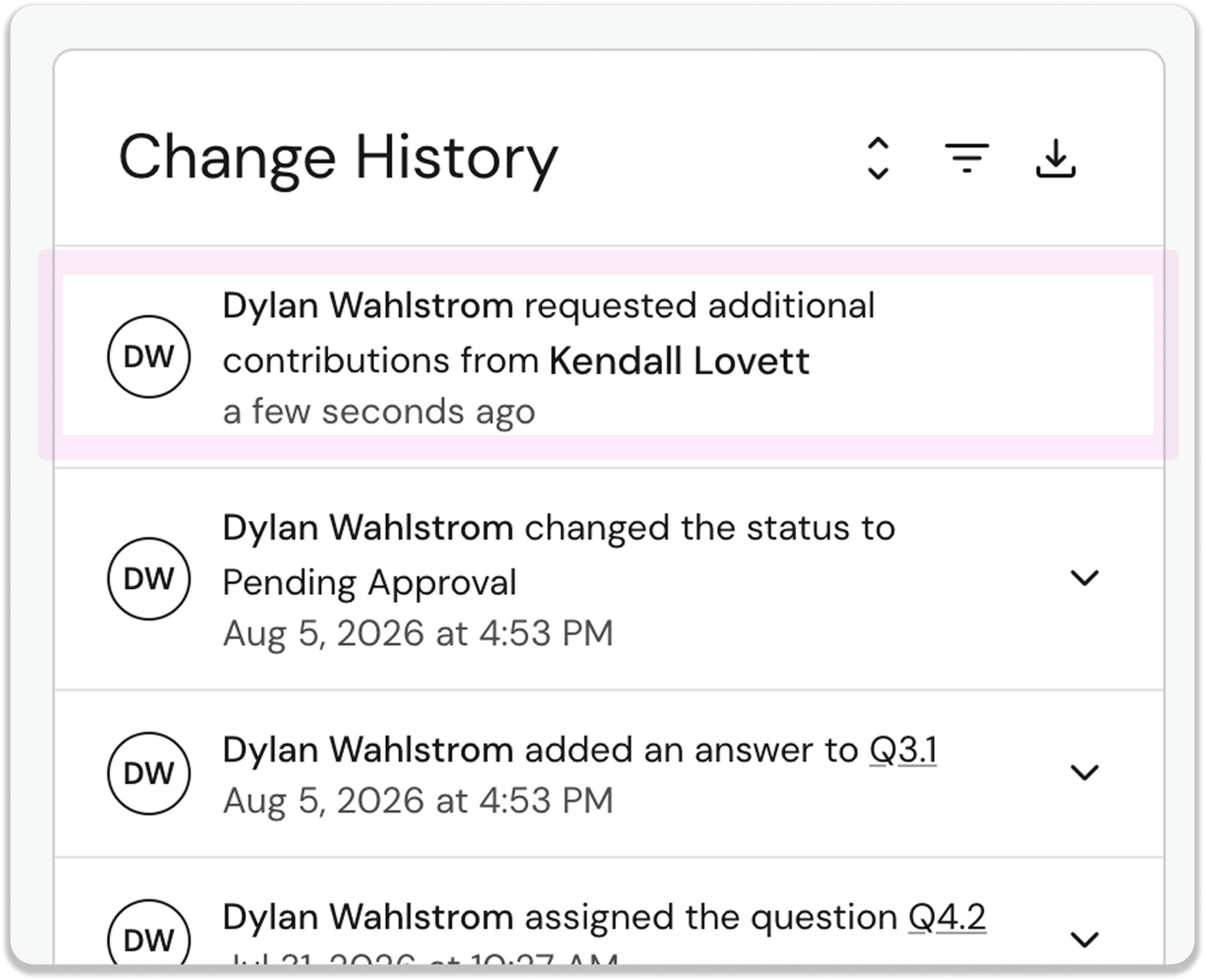
Multi-Contributor Submission Process for Assessments
Reviewing and approving Assessments with multiple assignees is now easier and more streamlined.
Each contributor can now submit their assigned portion of an assessment, as soon as it’s ready. The assessment automatically moves to review once everyone’s submission is in, and the reviewer can send a single contributor’s submission back for more information.
Other Noteworthy Product Enhancements
Risk Assessments
- Rich Text Editing for Risk Assessment Answer Boxes: Assessment answer fields now support bold, italic, underline, bulleted and numbered lists, and links, with formatting carrying through to exported PDFs.
- Question Numbers in Smart Assessment Template Builder: question numbers, including lettered sub-numbers for conditional questions, now show in the Template Builder, matching exactly what respondents see in the live assessment.
- Risk Assessments Can Now Be Cancelled and Reopened: you can now cancel and reopen risk assessments. Cancelled assessments become read-only and reminders stop until you decide to reopen them, giving you a clean way to pause and resume work.
Live Data Map
- Live Update Alerts on System Inventory Page: the System Inventory page now alerts you in real time when underlying data changes, so you always know you’re looking at the freshest view.
- System Contacts Now Have a Title Field: system contacts in the System Profile now show a Title, such as “Data Owner” or “Legal Lead,” right next to their name on the system profile.
Vera / MCP
- Assessment Notifications Now Delivered via Slack: Vera can now send you and your team Slack DMs for risk assessment assignments, comment mentions, and due-date reminders, in addition to email notifications.
- MCP Server Gains System & SDR Write Support: our MCP server now supports writing updates to System and System Data Report attributes, so you can update your data with natural-language prompts in any MCP-compatible AI client, like Claude Code or Claude Desktop.
- MCP Approval Requests Now Includes the Request Address: For added security, DataGrail now shows Admins the authorization address for each MCP connection request and flags when a client is not recognized.
- Granular MCP Connection Controls: Admins can now see every connected MCP client with details like who connected it, where it sends data, and when it was used last. Admins can choose to revoke access to an individual client, leaving other connections intact.
Request Manager
- Self-Serve Privacy Request Center Domains: You can now set up your Privacy Request Center domain yourself, right from Settings. Just enter your domain and get your DNS records instantly, with automatic validation.
- New “Request Received” Email Setting for Opt-Outs: Opt Out requests now have their own standalone “Request Received” email toggle, giving you independent control over how acknowledgment is handled.
- Download All TSV Results for Integrations: a new Download All button bundles every TSV result file from an integration into a single ZIP.
- Privacy Requests API Adds Four New Fields: an opt-in extra_fields parameter on the privacy requests endpoints now returns approval status, assignee, closed date, and last updated date in the same call.
Risk Register
- CSV Export for Risk Register: you can now export your Risk Register to CSV — all risks or just a filtered view. Includes the risk type, owner, due date, impact and likelihood scores, mitigation plans, and linked systems.
Platform / Admin
- Users and Invitations Search Bar: Admins now have a search box to more easily find and manage users and invitations. Especially helpful for managing large teams with SCIM-provisioned user lists.
New and Updated Integrations
- Proofpoint SER Transaction Mailer Support: Proofpoint SER (Secure Email Relay) is now a supported Transaction Mailer option, so you can route your privacy request transactional emails through your existing secure email relay.
- Greenhouse Integration Migrates to Harvest v3 OAuth: our Greenhouse integration now runs on Harvest v3 OAuth 2.0, ahead of Greenhouse’s August 31, 2026 deprecation of v1/v2, so your data subject requests tied to Greenhouse keep running smoothly.
That’s all for August. For full details, including additional improvements and updates, see the change log.
Until next time. 👋
The DataGrail team