In October, we added several powerful new ways to put Vera to work for your privacy program. Vera can now import and convert an external RoPA, triage incoming privacy voicemails, and update your Live Data Map with information buried deep in your DPAs. Not to mention 20+ additional features and improvements across Live Data Map, Smart Assessments, Request Manager, and admin controls.
Let’s get into it.
Vera Adds New Information From Your Uploaded Documents
Now Vera can uncover privacy intel buried in your DPAs, vendor agreements, security docs, or data flow diagrams, and use it to suggest updates to Live Data Map.
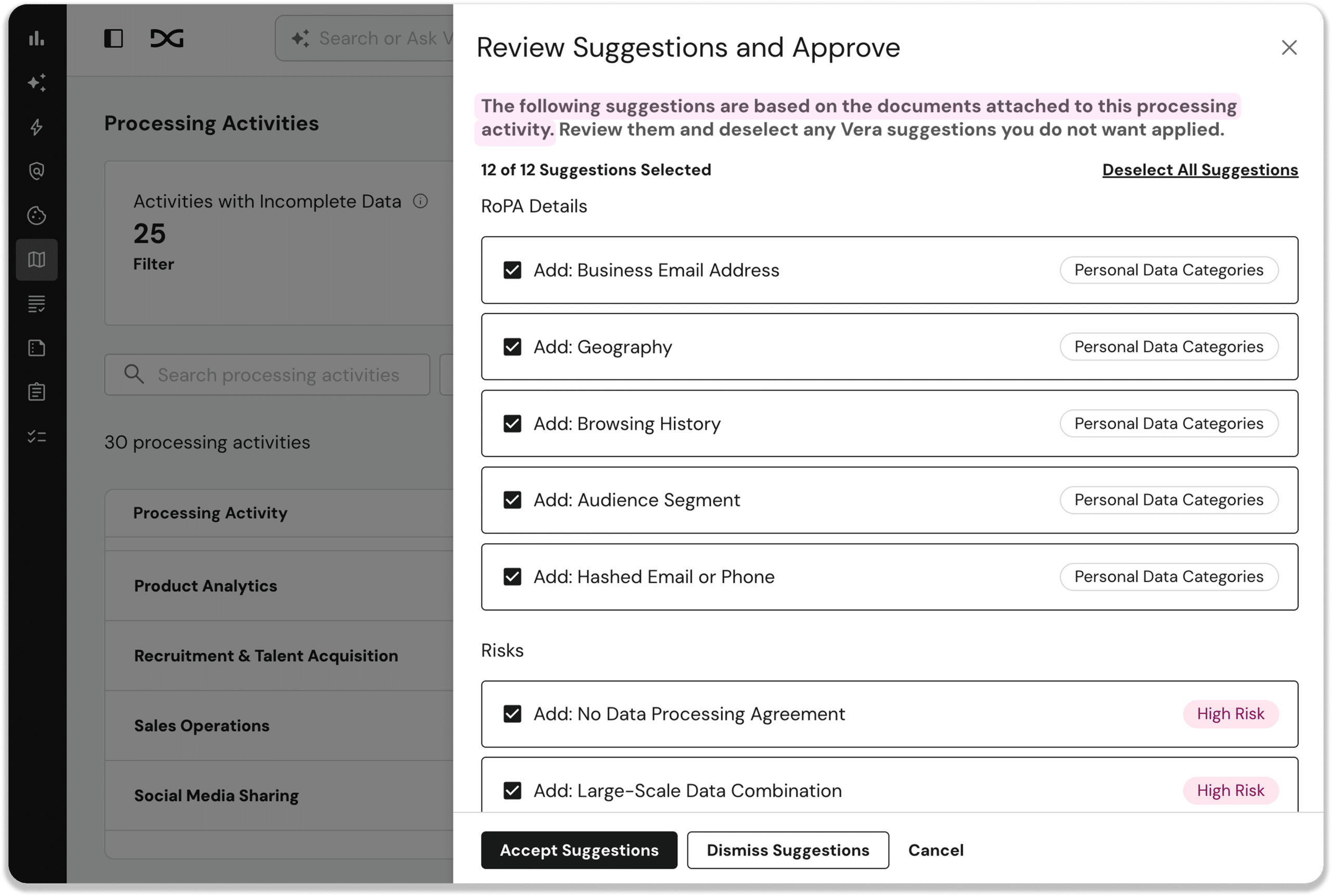
Just click ‘Analyze with Vera’ on the attachments tab of any System or Processing Activity, and Vera will review your documents to find important privacy information and recommend updates to your Personal Data Categories, Data Subjects, Legal Basis, Processing Countries, Processing Purposes, and Protective Measures.
Vera also flags any new risks hiding in your documents, ready to add to Risk Register for investigation and resolution.
Vera provides reasoning for every suggestion, and you can accept or reject suggestions one by one or in bulk. All accepted changes are recorded in Change History.
Import Your Existing RoPA with Vera
Use the Vera-powered importer to migrate your RoPA from another vendor or a manual process into DataGrail.
Just upload an existing RoPA as a CSV, Excel, or PDF file, and Vera will review it and map the questions and Processing Activities to your DataGrail RoPA.
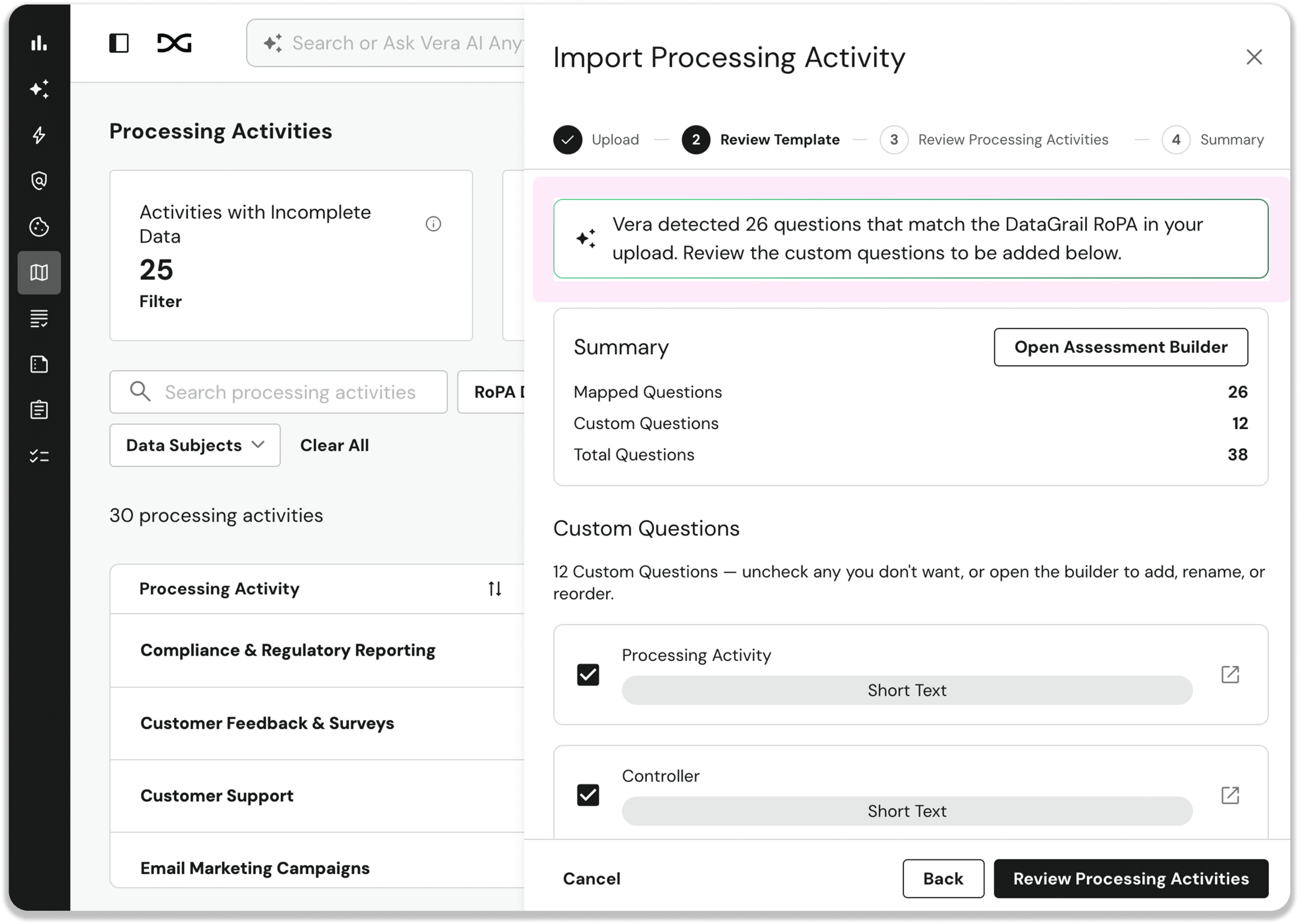
Vera also identifies the systems associated with each activity, giving you the option to link them to systems already in your inventory or add them as new.
You review and approve each recommendation, and Vera makes the updates with full change tracking.
Vera-Powered Phone Intake for Privacy Requests
Vera now analyzes incoming voicemails to identify the request type and whether each call is privacy-related.
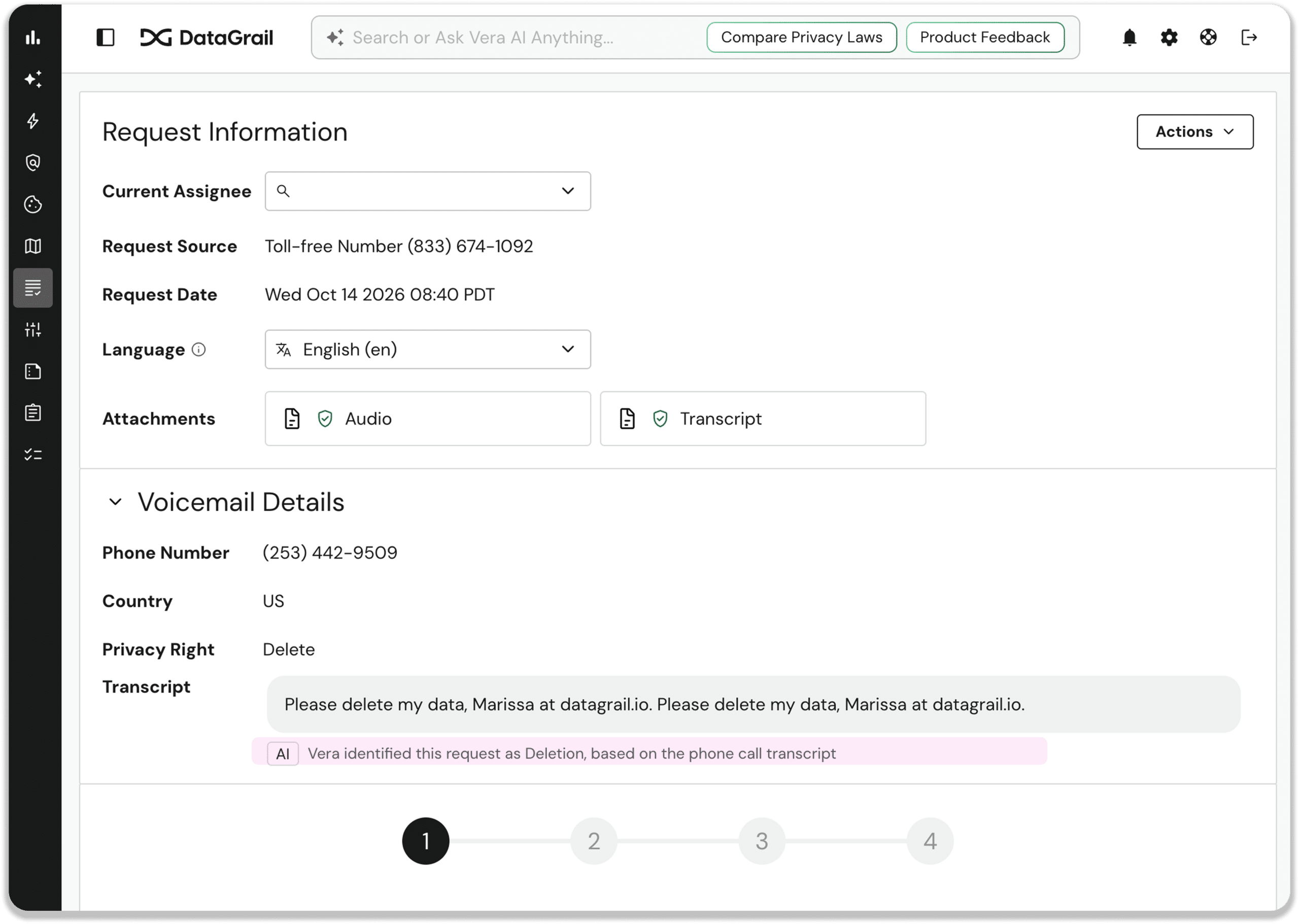
Enable the auto-closure feature, and Vera will also filter out and close irrelevant calls.
Voicemail transcripts and audio are saved to each request, ensuring nothing gets lost in translation.
Customizable System Data Report and RoPA Templates
Add custom questions to the System Data Report and RoPA templates to collect additional details like internal owners, review dates, and business-unit context.
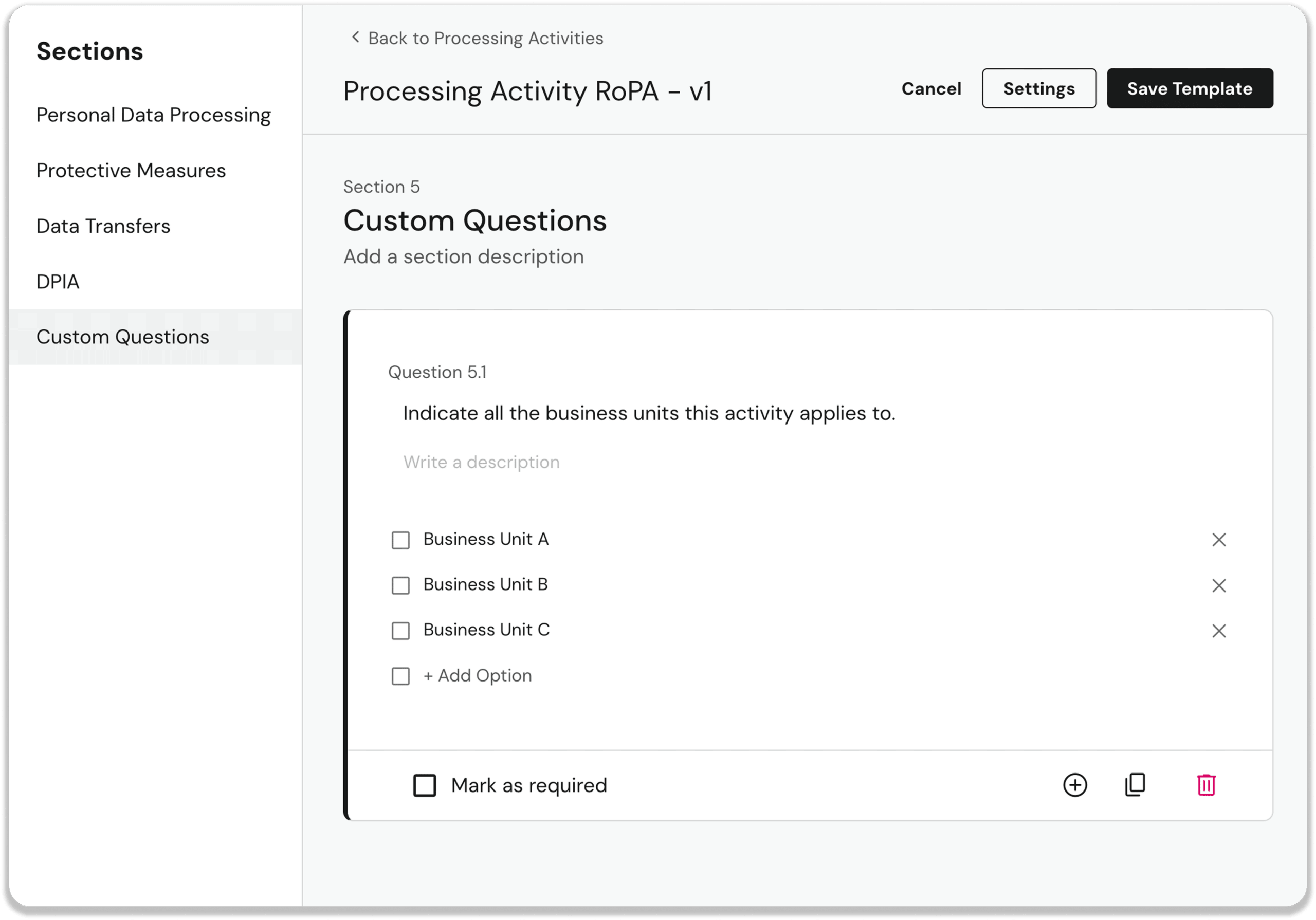
Article 30 required questions remain locked, to ensure compliance.
Security Audit Logs for Sign-In and Access
Super Admins can now view a searchable log of sign-in attempts and allow/deny permission decisions under Settings → Security → Audit Log.
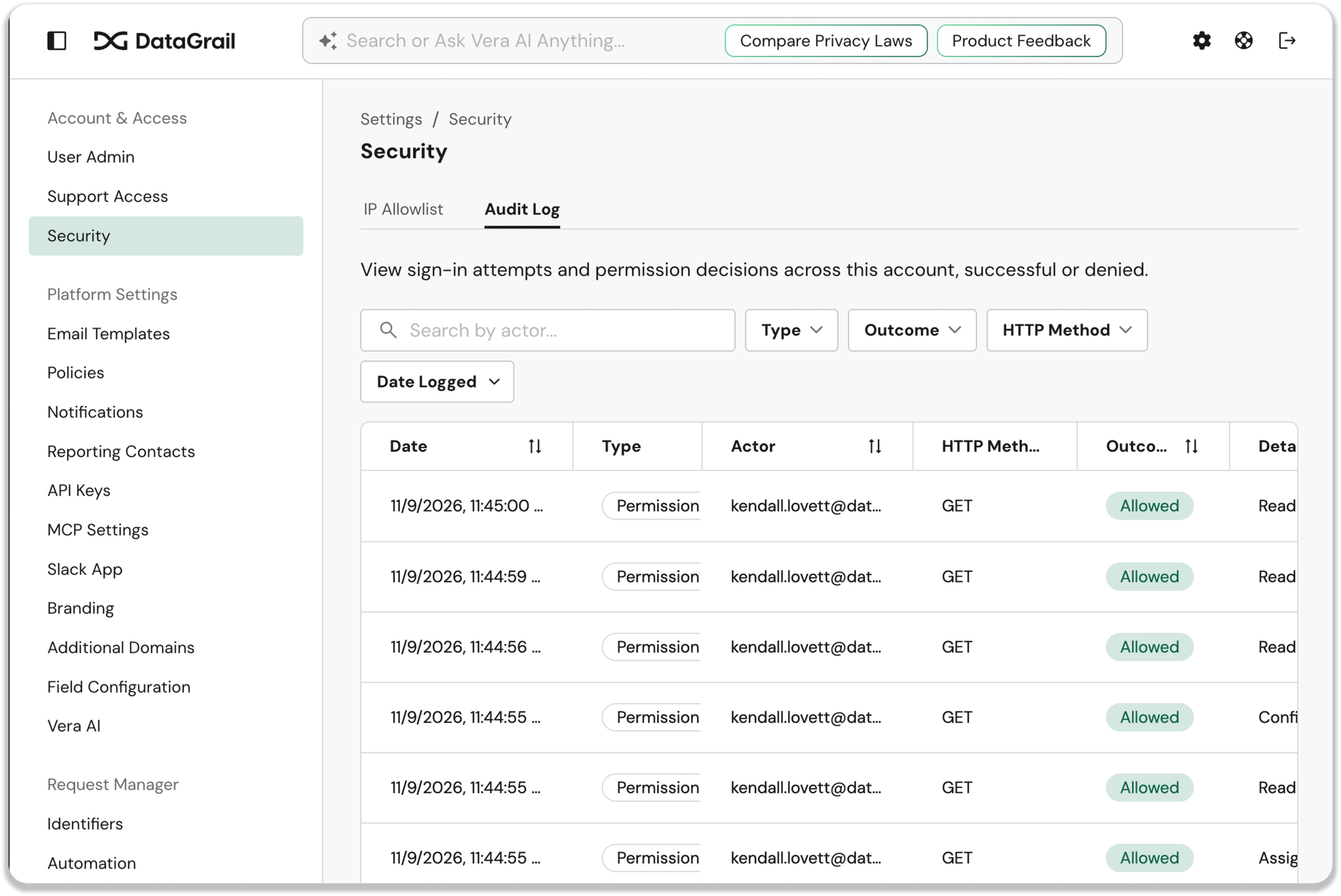
Logs cover 12 months of activity, including failed sign-ins and IP allowlist blocks, and are also available through the public API so you can pull them into your own monitoring tools.
You get audit-ready evidence for frameworks like ISO 27001 and SOC 2, on demand.
Other noteworthy product enhancements
Smart Assessments
Vera Reuses Answers from Linked Assessments: Vera’s suggested assessment answers can now draw on answers from your linked, approved assessments, showing the source assessment, approver, and approval date for each one.
Assessment Email Templates and Conditional Send Rules: Smart Assessment templates now support multiple custom email templates and a “Send Email” rule that notifies chosen recipients when an approved assessment meets set conditions, so SOX, legal, and security teams stay informed.
SPI Highlighted in Assessments: data category chips in assessments and processing activities now carry the same yellow sensitive personal information (SPI) highlight as the Systems page, so you can spot sensitive data at a glance during review.
Require Answers to Required Questions: a new opt-in setting requires contributors to answer required questions before submitting, with per-contributor rules and in-app indicators to ensure every assessment arrives complete.
Inbound Smart Assessments via Okta and OneLogin: a new opt-in User Detection option for Okta and OneLogin syncs your directory users as contacts, so your team can use inbound assessment links without needing to sign in to DataGrail.
Download Draft Assessments: in-progress and pending-approval assessments can now be downloaded as a PDF or ZIP labeled with their current status, giving you the option to share drafts before sign-off.
Customizable Getting Started Page for External Contributors: Smart Assessment owners can add their logo and instructions to the Getting Started page shared with external contributors to provide a familiar, trusted starting point.
Request Manager
Additional Domains for Your Privacy Request Center: you can now add up to five extra domains to your Privacy Request Center, with one shared set of forms and settings, so multi-brand teams can run a single, fully self-serve request center across every brand.
An Improved Requests List Experience: The Request Manager requests list page got performance and UI improvements to make it easier than ever to find and manage privacy requests.
Platform / Admin
Self-Service Logo Management: Super Admins can upload your company logo on the new Settings > Branding page, with an optional separate Privacy Request Center logo, so your branding appears on exported PDFs, request confirmation pages, and more.
Self-Service Okta Universal Logout: admins can now enable Okta Universal Logout under Settings → Security, so users are signed out right away when an Okta admin ends their sessions, for both SAML and OIDC apps.
New and Updated Integrations
Superwall Integration for Request Manager: Superwall is now available in Request Manager for automated API-based Access and Deletion requests, with field-level access controls, task status, and audit logging.
Dixa Integration for Request Manager: Dixa is now available in Request Manager for automated Access requests and Deletion requests (in anonymization mode), with Dixa fields available in Access Field Level Controls.
Ashby Integration for Request Manager: Ashby is now available in Request Manager for automated Access requests and Deletion requests (in anonymization mode) against candidate data, with Ashby fields available in Access Field Level Controls.