Summer’s in full swing, but privacy requests don’t take a vacation — and neither does DataGrail 😎.
We released 31 product updates in July, including an fully-overhauled Assessment collaborator experience, bulk editing for Live Data Map, Vera email intake management, Vera DROP intelligence, and a host of other top requested features.
Let’s dig in:
Vera-Powered Email Intake Request Management
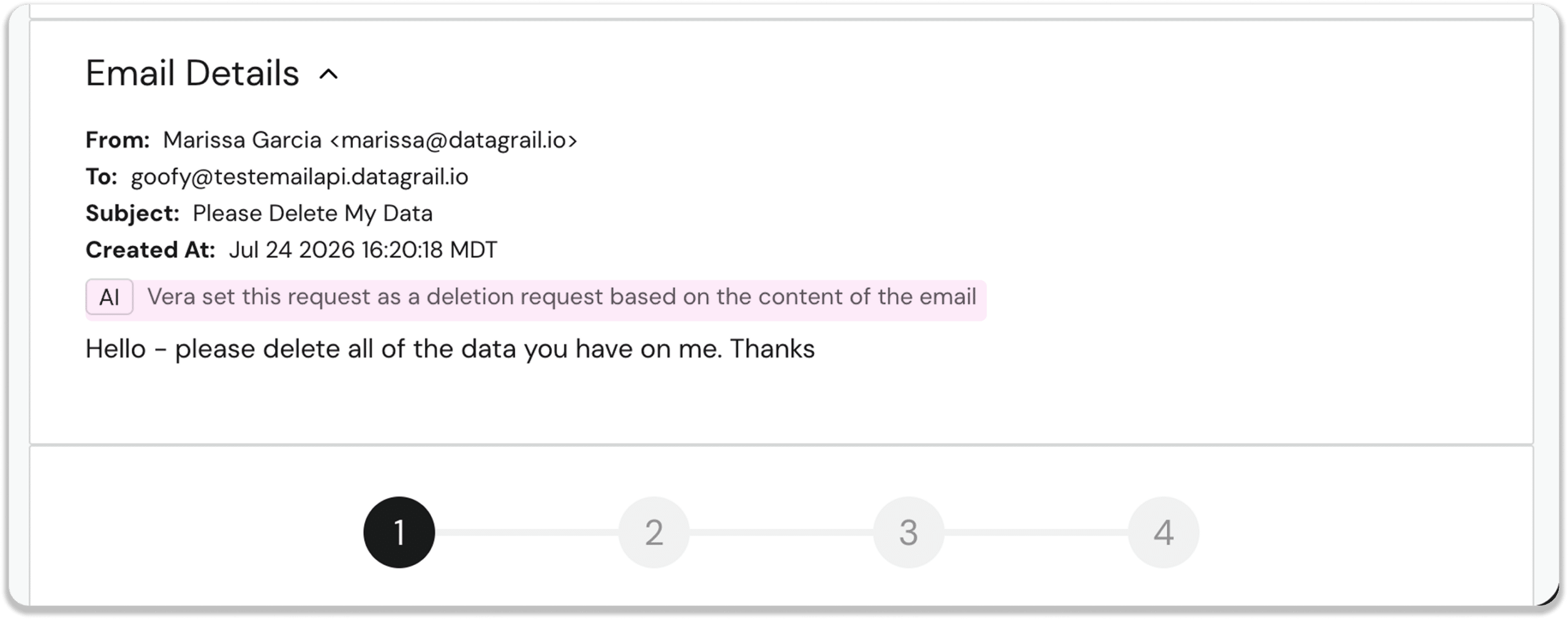
We replaced rule-based email intake parsing with Vera AI. Now Vera will read all incoming request emails and identify the requester, classify the request type, and let you kick off a deletion, access or opt out workflow automatically.
New Configure Email Action in Workflow Automations
A new Configure Email action node in Workflow Automations lets you fully customize automated email behavior for each workflow. Easily configure each workflow to send a default or custom email template, or suppress the email entirely.
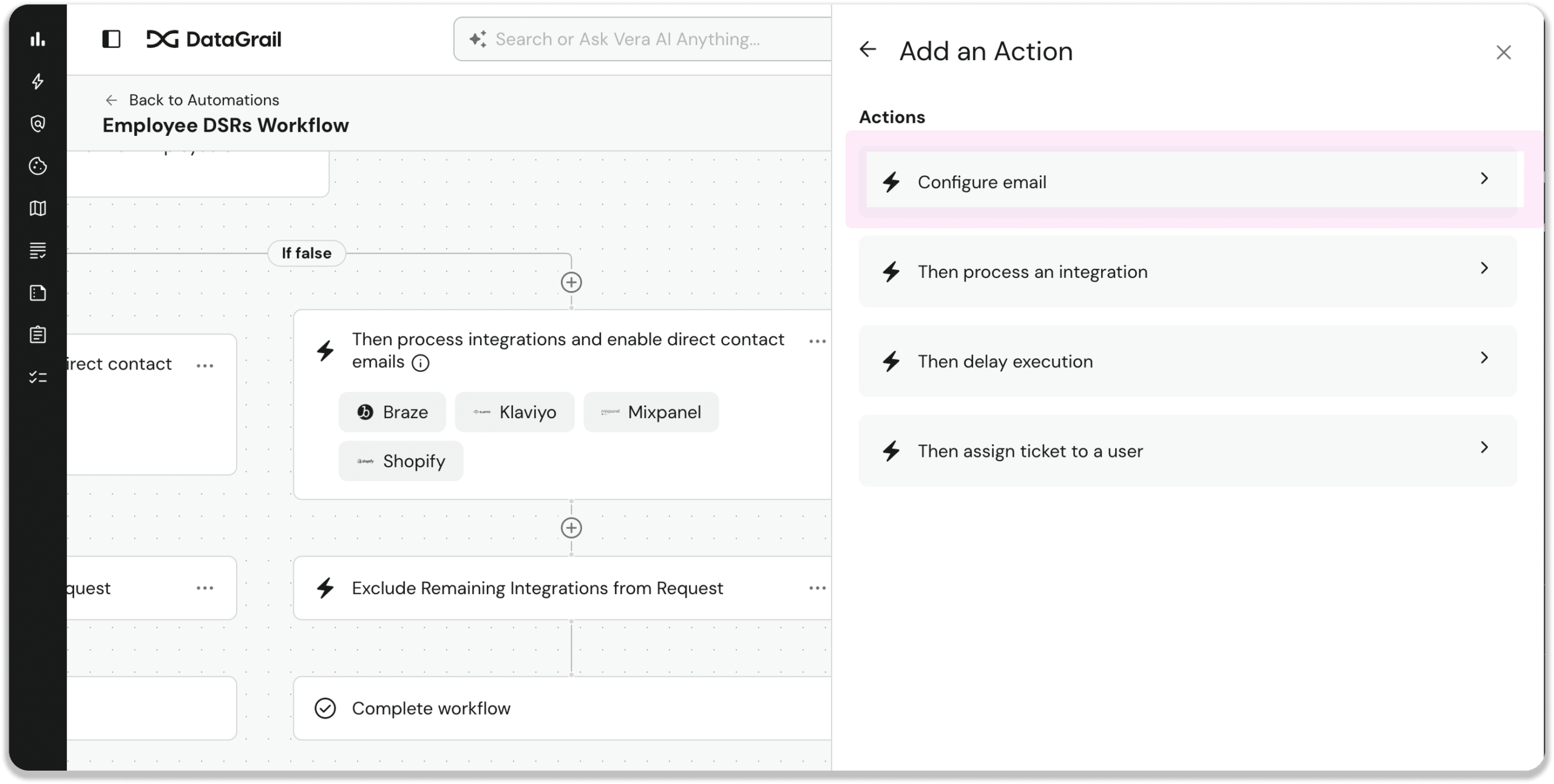
This is especially helpful for companies with employee DSR programs, multi-brand environments, or custom email templates.
Question-Level Attachments in Assessments
Users can now attach files directly to individual assessment questions, link existing assessment documents to specific questions, and see all question-level attachments in the overview.
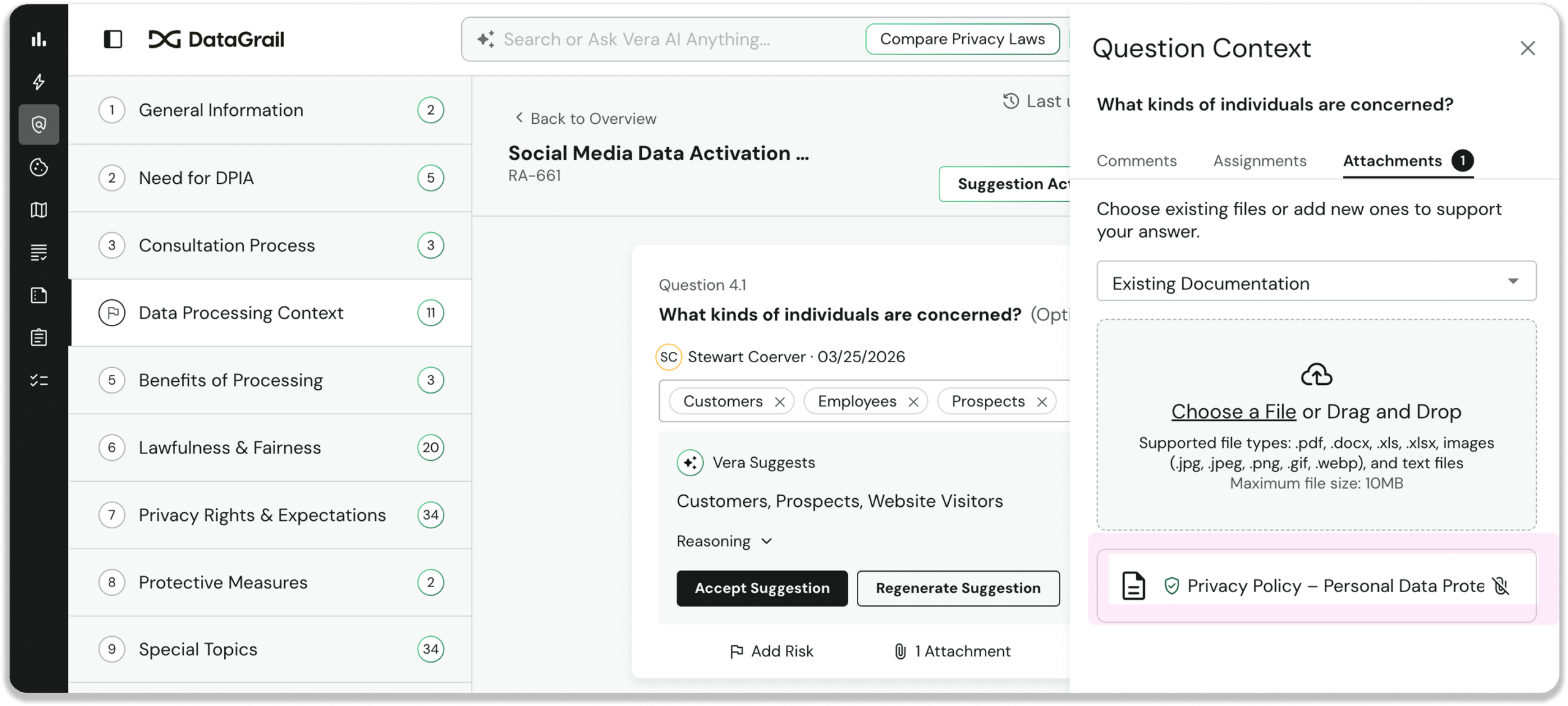
Assessment evidence is now traceable to the specific question it supports, streamlining auditor review and allowing Vera to use supporting documents when answering assessment questions.
Attach Evidence Directly to Processing Activities and Systems
A new Attachments tab is now available on both the Processing Activity and System Profile. Upload, name, and manage supporting documents (legal basis memos, consent records, data transfer agreements, etc) alongside activity details and systems.
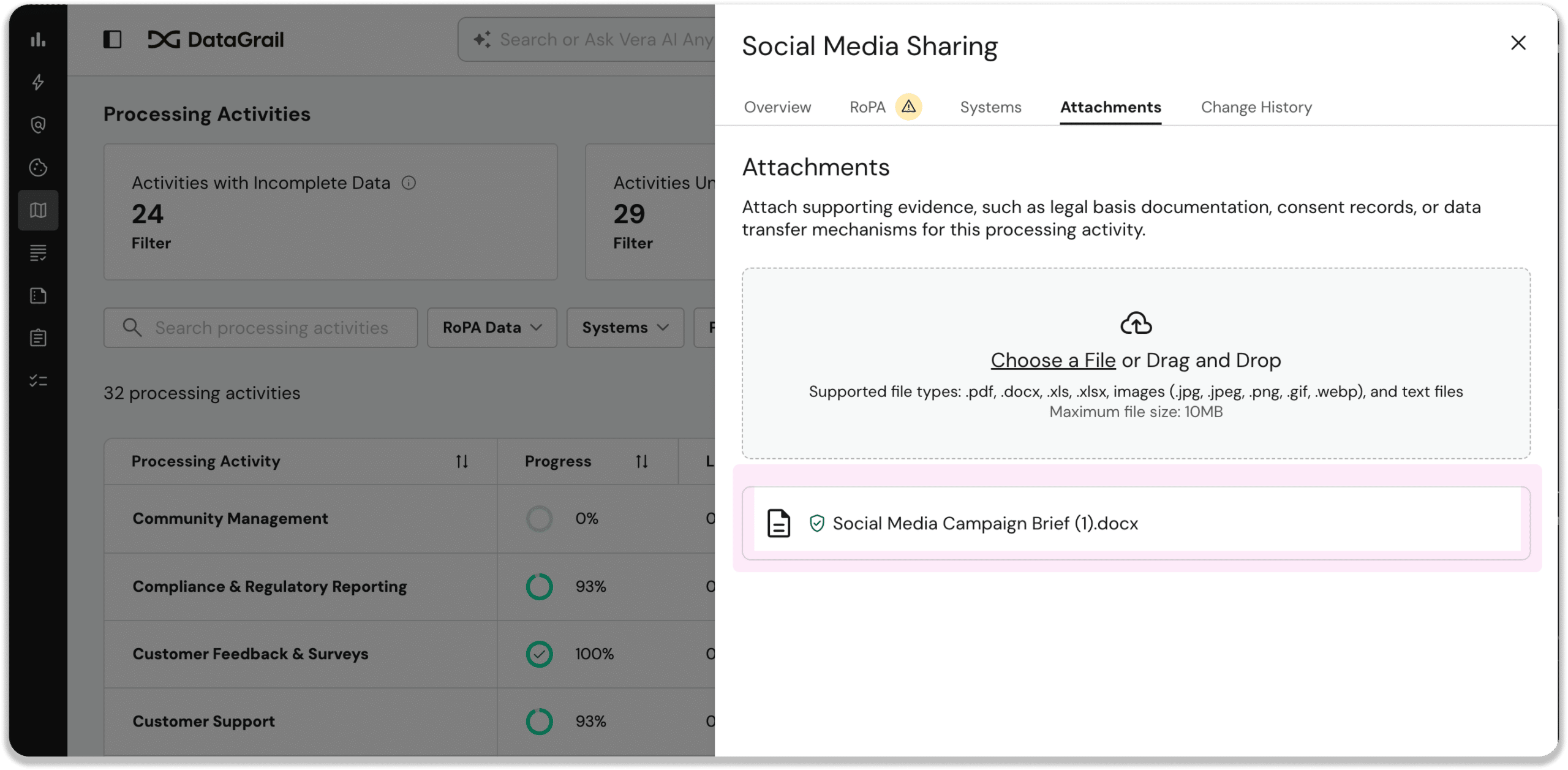
This strengthens audit readiness and cuts compliance review time by giving RoPA reviewers access to evidentiary documents in context, instead of asking them to locate them outside the platform.
Improved Assessment Collaborator Experience
Now you can give assessment collaborators full access to DataGrail Assessments, while restricting access to the rest of the DataGrail platform.
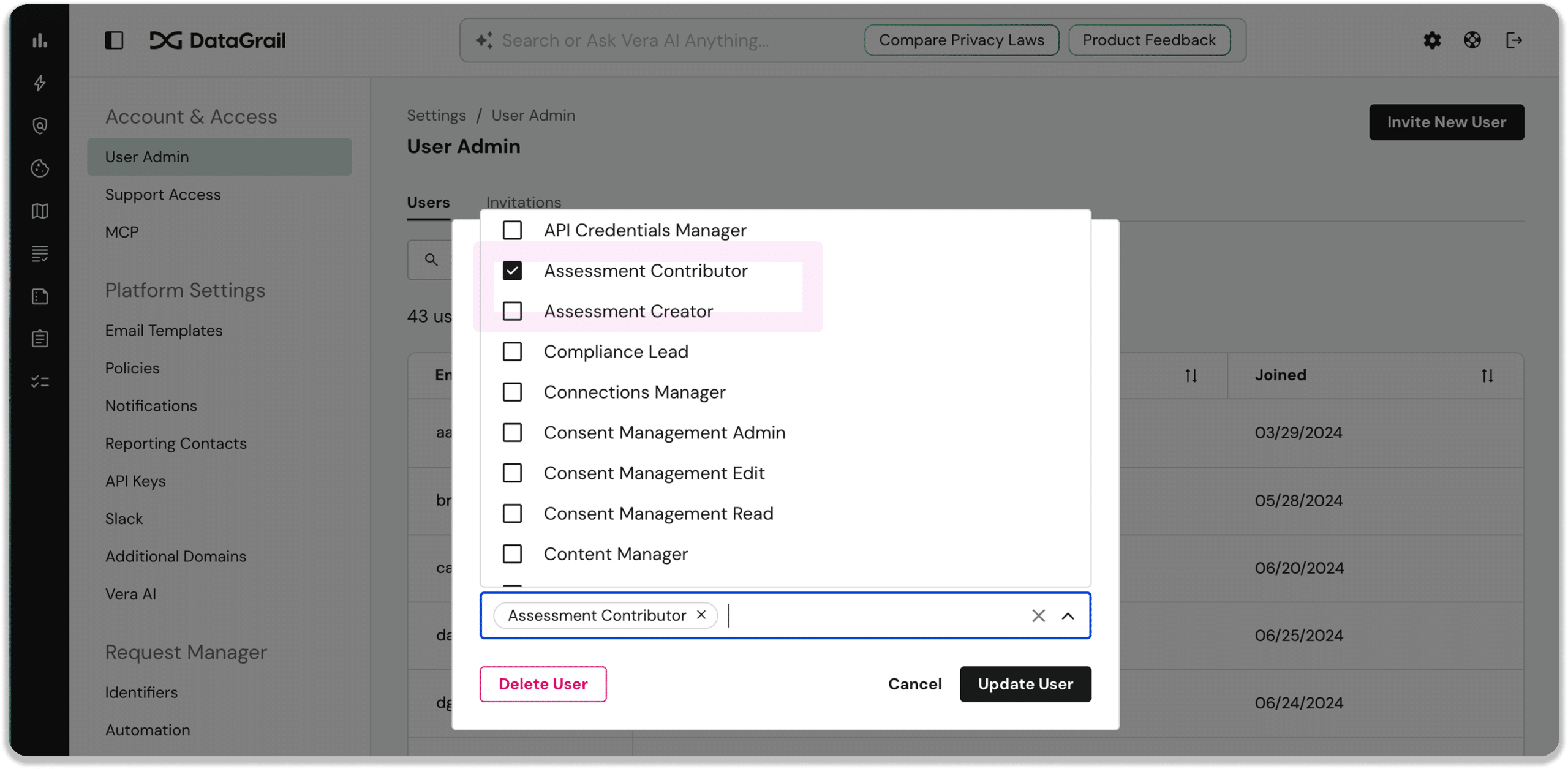
Simply assign a teammate either the Assessment Creator or Assessment Contributor role, and they’ll get full access to the risk assessments module, without needing to mess with one-time email links.
Other noteworthy product enhancements
Assessments
- Assessment Assignments Now Send Email Notifications: Assignments now trigger email notifications when created, completed, or cancelled, each linking directly to the relevant question, so collaborators always know what’s still outstanding.
- Assessment Version History Visible from Overview: Assessments now show a collapsible version history from the overview, with each new version logging who created it and from which prior version automatically.
- Assessment Approver Visibility and Notifications: Approver information now appears on the overview card with a filterable column and change-history logging, and assignees get notified automatically the moment they’re added.
- Assessment System Dropdown Shows Child System Instances: The Systems dropdown in Risk Assessment creation now shows child system instances alongside parents, aggregating prefill data across all children when a parent is selected.
- Inbound Assessments: Smarter, More Seamless Flow: Inbound assessment links now recognize known platform users and route them straight into the assessment in-app, skipping the old email-check step entirely.
- Option to Hide Default Assessment Templates from Template Picker: Admins can now hide DataGrail’s default templates from the picker and API, so teams only see approved custom templates and avoid regulatory mismatches.
- Assessment Export with Configurable Content Options: Users exporting an approved assessment can now toggle whether to include risk information and attachments, downloading either a ZIP or a standalone PDF.
- Assessment Template Builder Now Highlights Validation Errors: The template builder now highlights invalid questions and sections, like too few answer options or duplicates, with an error indicator in the sidebar.
Live Data Map
- Bulk Remove Systems From Inventory: Admins can now select up to 500 systems and remove them from inventory in one action, with a safety confirmation to prevent accidental deletions.
- Processing Activities Gets a New Look: The Processing Activities table now shows a completion progress bar instead of warning triangles, plus customizable columns, making it easier to prioritize work.
Vera
- Vera Chat Live Streaming and Contextual Charts: Word-by-word streaming is now on by default, the context window roughly doubled, and charts in multi-chart reports render next to the section they illustrate.
- Ask Vera about your DROP compliance posture: DROP-registered data brokers can now ask Vera about their DROP compliance posture and get context-rich answers about deletion deadlines, backlog, and connection health without hunting through dashboards.
Request Manager
- Hosted Mailer Now Supports Custom Domains: New hosted mailer setups can now use a custom sending domain for privacy request emails, with self-service DNS setup and status tracking built in.
DataGrail Consent
- Consent Analytics Chart Descriptions: Consent Analytics now includes chart descriptions and clearer metric definitions throughout, helping teams interpret trends faster and spot implementation issues with more confidence.
New and updated integrations
- Rippling: Upgraded to the latest API, simplifying authentication and expanding retrieved fields. Connection Instructions
That’s all for July. For full details, including additional improvements and updates, see the change log.
Until next time. 👋
The DataGrail team