In February we released Vera, the first complete AI privacy agent. In March, we kicked Vera-powered features into high gear with the launch of Vera Assessment AutoFill beta and a host of improvements.
We also released a powerful new automation workflow for privacy requests, shipped two new integrations, and delivered a wave of improvements and updates across the platform.
Here’s what’s new.
Vera Assessment AutoFill [Beta]
Privacy assessments can be time-consuming, technically complex, and increasingly risky, especially now that CalPrivacy mandates them. Vera’s new Assessment AutoFill feature is fully integrated into DataGrail Risk Assessments and ready to help generate evidence-based answers in minutes.
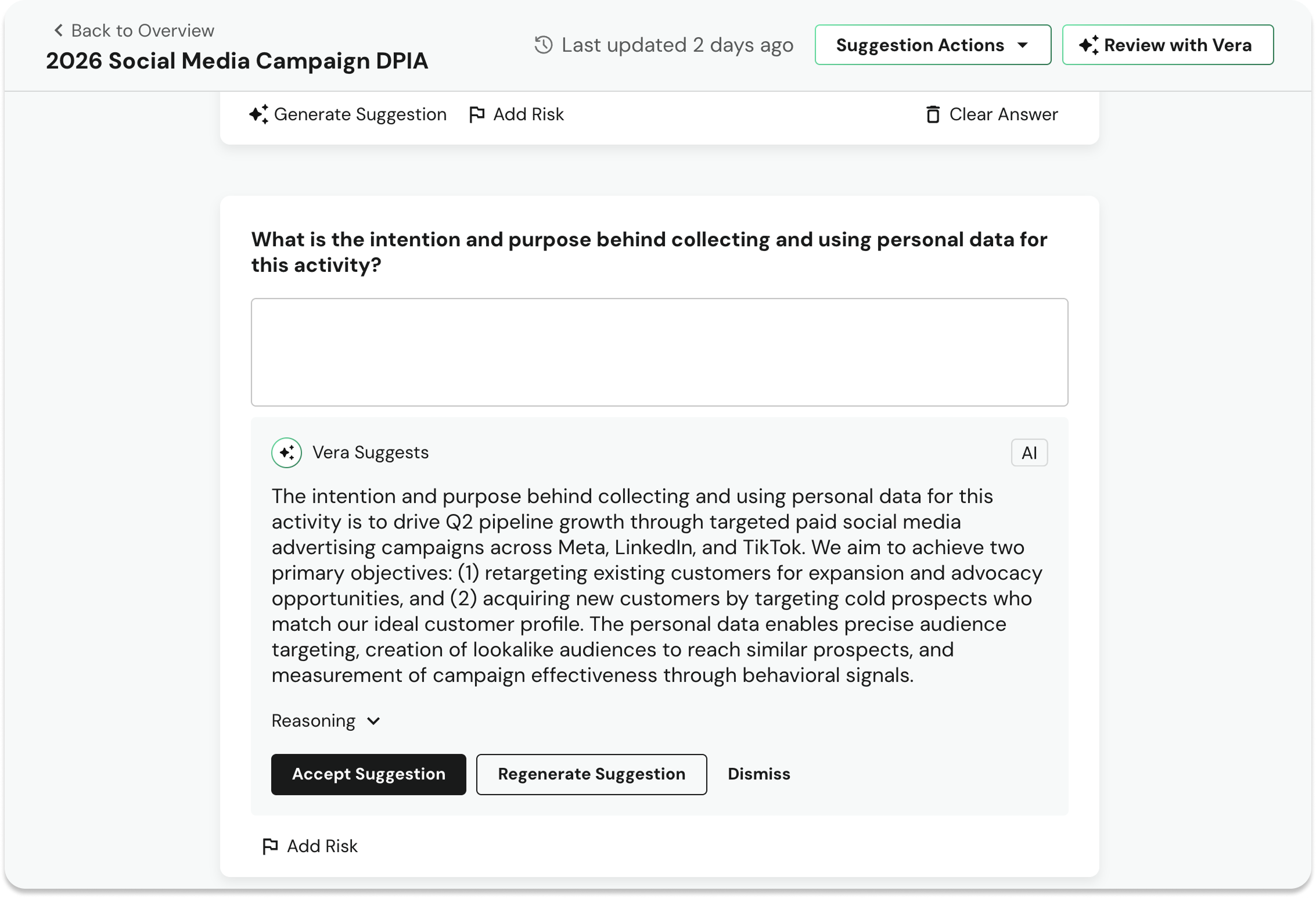
Vera uses your system metadata, documentation, and previously completed assessments to generate accurate, evidence-based assessment answers with minimal human input.
Vera Assessment AutoFill is built on the same principles as the rest of the Vera platform:
- Human-governed: all suggestions require customer acceptance
- No-compromise security: all context is scanned for prompt injection and malware
- Unified context: Every question references a living library of privacy data
Current Risk Assessments customers can join the Assessments AutoFill beta by reaching out to their DataGrail representative.
New DSR Automation Workflow: Initialization
We’ve added more flexibility and control options for DSR automations with Initialization, a new automated workflow phase that can be kicked off immediately when a privacy request is submitted.
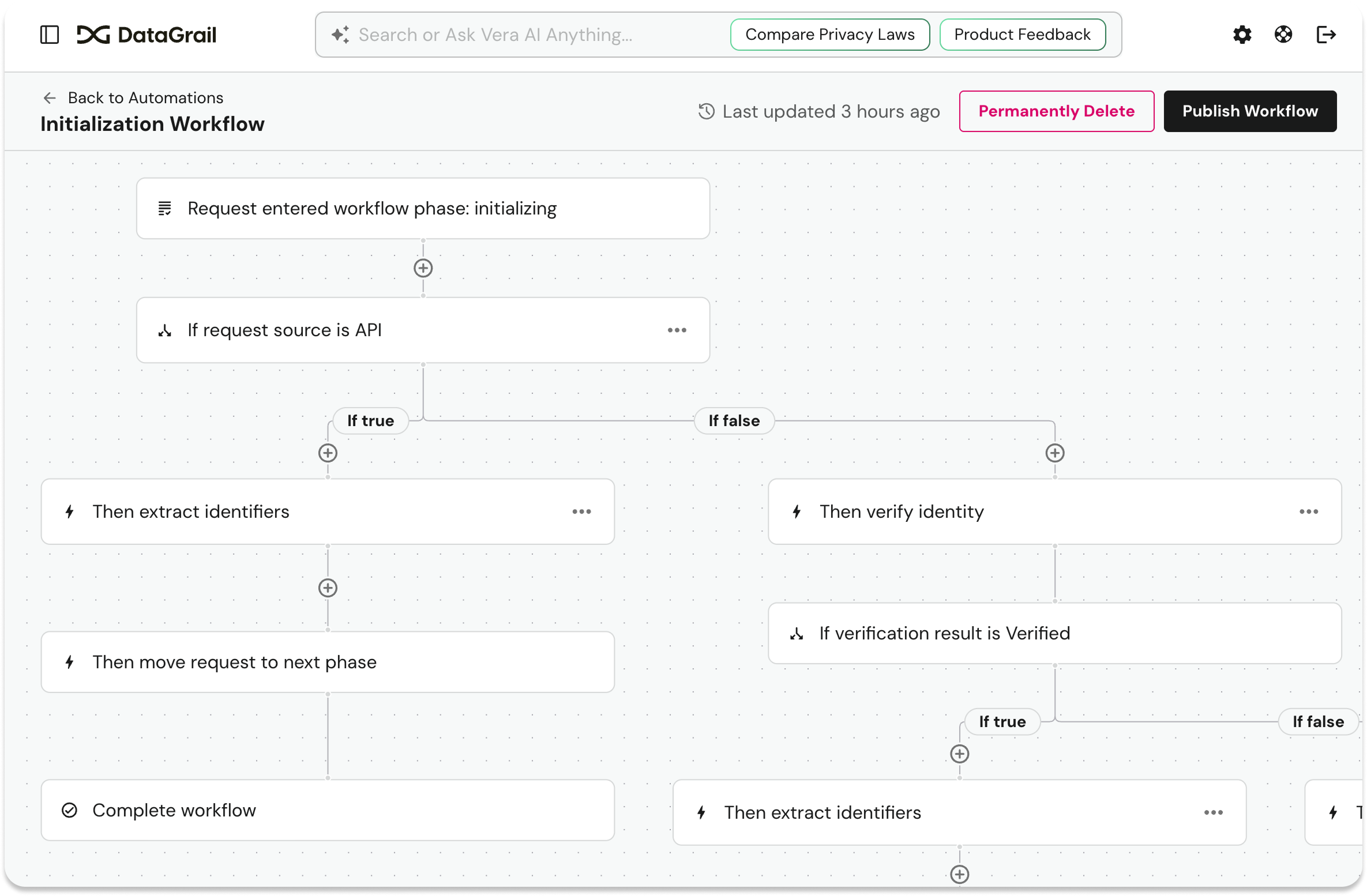
Use the Initialization workflow when you need to define exactly what happens at intake before any default processing phases begin: including whether to verify identity, send a confirmation email, or extract identifiers.
All Initialization activity is fully tracked in the request Activity Log. Be on the lookout for more Initialization capabilities coming soon.
DataGrail Privacy Inspector 6.0
The DataGrail Privacy Inspector is a no-cost Chrome extension that allows anyone to verify their website’s compliance with CPRA, GDPR, and other global privacy frameworks.
With the 6.0 release, We’ve redesigned the DataGrail Consent Privacy Inspector to make it an even more powerful, real-time diagnostic tool for your consent operations.
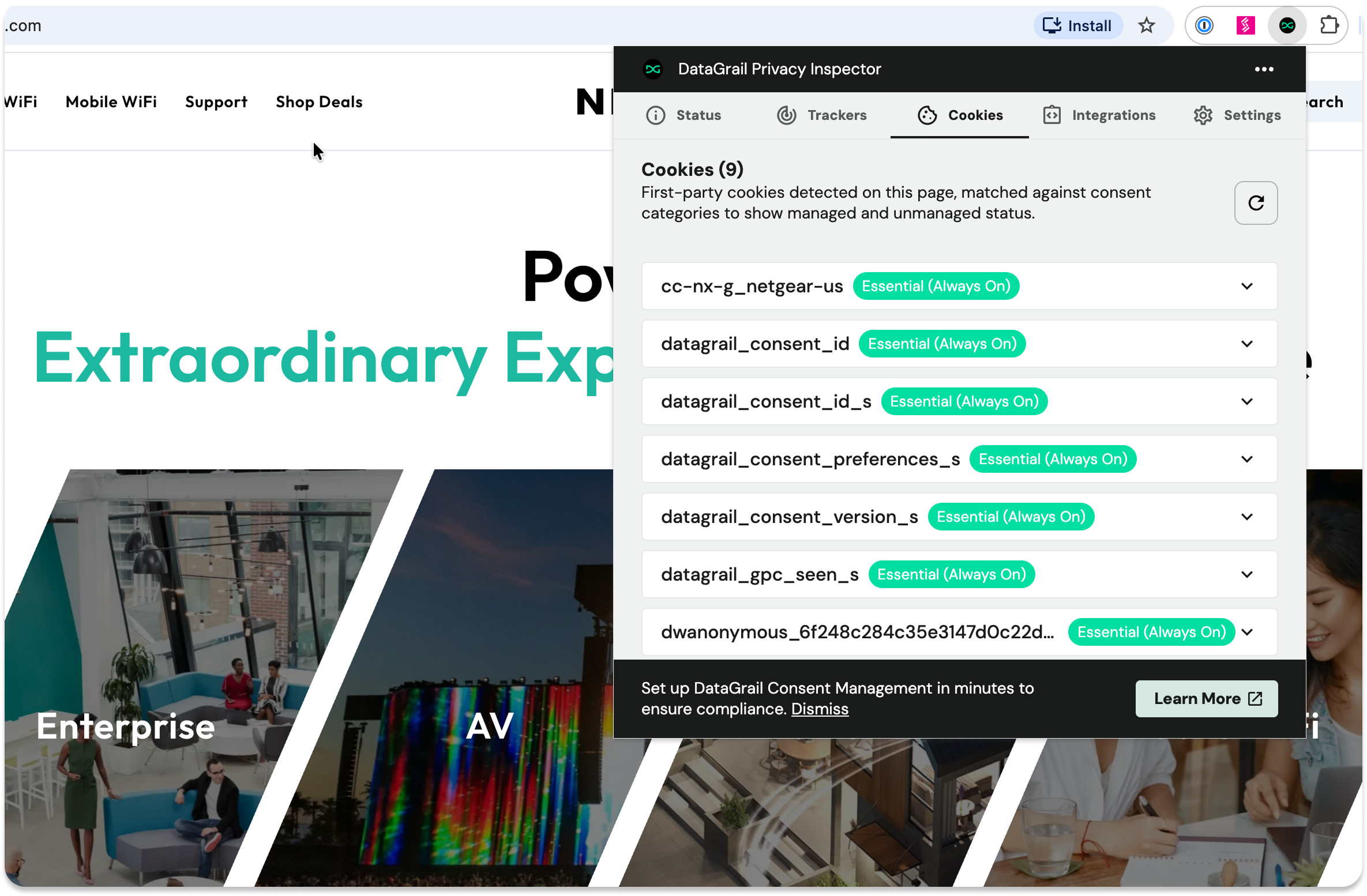
What’s new:
- New Status tab offers a live view of your configuration and lets you quickly adjust consent preferences or re-launch the banner.
- New Cookies tab surfaces first-party tracking cookies and their assigned categories.
- Updated Integrations tab brings added transparency into how downstream platforms like Google Consent Mode, Shopify, WordPress, and Webflow interpret consent signals, making validation easier.
- New Settings options give you more control with more flexible global GPC controls and enhanced tracker detection.
The updated Privacy Inspector is now live. Get it in the Chrome Store.
DataGrail Consent Cross-Container Sharing
Custom tags and services are now automatically available across all DataGrail Consent containers by default, no manual assignment required. Simply create a custom tag once and use it from everywhere.
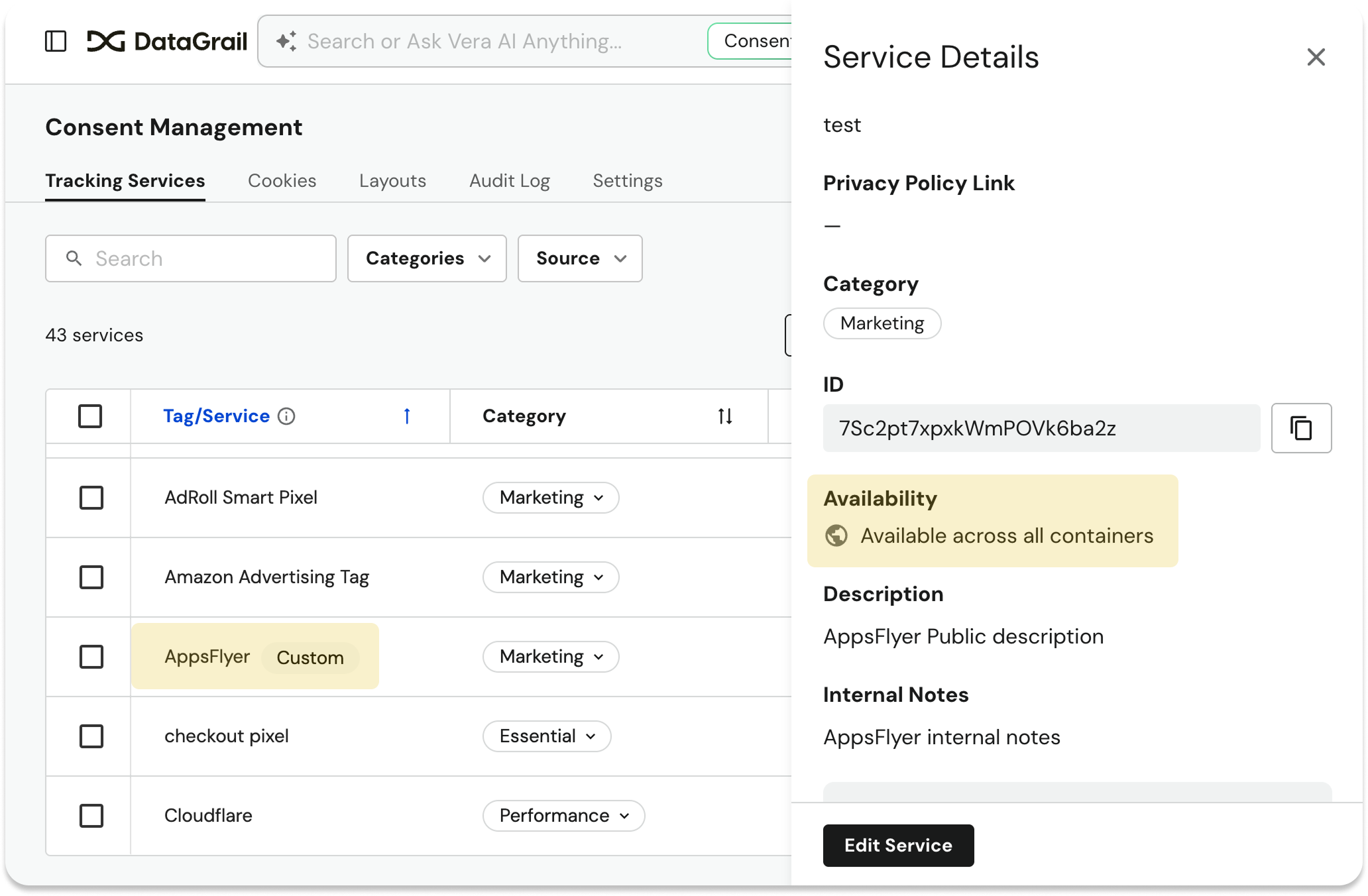
Tag details clearly show availability across containers, and new tag creation includes an info message to set expectations upfront. Scripts managed via GTM continue to show their source container and are not impacted.
Vera Enhancement: Deep Links in Responses
Vera now links you directly to the pages it’s referencing. When Vera mentions tickets, opt-outs, assessments, inventory items, integrations, or consent policies, each response includes a clickable URL that takes you straight to that record in the admin UI.
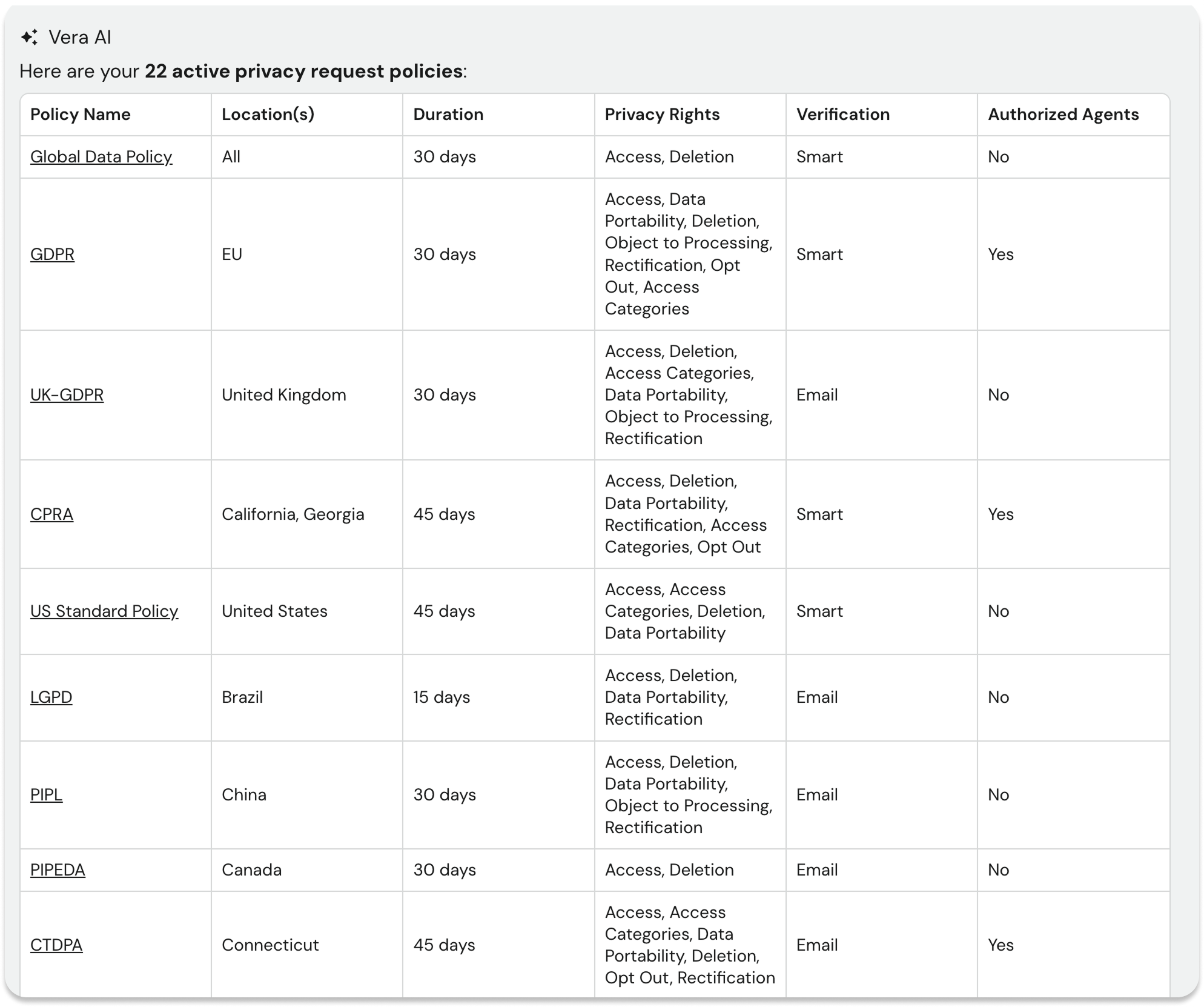
Instead of just telling you something, Vera can now take you right there.
Vera Enhancement: Polished Minimized Chat Experience
Additional quality-of-life improvements for Vera:
- Fully clickable minimized bar — Tap anywhere on the minimized bubble to expand. No more hunting for a small button.
- Live streaming status — See “Vera is thinking…” pulse in real time while minimized, so you always know she’s working.
- Session recovery — Refresh mid-conversation and Vera picks up right where you left off. Minimized state is preserved.
- Bug fixes — Fixed a race condition where rapid queries merged into one thread, and fixed short searches accidentally wiping chat history.
MCP DataGrail Knowledgebase Search
External AI clients connected to the DataGrail MCP server, including Cursor, Claude, and other AI-powered tools, can now search DataGrail’s knowledgebase documentation directly.
Just ask your AI tool about DataGrail features, configuration, workflows, or best practices and get instant, relevant results without context switching.
New Caret Wildcard Search
You can now use a ^ wildcard to improve your search.
For example, If you’re searching for a word that begins with the letter a, simply use the following syntax: ^a
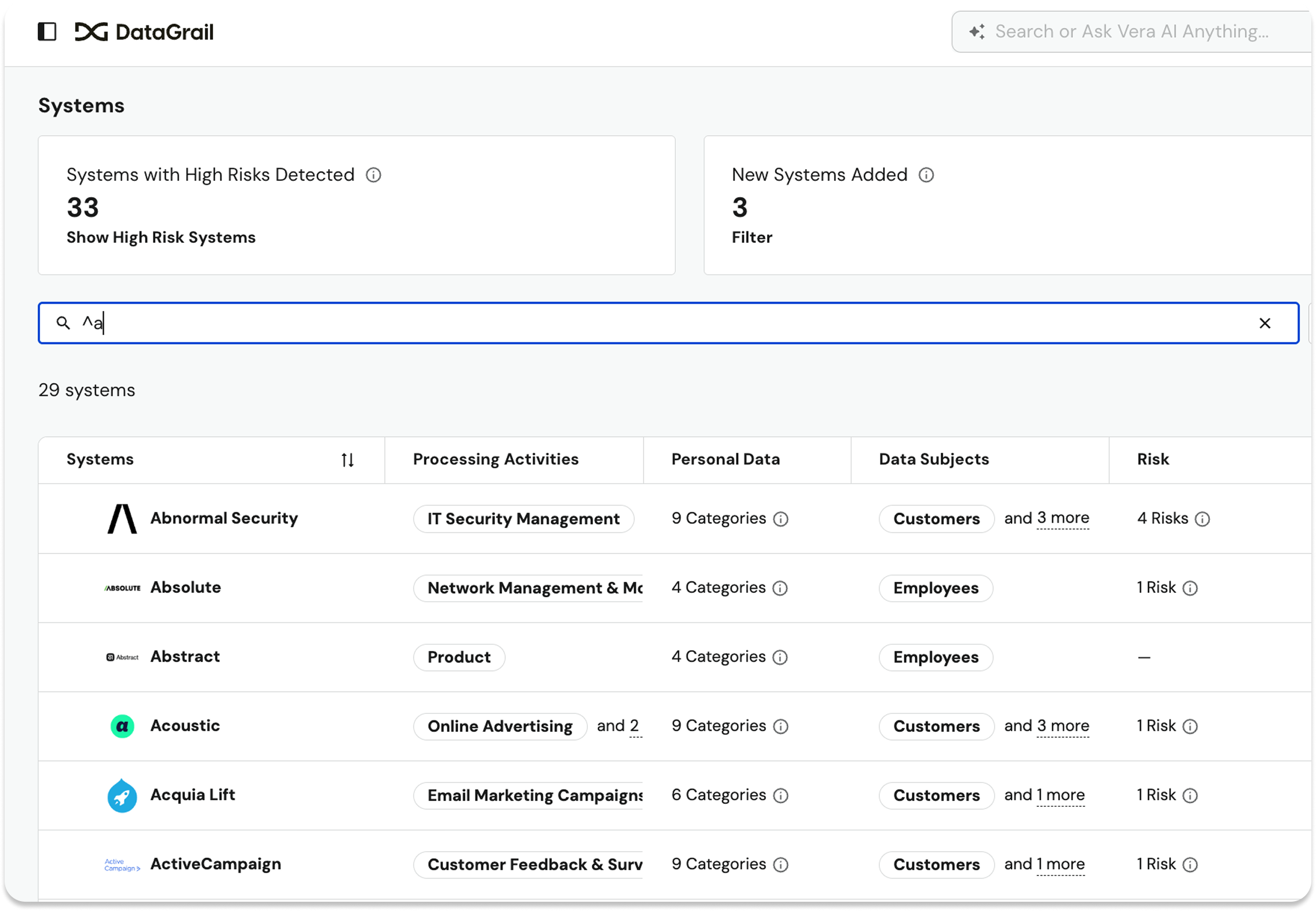
Wildcard search also supports multiple concatenated strings. For example, if you were looking for “DynamoDB,” in your systems list, you could find it by searching for ^d + db.
Use wildcards to easily locate systems, tickets, integrations, tags, and cookies across DataGrail.
New & Updated Integrations
New
That’s all for March! For full details, including additional improvements and updates, see the change log.
Until next time. 👋
The DataGrail team