Cookie Consent Style Guide & Best Practices: How to Design Banners Without Dark Patterns

Consumer expectations around data privacy have never been higher. According to McKinsey, 71% of customers want control over how their data is used and tracked. That same percentage would stop purchasing from a company that collects or shares their sensitive data without permission.
Regulators are following suit:
- In March 2025, the California Privacy Protection Agency (CalPrivacy) fined American Honda Motor Co. $632,500 for CCPA violations that included asymmetric cookie consent choices. Users had to take multiple steps to opt out, while opting in required a single click.
- CalPrivacy followed with an enforcement action against retailer Todd Snyder for similar violations.
- The FTC finalized its Click-to-Cancel rule rule in 2024 to address negative option marketing. Although the rule was later vacated on procedural grounds, regulators continue to scrutinize consent and cancellation friction under Section 5 and state laws.
With over a third of U.S. states now enforcing comprehensive privacy laws, many of them explicitly prohibit the use of dark patterns to obtain consent. It’s clear that the margin for error on cookie consent design is shrinking fast.
Building a compliant, consumer-friendly consent banner doesn’t have to be complicated. It just takes some intentional design choices. DataGrail’s 2025 Data Privacy Trends Report shows Do-Not-Sell requests increased 37% year over year, which tells us consumers are actively exercising their privacy rights. A well-designed banner respects that behavior rather than fighting it. This style guide walks you through the basics of great banner design.
Write for humans, Not lawyers
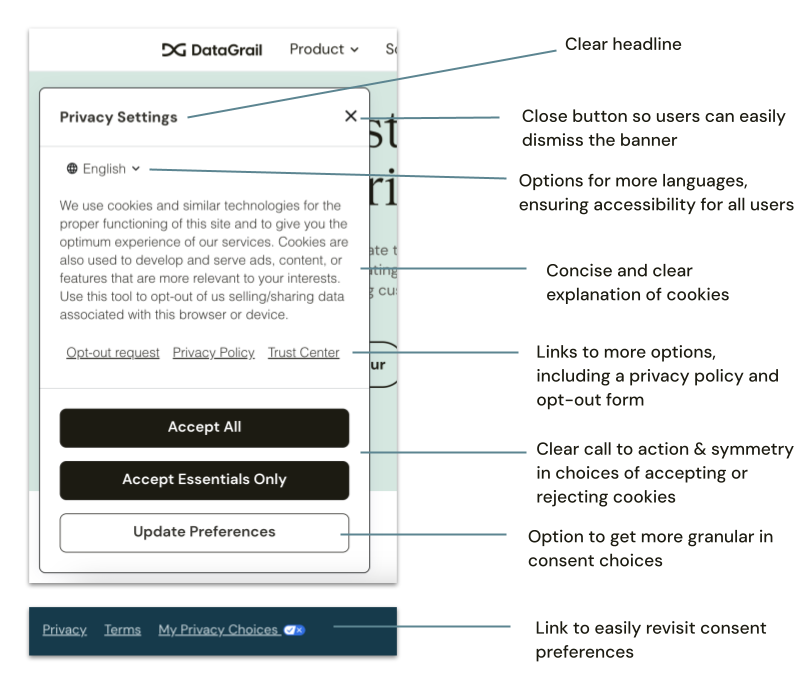
Your consent banner copy should be something an average consumer can read and understand in a few seconds. Plain language, short sentences, no legal jargon. Don’t bury the meaning behind phrases like “processing activities pursuant to applicable frameworks.” Just say what you mean: your site uses cookies, here’s why, and here’s how to control them.
Be accurate, too. If your site uses cookies for targeted advertising, say “advertising,” not “improve your experience.” Misleading language is exactly the kind of thing regulators flag as a dark pattern. The CPRA defines dark patterns as interfaces that impair a consumer’s ability to make a free and informed choice. California’s updated regulations (effective January 1, 2026) include specific provisions around language neutrality in consent flows.
If your site serves international visitors, offer language selection directly on the banner. Comprehension is a prerequisite for meaningful consent.
Make every choice equal
This is the single most important design principle, and the one that tripped up Honda. If your “Accept All” button is large, bold, and colorful while “Reject” is small, gray, and tucked behind a second screen, you’ve created an asymmetric experience. Regulators increasingly treat asymmetric designs as dark patterns, particularly where the effect steers users toward less privacy-protective choices.
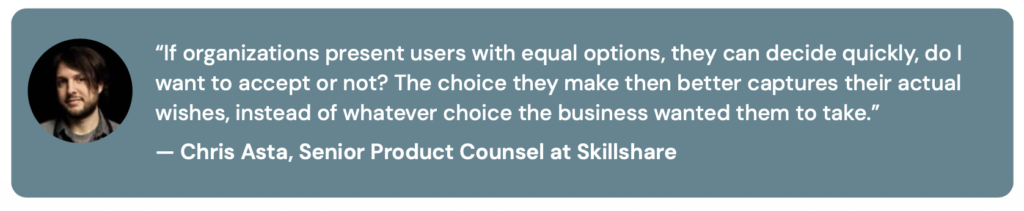
Cookie consent best practices require symmetry across all options. Same size, same font, same color, same prominence. Opting out should require the same number of clicks as opting in. No pre-checked boxes for non-essential cookies. No toggle switches that confuse users about what they’re accepting versus rejecting.
CalPrivacy’s enforcement advisory was explicit on this point: the privacy-protective option must be equally easy as the less protective option. Honda’s cookie tool failed this test, and they paid the penalty as a result. In Europe, the pattern is the same. GDPR regulators have issued significant fines for cookie banners that make rejection harder than acceptance and the EU’s Digital Services Act now includes broader prohibitions on dark patterns in online interfaces.
Give consumers real options
A “notice only” banner, one that tells visitors your site uses cookies without giving them a way to accept or decline, may raise trouble with both GDPR and CPRA. Your banner needs actual consent controls. Under GDPR, non-essential cookies require opt-in consent. Under CPRA, if cookies involve selling or sharing personal information, businesses must provide a clear opt-out mechanism.
At minimum, provide three clear options:
- Accept All, which allows all cookies
- Accept Essentials Only, which rejects everything except cookies required for the site to function
- Manage Preferences, which lets users get granular with individual cookie categories
Label each button clearly. “Accept Essentials Only” is much better than “Customize” or “More Options,” which force users to click through additional screens just to say no. Most people will take the path of least resistance. If saying no is harder than saying yes, your consent isn’t meaningful.
Make Opt-out and Do Not Sell easy to find
Under the CCPA/CPRA, businesses are required to provide a way for consumers to opt out of the sale or sharing of their personal information. Your consent banner should include a visible link to your opt-out form or Do Not Sell/Share page. Don’t bundle your privacy policy, terms of service, and consent into a single accept-all statement. That’s another dark pattern regulators are watching for.
Also critical: honor Global Privacy Control (GPC) signals. Although not yet required everywhere, an increasing number of privacy regulations mandate compliance with browser opt-out signals, and enforcement has already begun. Honda was cited for failing to apply GPC-based opt-outs to known users with accounts. If someone’s browser is sending a universal opt-out signal, your consent tool needs to respect it for all users, not just anonymous visitors. Note that in California, you also need to ensure your banner reflects that your website saw and observed a GPC signal if one was received.
Make sure consent preferences are easy to revisit, too. A link in the footer of your site or a persistent “My Privacy Choices” icon gives consumers an effortless way to change their mind later.
Verify that opting out actually works
This might be the most overlooked step. As part of our annual trends report, we found that 69% of organizations still trigger 3 or more cookie trackers even if the visitor opts out. The New York Attorney General’s investigation found that on more than a dozen popular websites, consumers who attempted to disable tracking were still being tracked. The banner looked right, but the underlying scripts weren’t honoring the choices.
Audit your consent flows regularly. Confirm that third-party scripts actually stop firing when a user opts out. Verify that your ad tech vendors have the required contractual provisions in place. Honda couldn’t even produce contracts with its advertising partners, which was a separate violation. Your consent banner is only as good as the technical implementation behind it.
Tailor by jurisdiction
GDPR requires opt-in consent before non-essential cookies are placed. CCPA/CPRA requires the ability to opt out. These are fundamentally different models, and a one-size-fits-all banner won’t satisfy both. The best consent management platforms let you configure different experiences by jurisdiction automatically, so European visitors get an opt-in flow while U.S. visitors get the appropriate opt-out controls for their state.
With privacy laws multiplying across U.S. states, each with slightly different requirements around consent, dark patterns, and Do Not Sell obligations, this kind of jurisdiction-specific logic is becoming essential rather than nice-to-have. Colorado, Connecticut, Texas, and over a dozen other states have enacted comprehensive privacy laws since 2023, and many reference the FTC’s dark pattern guidance directly. A consent banner that works in California may not satisfy requirements in Virginia or Oregon without additional configuration.
How DataGrail helps
DataGrail Consent delivers symmetrical options by default, with jurisdiction-specific logic that adjusts the experience for CPRA, GDPR, and the growing list of U.S. state laws automatically.
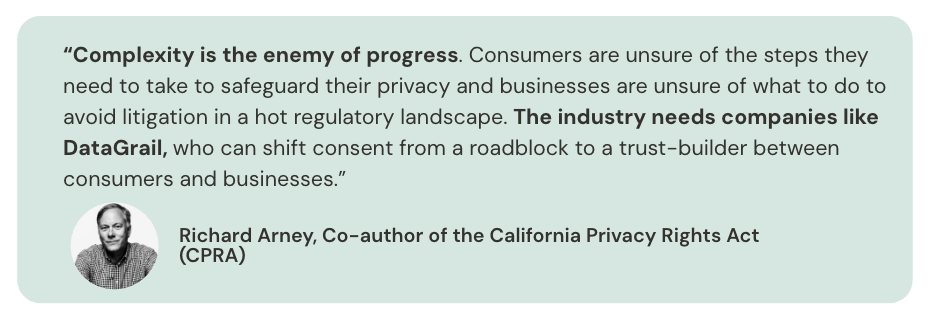
Easily stay compliant without sacrificing brand experience with a seamless integration with Google Tag Manager and white-labeled banners with deep customization capabilities so you can match your banner notice to your brand style guide.
Your consent banner is only one piece of the puzzle. DataGrail unifies consent management, data discovery, and risk management into one defensible privacy program.
- Request Manager automates data subject requests (including opt outs) across systems so every request is executed consistently and at scale.
- Live Data Map uses AI-powered discovery and patented system detection to show you exactly where personal data lives across your environment, ensuring opt out signals reach every relevant third party.
- Risk Assessments document the review of processing activities like pixel trackers, creating an important audit trail that demonstrates due diligence
- Risk Register centralizes privacy risks, tracks remediation, and helps teams mitigate issues before they become enforcement actions.
This is how DataGrail delivers complete, AI powered privacy automation for brands that need to eliminate privacy risk, build customer trust, and keep pace with evolving regulation.
The enforcement landscape has changed. Cookie consent banners that were “good enough” two years ago are now the exact patterns regulators are fining companies for. Honda’s $632,500 penalty, Todd Snyder’s enforcement action, and growing scrutiny from CalPrivacy and EU regulators all point in the same direction. Consent design is a compliance function now, not just a UX decision. The fix is straightforward: clear language, symmetrical design, meaningful choice, and technical enforcement. The right tools make it a lot easier.
Want to see how DataGrail Consent works? Take an interactive product tour or request a demo to see the full platform.